What is a bot score?
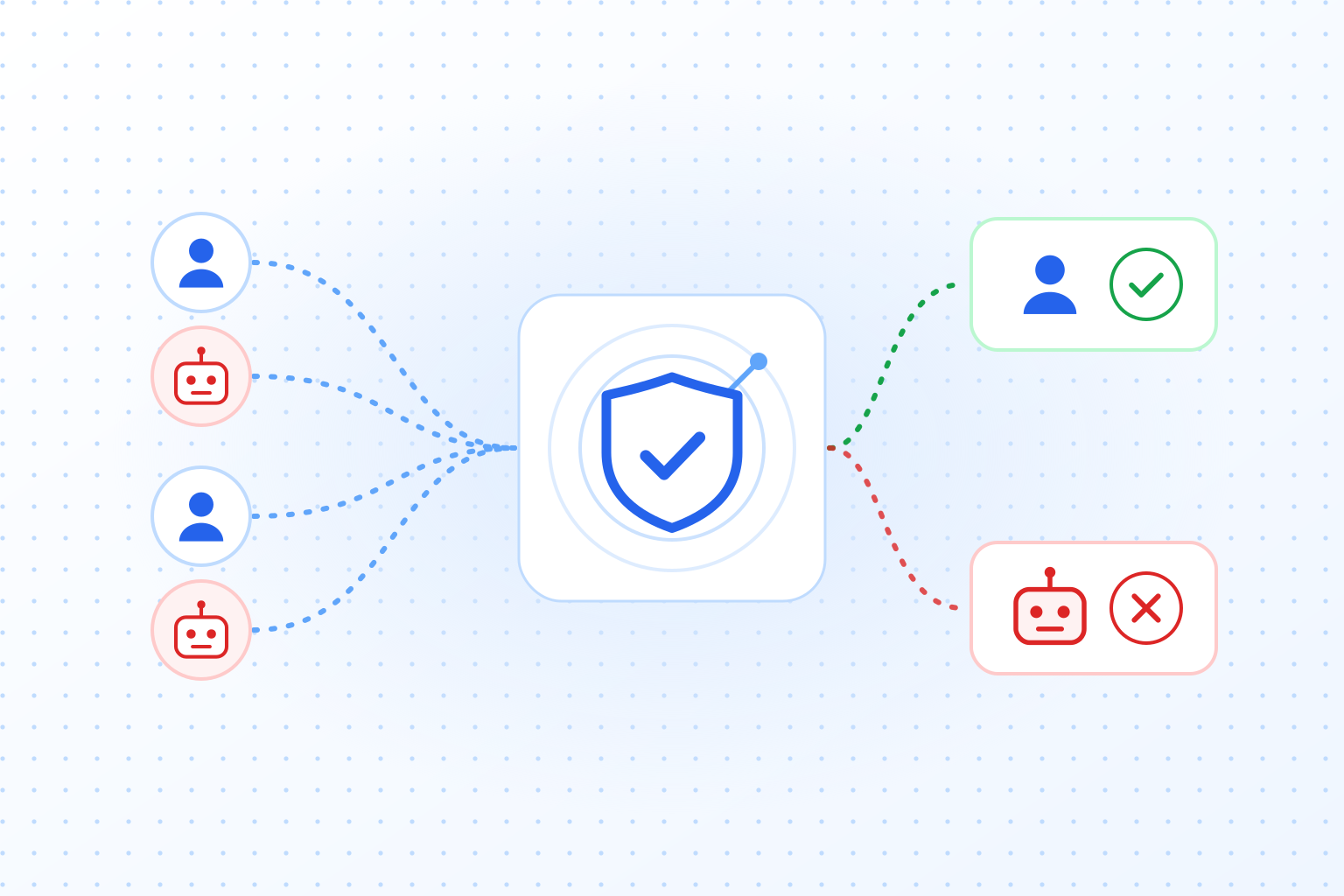
A bot score is a number that a CAPTCHA or bot detection service attaches to a request to say how likely it is that a bot sent it. It replaces the plain pass or fail of a puzzle with a scale, and your server decides what each part of that scale means: let the request through, check it again or block it.
You will see it under several names: bot score, CAPTCHA score, risk score, reCAPTCHA score. They describe the same idea. The service looks at the request and the browser behind it, compares what it sees with how people and bots usually behave, and condenses the result into one number. The scale differs from provider to provider, and so does the direction. That is where most of the confusion starts.
A score only protects you if your server reads it. A check that stays in the browser is one a bot can skip by posting the form directly. If you want the basics first, what is a CAPTCHA walks through challenge, token and server check.
reCAPTCHA v3 score: what 0.0 to 1.0 means
reCAPTCHA v3 returns a score from 0.0 to 1.0 with every check. 1.0 means the interaction is very likely good, 0.0 that it is very likely a bot. Google documents 0.5 as the default threshold, so by default a request below 0.5 is the one to distrust.
You load the v3 script on your pages and give every action you want scored a name, such as login or checkout. For each action the browser gets a token, your server sends it to Google and receives the score and the action name back. Check both: a good score for the wrong action tells you little.
How fine the scale is depends on the tier. On the free Essentials tier the score only takes four values: 0.1, 0.3, 0.7 and 0.9. The paid tiers return eleven levels, from 0.0 to 1.0 in steps of 0.1. With four values, a threshold of 0.5 and one of 0.6 behave exactly the same, so fine-grained rules need a paid tier.
Two more details catch people out. The first: v3 never shows a challenge. A score key only reports, so a low score stops nothing by itself. Your code decides what happens, and Google suggests a second factor or email verification. If you want Google to show a challenge below a threshold after all, policy-based challenge keys do that; they have been generally available since 28 October 2025.
The second: over the free tier, v3 fails open. If you go past the free 10,000 assessments a month without billing set up, the verify call still answers with success and a score of 0.9, and your form accepts every request as human. If every request suddenly scores 0.9, look for that error in your logs before you trust the number.
How v3 compares with the checkbox version, and when to pick which, is covered in reCAPTCHA v2 vs v3.
What is a good reCAPTCHA score?
Anything above the default threshold of 0.5 counts as likely human, and 0.9 is the best value the free tier gives you. Beyond that, “good” depends on your traffic. Google’s own Cloud documentation recommends running v3 without blocking first, looking at the scores your real visitors get, and then setting the threshold per action. We agree with that advice. A threshold copied from a forum post was set for somebody else’s visitors.
TrustCaptcha’s bot score: 0 means human
TrustCaptcha’s bot score runs the other way round. 0 means the request very likely comes from a human, 1 that it very likely comes from a bot. Here the low score is the good one.

The suggested starting threshold is 0.5 as well, which makes the two easy to mix up. On reCAPTCHA a request below 0.5 is suspicious; on TrustCaptcha a request above 0.5 is. If you move from one to the other, flip the comparison in your code, not only the number.
The score is not the only thing your server gets back. Every result also says whether the verification passed, and that is the hard yes or no: it is false, for example, when one of your security rules blocks the request. A typical check reads “verification failed, or bot score above 0.5: treat the request as automated”. The result also explains why the request got its score and recommends an action.
| reCAPTCHA v3 | TrustCaptcha | |
|---|---|---|
| Very likely human | 1.0 | 0 |
| Very likely bot | 0.0 | 1 |
| Suggested threshold | 0.5, below is suspicious | 0.5, above is suspicious |
| What happens to a suspicious request | Nothing by itself; your code decides | The proof-of-work gets harder; your code decides the rest |
| Hard yes or no | Whether the token is valid | Whether the verification passed, including your security rules |
Bot detection and risk scoring are part of the Solo plan and above; the Hobby plan runs on proof-of-work alone. For automated tests, bypass keys (Team plan and above) always pass with a bot score of 0, so your test suite does not trip your own thresholds.
How a bot score is calculated
No provider publishes its full recipe, and for good reason: a published list of signals is a checklist for whoever builds the bots. The inputs fall into a few groups, though:
- The browser and device: whether the environment is consistent and whether it shows traces of automation tools.
- Behavior on the page: timing, typing, how the form was filled in.
- The network: the IP address and what is known about it.
- Request patterns: how often requests arrive, how fast and from how many places at once.
No single signal proves anything. A VPN user looks odd on the network, and someone who pastes a password types unlike anyone else. The score comes from the combination, which is why it is a probability and not a verdict.
Google does not publish the full list of signals behind reCAPTCHA. TrustCaptcha’s widget sends static data and behavioral information to our servers, which compute the bot score from it. How to spot automated traffic more generally, before it ever reaches a form, is the subject of our guide to bot detection.
From score to decision: allow, check or block
A score is only useful once you attach an action to it. The simplest setup has one threshold: on one side the request goes through, on the other it is rejected. Most sites do better with two thresholds and a band in between.

- Clearly human: allow the request and ask for nothing.
- In between: ask for one more step, such as an email code, a second factor on login or a tighter rate limit for that session.
- Clearly a bot: reject the request and log it.
Where you put the thresholds depends on the form. A contact form can afford to be lenient, because the worst case is one spam message. A login page or a checkout cannot, because the worst case is a taken-over account or a stolen card that gets tested. Use separate thresholds per form instead of one for the whole site.
Before you block anything, watch for a while: log the scores your real visitors get and see where they cluster. Then set the thresholds, and look again after campaigns or big changes in traffic, because your normal visitors change too.
Where bot scores fall short
A score hands the decision to you. That is its strength, and it also means work. Three limits are worth knowing before you rely on one:
- It is a probability. Some real visitors will land on the wrong side. People on VPNs, on corporate networks or in privacy-hardened browsers often look unusual. Plan the middle band for them, not only a block.
- It costs the attacker nothing. A bot that scores badly can simply try again. A score tells you whom to distrust; it does not make the next attempt more expensive.
- A careful bot can look normal. Automated browsers that behave like people and come from residential IP addresses will score well on some requests.
That is why we do not think a score should work alone. Combine it with something that costs the attacker on every request, such as proof-of-work or rate limits, and with rules of your own. Our overview of CAPTCHA alternatives compares those layers one by one.
TrustCaptcha: bot score plus proof-of-work
TrustCaptcha uses the bot score to set a price. The browser solves a proof-of-work puzzle in the background, and the higher the bot score, the harder that puzzle gets. A normal visitor spends a moment of computing time; a suspicious request pays a lot more, and a bot flood stops paying off. Your server validates the token, gets the verification result, the bot score and the reason for it back, and your own security rules come on top.
The visitor has nothing to solve and nothing to click, because the widget starts on its own. TrustCaptcha sets no cookies, processes data in EU data centers and includes a Data Processing Agreement for every customer.
If you want the protection without any task for your visitors, read what an invisible CAPTCHA is and where its limits are.
Try TrustCaptcha
Every plan starts with a 14-day free trial, and non-commercial websites can use TrustCaptcha for free. Start your free trial and see how the bot score and proof-of-work handle the traffic on your own forms.