What does a website without a CAPTCHA cost?
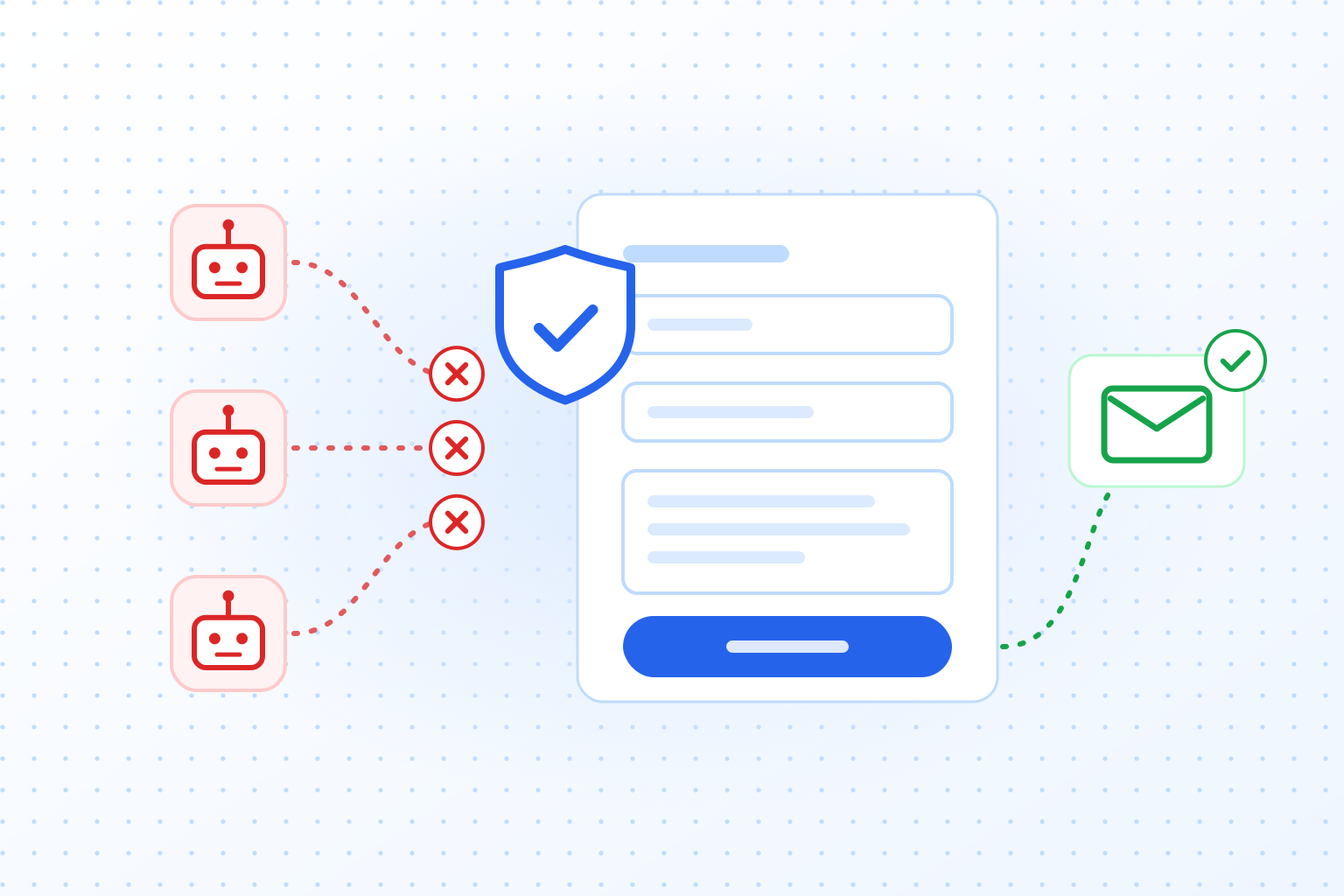
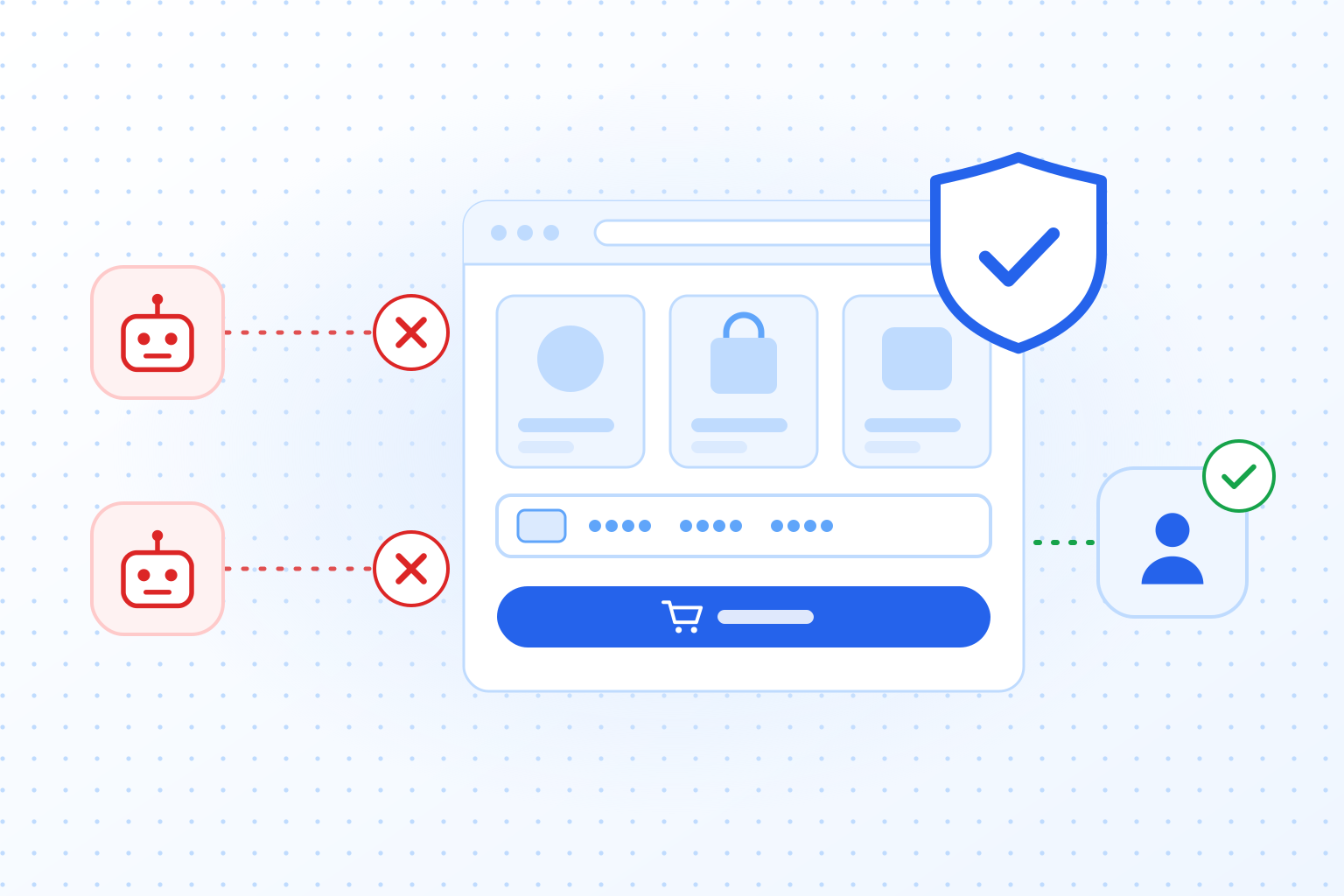
More than most teams expect. Bots that reach an unprotected form or login cause chargebacks, spam cleanup, support tickets and hosting overages, and they put customer trust and your legal position at risk. In the examples below, one fraud incident costs €7,000 to €8,000, everyday spam about €3,000 a year in staff time and one night of fake signups €500 in SMS fees, while a CAPTCHA for 10,000 verifications a month costs €36.
Some organizations still assume their website is too small to be a target. Others worry that a CAPTCHA will annoy customers. Modern CAPTCHAs usually work in the background: they use proof-of-work and behavior analysis to separate real users from bots, and real users hardly notice. Leaving out this basic defense invites a whole range of automated attacks, from brute force logins and fraudulent transactions to large spam campaigns.
Understanding CAPTCHAs
Definition and purpose
CAPTCHA stands for Completely Automated Public Turing test to tell Computers and Humans Apart. Its job is to tell real human visitors apart from automated scripts and bots. The first CAPTCHAs showed text puzzles or distorted letters to retype, on the assumption that only a person could pass that test reliably.
How modern (invisible) CAPTCHAs work
The technology has moved on a long way since the first text and image CAPTCHAs. Modern invisible CAPTCHAs use proof-of-work and detection algorithms to spot bot-like behavior. Instead of making a user solve a puzzle, the CAPTCHA looks at signals such as mouse movement, time on page and IP reputation. If a request looks suspicious, the CAPTCHA raises the amount of computation the browser has to do. That slows bots down and makes attacks at scale expensive. Real visitors usually do not notice any extra step.
The role of CAPTCHAs in cybersecurity
CAPTCHAs act as gatekeepers on websites, forms and login pages. By checking that a visitor is human, they protect against spam submissions, fake account registrations, brute force login attempts and similar abuse. A CAPTCHA is not the only security measure an organization needs, but it is an inexpensive way to filter out a large share of automated attacks. Even if a website already has a firewall or a threat detection system, the CAPTCHA is often the first thing an automated request runs into, and it stops the abuse before it grows.
Common reasons for not implementing CAPTCHAs
Some businesses fear that a CAPTCHA will hurt the user experience. Others think they are too small or too niche to be attacked. Invisible CAPTCHAs have largely removed the first concern, and bots do not choose targets by size. As the next sections show, a site without a CAPTCHA runs risks that go beyond security and reach its finances, its reputation and even its legal standing.
Common threats without CAPTCHA
Bot attacks and spam
Websites without CAPTCHAs are easy targets for bots. They can push large volumes of spam through contact forms, blog comments and registration pages. Some spammers use bots to post links to other sites, which can earn your domain a search engine penalty if it starts to look like a spam hub. Over time, spam lowers the value and credibility of a website’s content. It also costs staff time, because someone has to delete fake submissions and moderate comments by hand.
Brute force login attempts
In a brute force attack, a bot tries one username and password combination after another until it gets into an account. When the risk of an attack rises, for example during a surge of login requests, a modern CAPTCHA raises the proof-of-work difficulty. Each new attempt then costs the bot more computation, which slows the attack down or stops it. A site without that protection lets the attempts run on, giving attackers more time to hit valid credentials and get at user data.
Credential stuffing and account takeovers
Credential stuffing is a variant of brute force. Attackers take usernames and passwords leaked from one service and try them on others, counting on people reusing their passwords. Again, without a CAPTCHA these scripts can try thousands or even millions of username and password pairs and exploit every match.
Fake account registrations
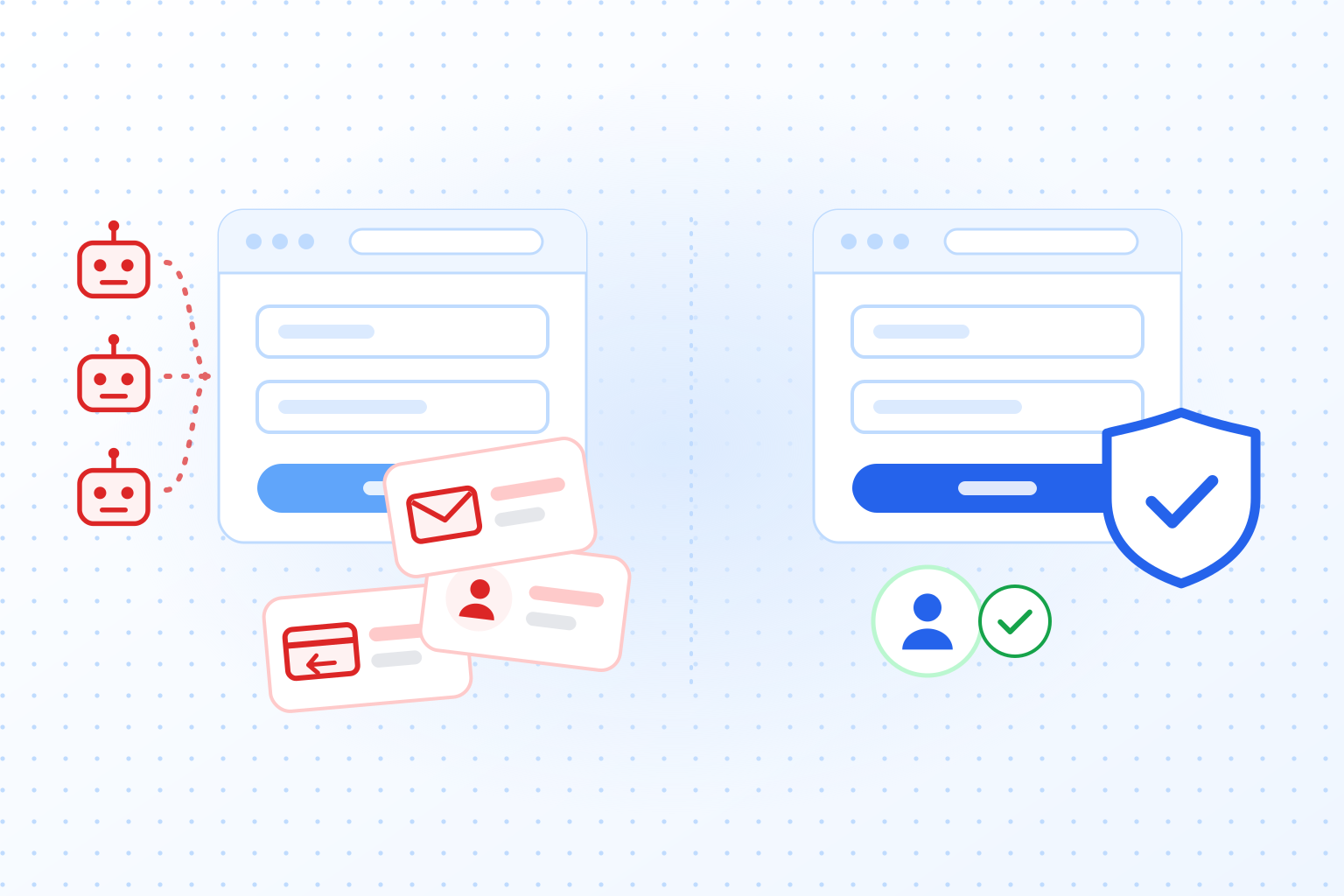
Bots create thousands of fraudulent accounts to exploit promotions, spread misleading content or attack a platform from the inside. On social networks, that shows up as spam in direct messages or harmful links in posts. In e-commerce, fake registrations are used to abuse discount codes or referral bonuses. A CAPTCHA that works quietly in the background can block these mass signups before they turn into a support problem. Our guide on how to prevent fake account creation covers the signup flow in detail.
Malicious content scraping
Malicious scraping is about stealing proprietary data, users’ email addresses or other confidential information. Scraping tools can slow a website down, erode a business’s competitive advantage and violate users’ privacy. CAPTCHAs that raise the computational cost as the risk grows are effective against bulk scraping, because every additional page the bot collects costs it more.
Put together, a website without a CAPTCHA invites a long list of automated attacks. They bring extra costs, extra work for staff, exposed user data and damage to the brand. Many organizations underestimate how quickly these attacks escalate and how long and expensive the cleanup is. A CAPTCHA can feel like one more thing to install, but going without one usually costs more in the long run.
Financial and operational impact
Direct financial losses
Going without a CAPTCHA can hit revenue directly. When bots complete fake registrations or fraudulent transactions, businesses face payment disputes, chargebacks and inventory fraud. For online stores, fraud at scale eats into margins, and payment providers may raise transaction fees when they see an unusual number of disputed charges. Spam and fake orders also tie up inventory and staff time, which makes the whole operation less efficient. All of this is overhead that a working security measure would have prevented.
Increased customer support overhead
Support teams are often the first to feel a bot attack. They get complaints about orders nobody placed, spam messages and account changes nobody can explain. Every ticket costs money in wages and in time taken away from other work. If the team is constantly dealing with bot problems, the support that real customers get suffers too.
Infrastructure strain
Bots also put load on your infrastructure. Many automated scripts hitting your site at once cause traffic spikes that slow the site down for real users. On smaller websites, bot traffic can even have the effect of a denial-of-service attack. Some businesses end up paying for bigger hosting plans or a content delivery network to cope with the load. With a CAPTCHA in place from the start, much of that traffic would have been turned away before it became a problem.
Staff productivity loss
Administrators, moderators and security staff spend a lot of time analyzing logs, blocking IP addresses and cleaning out spam. Most of that work can be avoided with simple measures set up from the start. Every hour spent deleting fake accounts or chasing minor incidents is an hour not spent on the product, marketing or customer service. Smaller businesses often have no dedicated security team, so these tasks fall on people who should be working on sales, marketing or product development. Over time, that slows the business down.
Real-world cost examples
Fraud attack example
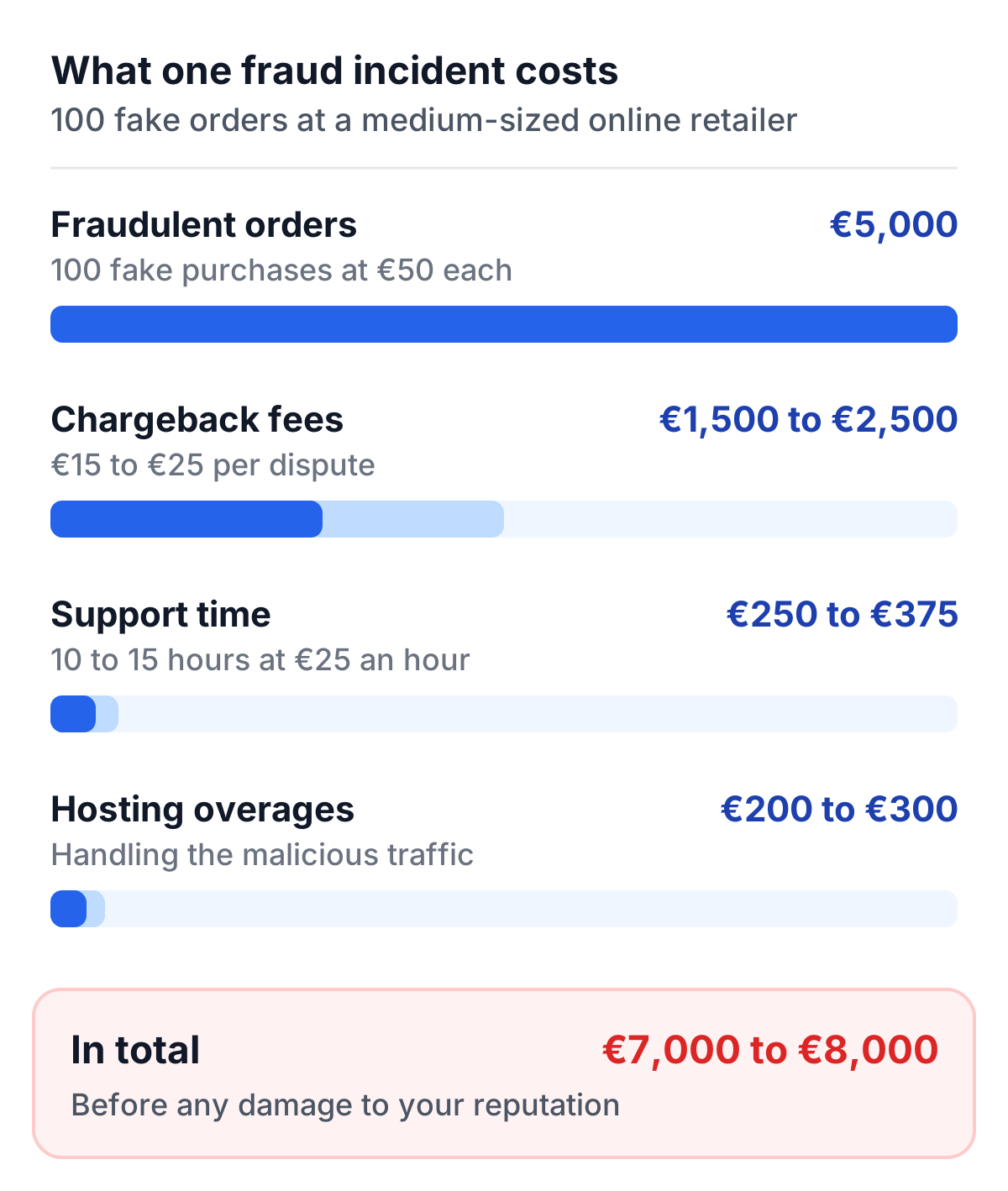
Take a medium-sized online retailer hit by a single bot-driven fraud incident:
- Fraudulent orders: 100 fake purchases at €50 each = €5,000 in product losses or chargebacks.
- Chargeback fees: €15 to €25 per dispute for 100 orders = €1,500 to €2,500 in bank fees.
- Customer support time: 10 to 15 hours resolving customer complaints at €25 an hour = €250 to €375.
- Hosting overages: €200 to €300 for handling the malicious traffic.
Altogether, one relatively small incident can cost €7,000 to €8,000 in direct expenses.
Everyday spam example
Take a small company whose contact form receives 3,000 spam messages a month:
- Review time: if skimming and deleting each message takes about 10 seconds, that is 30,000 seconds, or more than 8 hours a month.
- Staff cost: at €30 an hour, that is about €250 a month, or €3,000 a year.
The larger cost is harder to count: real enquiries that get lost between the spam or are answered too late. By comparison, the TrustCaptcha Solo plan costs €36 a month for 10,000 verifications and blocks most spam before it reaches your inbox.
Short attack example
Now assume a bot finds a signup form that sends a verification code by SMS. In a single night it creates 5,000 fake signups, and each one triggers a text message:
- SMS fees: at an assumed €0.10 per message, that is €500 for one night, and messages to some international numbers cost far more.
- Cleanup: thousands of fake accounts to find and delete, and a customer database and mailing list full of junk.
This scheme is known as SMS pumping, and it can go unnoticed until the bill arrives. A CAPTCHA on the form checks each signup before a message goes out, so most bot signups never trigger one.
Reputational and user trust damage
Erosion of customer confidence
Users expect a basic level of security from every website. If a site regularly shows spam or lets suspicious links into its user content, visitors start to doubt that it is safe. A single compromised account can cause alarm once word gets around that personal details may be at risk. Perception matters: a business that seems to ignore these problems risks losing loyal customers and new ones alike, because they no longer feel protected.
Negative publicity
Major data breaches or repeated bot attacks can turn into public relations crises. Customers share bad experiences on social media and review platforms, and that attention can linger for months or years and drown out your marketing. Headlines about a security lapse can still come up years later when someone searches for your company’s name. Some organizations end up spending large budgets on damage control, rebranding or PR campaigns, all because of a security gap that could have been avoided.
Impact on partnerships and collaborations
Companies that handle sensitive data or process payments often check the security of potential partners. If your website is known to be vulnerable or under frequent automated attack, those partners may think twice about a deal. Advertisers and payment providers may also impose stricter terms or extra fees if your platform is linked to frequent fraudulent transactions or suspicious activity.
A damaged reputation can hurt the bottom line as much as direct financial losses. Users who do not feel safe go elsewhere, and partners may pull out of deals. That perception is hard to reverse and can last for years. Financial setbacks and reputational damage together cost far more than a reliable CAPTCHA would have.
Legal and compliance risks
Data protection regulations
Data protection laws such as the General Data Protection Regulation (GDPR) in Europe require appropriate technical and organizational measures to protect personal data (Article 32). They do not say “you must use a CAPTCHA”, but they do expect organizations to secure the data they hold. After a data breach, a missing basic safeguard such as bot protection on login and signup forms may be seen as negligence, with possible fines or sanctions. How this applies to your site depends on your case; this is not legal advice, so ask your data protection officer.
Industry-specific requirements
Some industries, including finance and healthcare, have to meet stricter standards. If a breach happens, auditors, regulators or industry bodies may ask why basic security controls were missing.
Liability concerns
In jurisdictions that allow lawsuits over data breaches or identity theft, your organization could be held liable if it can be shown that you ignored basic, widely accepted protective measures. Class actions and other claims can drag on for years, with high legal fees and possible settlements, especially if the breach caused users financial or emotional harm. Even if your organization wins in court, the cost to its reputation and finances can be significant.
The cumulative risk
One minor incident may not lead to a serious penalty, but repeated automated attacks or a large breach can draw a regulator’s attention. Organizations that leave known security gaps open for a long time risk growing fines and liability. Any short-term decision to skip a CAPTCHA should be weighed against these possible long-term legal consequences.
Evaluating common CAPTCHA solutions
Legacy vs. modern approaches
Older CAPTCHAs made users read distorted text or select matching images, which caused friction and frustration. Modern, invisible CAPTCHAs run algorithms in the background to detect unusual behavior or suspicious requests. Real users generally do not realize a CAPTCHA is there, while bots have to complete time-consuming proof-of-work tasks.
Proof-of-work and behavioral analysis
Proof-of-work throttles bots effectively. If a request looks normal, the site sets a small task; if it looks like a bot, the computational demand goes up. Behavioral analysis adds factors such as time on page, mouse movements and IP reputation. Together they give a more accurate assessment of each request without asking the user to do anything.
Reduced user friction
Traditional CAPTCHAs can drive real users away if the challenges come too often or are too hard. Invisible CAPTCHAs cut that friction, because the check happens almost entirely out of sight. That answers the most common complaint about CAPTCHAs, that they annoy real users. With modern approaches, the cost of a CAPTCHA, in money and in user experience, is much lower than it used to be.
Why TrustCaptcha?
An alternative to traditional solutions
TrustCaptcha replaces the old CAPTCHAs that interrupt users. Visitors never have to solve a puzzle or select images: the check runs in the background while they fill in the form. That removes the friction that gave CAPTCHAs their bad reputation, so security does not come at the cost of convenience.
Low cost and high scalability
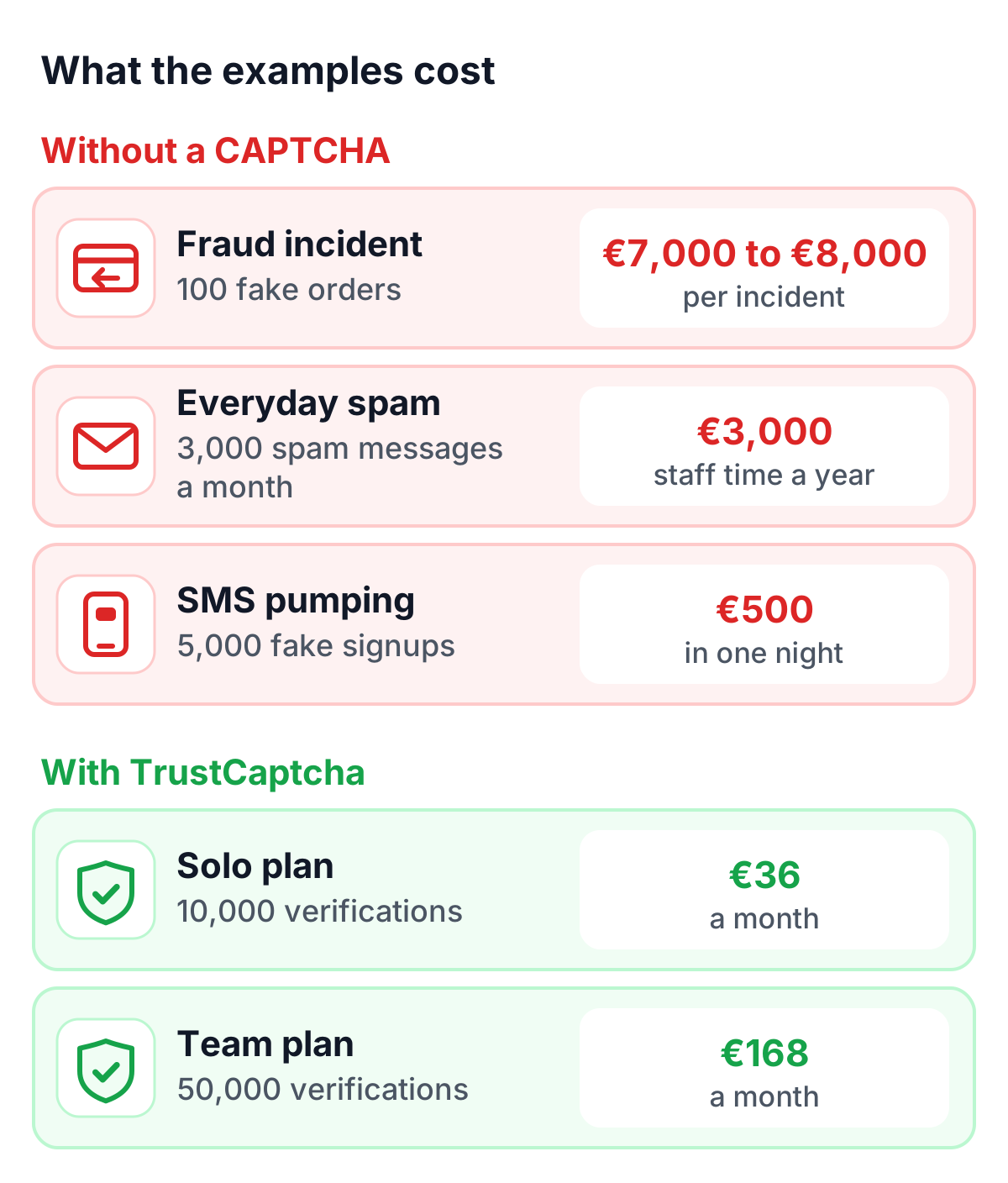
Cost matters, especially for small and mid-sized businesses that cannot absorb large fraud losses or constant spam. TrustCaptcha’s plans scale with your traffic: 10,000 verifications a month cost €36 on the Solo plan, and 50,000 cost €168 on the Team plan. A fraud incident like the one above costs thousands of euros, and everyday spam adds up to thousands a year in staff hours. For a fraction of that amount, businesses can keep most malicious traffic away from their infrastructure.
Privacy and compliance
TrustCaptcha limits the personal data it collects and sticks to the signals needed for bot detection. It sets no cookies and processes data in EU data centers, which helps businesses meet the requirements of the GDPR.
Easy integration
TrustCaptcha is built to be easy to set up, whether you run a small WordPress site or a large e-commerce platform. Developers can follow the documentation and integration guides, so implementation does not take long. Once it is live, it runs automatically and needs very little attention.
Try TrustCaptcha
Skipping a CAPTCHA can seem harmless until a large automated attack hits. The examples above show how one bot-driven fraud incident can cost €7,000 to €8,000, how everyday spam adds up to about €3,000 a year in staff time, and how one night of fake signups can cost €500 in SMS fees. TrustCaptcha, a modern invisible CAPTCHA service, handles 10,000 verifications a month for €36 on the Solo plan and stops most of these attacks before they grow. The cost of not using a CAPTCHA is far higher than the cost of using one.
Every plan starts with a 14-day free trial, and non-commercial websites can use TrustCaptcha for free. Start your free trial and protect your forms before the next spam wave arrives.