'%3e%3crect%20width='32'%20height='24'%20fill='white'/%3e%3cpath%20fill-rule='evenodd'%20clip-rule='evenodd'%20d='M0%200V24H32V0H0Z'%20fill='%232E42A5'/%3e%3cmask%20id='mask0_270_67386'%20style='mask-type:luminance'%20maskUnits='userSpaceOnUse'%20x='0'%20y='0'%20width='32'%20height='24'%3e%3cpath%20fill-rule='evenodd'%20clip-rule='evenodd'%20d='M0%200V24H32V0H0Z'%20fill='white'/%3e%3c/mask%3e%3cg%20mask='url(%23mask0_270_67386)'%3e%3cpath%20d='M-3.56323%2022.2854L3.47846%2025.2635L32.1597%203.23787L35.874%20-1.18761L28.344%20-2.18297L16.6456%207.3085L7.22956%2013.7035L-3.56323%2022.2854Z'%20fill='white'/%3e%3cpath%20d='M-2.59924%2024.3719L0.988173%2026.1001L34.5402%20-1.59881H29.5031L-2.59924%2024.3719Z'%20fill='%23F50100'/%3e%3cpath%20d='M35.5631%2022.2854L28.5214%2025.2635L-0.159817%203.23787L-3.87415%20-1.18761L3.65593%20-2.18297L15.3543%207.3085L24.7703%2013.7035L35.5631%2022.2854Z'%20fill='white'/%3e%3cpath%20d='M35.3229%2023.7829L31.7355%2025.5111L17.4487%2013.6518L13.2129%2012.3267L-4.23151%20-1.17246H0.805637L18.2403%2012.0063L22.8713%2013.5952L35.3229%2023.7829Z'%20fill='%23F50100'/%3e%3cmask%20id='path-7-inside-1_270_67386'%20fill='white'%3e%3cpath%20fill-rule='evenodd'%20clip-rule='evenodd'%20d='M19.7777%20-2H12.2222V8H-1.97253V16H12.2222V26H19.7777V16H34.0275V8H19.7777V-2Z'/%3e%3c/mask%3e%3cpath%20fill-rule='evenodd'%20clip-rule='evenodd'%20d='M19.7777%20-2H12.2222V8H-1.97253V16H12.2222V26H19.7777V16H34.0275V8H19.7777V-2Z'%20fill='%23F50100'/%3e%3cpath%20d='M12.2222%20-2V-4H10.2222V-2H12.2222ZM19.7777%20-2H21.7777V-4H19.7777V-2ZM12.2222%208V10H14.2222V8H12.2222ZM-1.97253%208V6H-3.97253V8H-1.97253ZM-1.97253%2016H-3.97253V18H-1.97253V16ZM12.2222%2016H14.2222V14H12.2222V16ZM12.2222%2026H10.2222V28H12.2222V26ZM19.7777%2026V28H21.7777V26H19.7777ZM19.7777%2016V14H17.7777V16H19.7777ZM34.0275%2016V18H36.0275V16H34.0275ZM34.0275%208H36.0275V6H34.0275V8ZM19.7777%208H17.7777V10H19.7777V8ZM12.2222%200H19.7777V-4H12.2222V0ZM14.2222%208V-2H10.2222V8H14.2222ZM-1.97253%2010H12.2222V6H-1.97253V10ZM0.0274658%2016V8H-3.97253V16H0.0274658ZM12.2222%2014H-1.97253V18H12.2222V14ZM14.2222%2026V16H10.2222V26H14.2222ZM19.7777%2024H12.2222V28H19.7777V24ZM17.7777%2016V26H21.7777V16H17.7777ZM34.0275%2014H19.7777V18H34.0275V14ZM32.0275%208V16H36.0275V8H32.0275ZM19.7777%2010H34.0275V6H19.7777V10ZM17.7777%20-2V8H21.7777V-2H17.7777Z'%20fill='white'%20mask='url(%23path-7-inside-1_270_67386)'/%3e%3c/g%3e%3c/g%3e%3cdefs%3e%3cclipPath%20id='clip0_270_67386'%3e%3crect%20width='32'%20height='24'%20fill='white'/%3e%3c/clipPath%3e%3c/defs%3e%3c/svg%3e)
'%3e%3crect%20width='32'%20height='24'%20fill='white'/%3e%3cpath%20fill-rule='evenodd'%20clip-rule='evenodd'%20d='M0%2016H32V24H0V16Z'%20fill='%23FFD018'/%3e%3cpath%20fill-rule='evenodd'%20clip-rule='evenodd'%20d='M0%208H32V16H0V8Z'%20fill='%23E31D1C'/%3e%3cpath%20fill-rule='evenodd'%20clip-rule='evenodd'%20d='M0%200H32V8H0V0Z'%20fill='%23272727'/%3e%3c/g%3e%3cdefs%3e%3cclipPath%20id='clip0_270_67353'%3e%3crect%20width='32'%20height='24'%20fill='white'/%3e%3c/clipPath%3e%3c/defs%3e%3c/svg%3e)
'%3e%3crect%20width='32'%20height='24'%20fill='white'/%3e%3cpath%20fill-rule='evenodd'%20clip-rule='evenodd'%20d='M22%200H32V24H22V0Z'%20fill='%23F50100'/%3e%3cpath%20fill-rule='evenodd'%20clip-rule='evenodd'%20d='M0%200H12V24H0V0Z'%20fill='%232E42A5'/%3e%3cpath%20fill-rule='evenodd'%20clip-rule='evenodd'%20d='M10%200H22V24H10V0Z'%20fill='%23F7FCFF'/%3e%3c/g%3e%3cdefs%3e%3cclipPath%20id='clip0_270_67361'%3e%3crect%20width='32'%20height='24'%20fill='white'/%3e%3c/clipPath%3e%3c/defs%3e%3c/svg%3e)
What is credential stuffing?
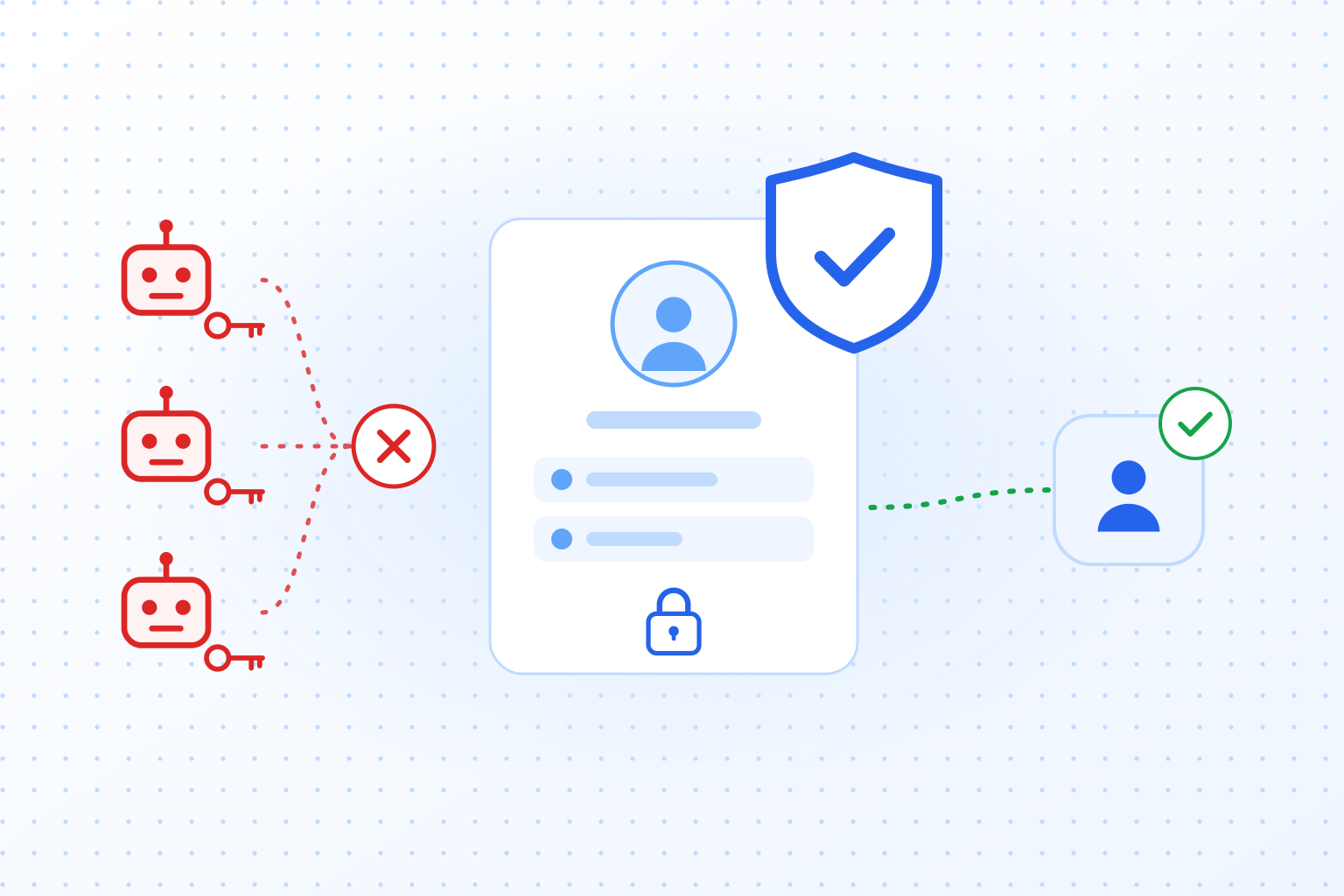
Credential stuffing is an attack in which bots take username and password pairs leaked from one website and try them on the login form of another. It works because people reuse passwords. Anyone who used the same email address and password at a breached online shop and at your service has handed the attacker a working login to your service.
You will also see it written “credentials stuffing”. It is the same attack, and the name describes it well: stolen credentials get stuffed into someone else’s login form at bot speed until some of them work.
The attacker does not guess anything. Every pair on the list belonged to a real account somewhere. Most of them fail on your site, because the person never had an account with you or chose a different password. That hardly matters to the attacker. The lists are long, the attempts cost next to nothing, and a small share of hits is enough to make the run pay.
What the working accounts are good for depends on your business: stored payment methods, loyalty points and gift card balances, personal data for phishing, or simply accounts to resell. On a SaaS product, one taken-over account can expose a customer’s whole workspace. Credential stuffing is the automated route to account takeover, and our page on account takeover protection covers the wider set of controls.
How a credential stuffing attack works
A credential stuffing attack has four stages, and only one of them happens on your side.
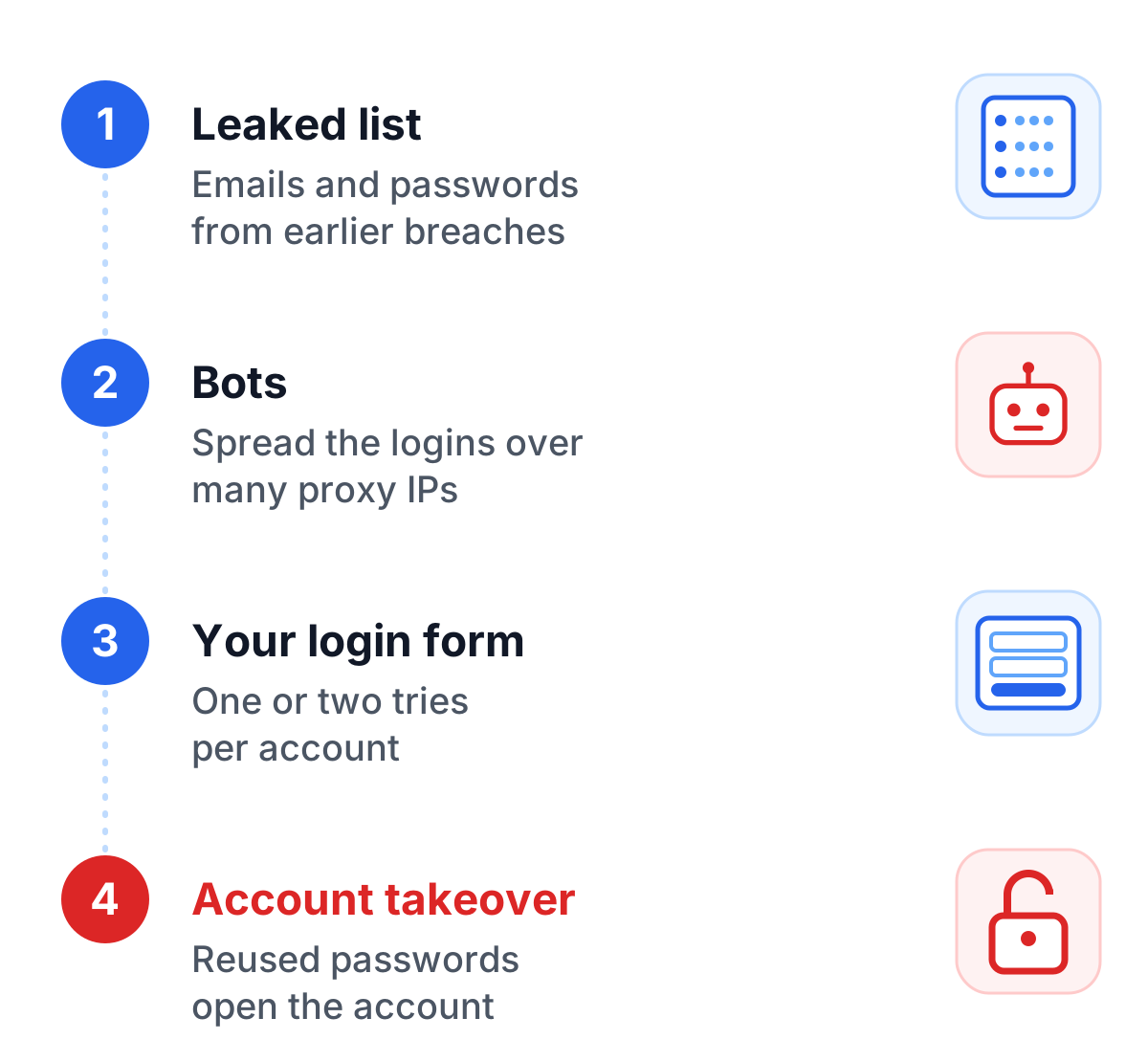
- A leaked list. Email addresses or usernames with their passwords, collected from data breaches, phishing pages and malware that steals passwords saved in browsers. They circulate as “combo lists”, often merged from many breaches and sold or shared for free.
- A tool with a config for your site. The attacker loads the list into an automation tool and adds a config for your login: which URL to call, which fields to fill, what a successful login looks like. Configs for popular sites get traded just like the lists.
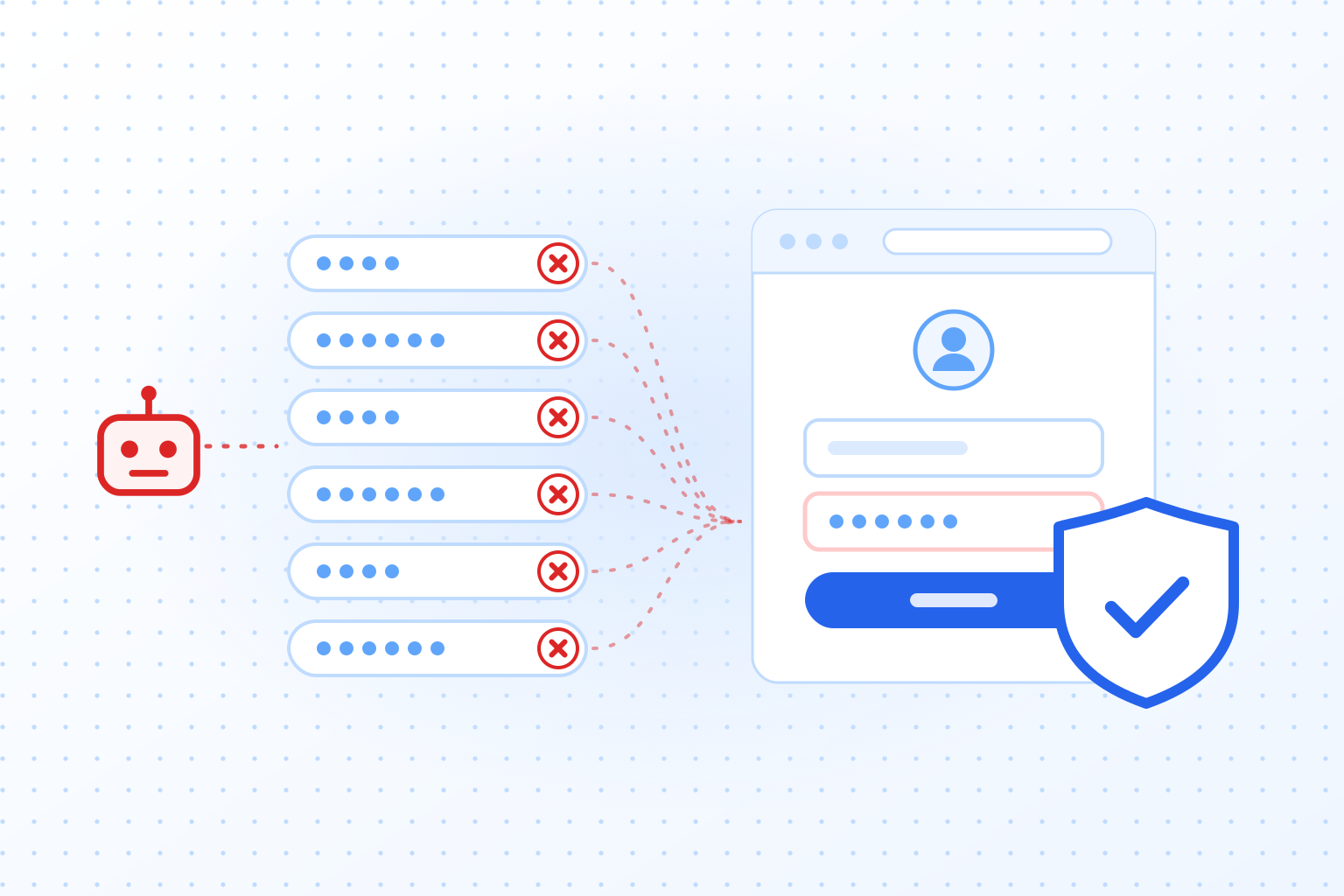
- Bots spread the attempts. The tool sends the logins through large proxy pools, often residential IP addresses, so each address sends only a few requests and each account is tried once or twice. To your server it looks like many unrelated visitors who each mistyped a password.
- Hits become takeovers. Logins that work are saved, checked for value and then used, sold or locked by changing the email address and password before the owner notices.
You cannot recall a leaked list, and you have no say in where your users reuse their passwords. Stage three is where you have a say. Every pair on the list has to pass through your login form or your login API, and that is where you can make each attempt expensive.
Credential stuffing vs brute force
In a brute force attack, the attacker does not know the password and guesses, usually many passwords against one account. In credential stuffing, the attacker already holds a password that someone really used and tries it once on the matching account. That difference decides which defenses work.
Account lockout is the classic answer to brute force: after a number of failed attempts, the account is locked or slowed down. Against credential stuffing it does almost nothing, because each account sees one or two attempts. NIST’s password guideline SP 800-63B asks services to allow no more than 100 consecutive failed attempts on one account. A credential stuffing run never comes close to that number on any single account.
Password spraying sits between the two: a handful of common passwords tried against many accounts. The OWASP Credential Stuffing Prevention Cheat Sheet treats the three as related attacks and notes that most defenses work against all of them.
| Brute force | Password spraying | Credential stuffing | |
|---|---|---|---|
| What the attacker starts with | Nothing, the password is guessed | A short list of common passwords | Real username and password pairs from breaches |
| Attempts per account | Many | A few | One or two |
| Why it works | Short or weak passwords | Common passwords | Password reuse across sites |
| Does account lockout help? | Yes | Partly | Hardly |
For the guessing attacks, our guide to brute force protection covers lockouts, delays and where a CAPTCHA fits.
How to spot credential stuffing
A run that is spread over thousands of IP addresses rarely trips a single alarm. It shows up in the totals:
- Failed logins rise across many accounts at once, while the count per account stays low.
- A high share of attempts uses email addresses that have no account with you at all. Real users rarely type an address you have never seen.
- Logins come from networks you rarely see: hosting providers, proxy services, countries where you have no customers.
- One IP address or one device fingerprint tries many different accounts, or the requests arrive at suspiciously even intervals.
- Requests skip parts of a normal visit: no page assets loaded, missing headers, traces of a headless browser, direct calls to the login API.
- Afterwards: a wave of password resets, changed email addresses and support tickets about orders nobody placed.
How to prevent credential stuffing
No single control stops credential stuffing. Four of them together do most of the work: multi-factor authentication, so a stolen password alone is not enough; breached-password checks, so the passwords on attackers’ lists stop working; rate limits that look beyond the IP address; and bot detection on the login form, so every automated attempt costs something. The OWASP cheat sheet linked above describes the same building blocks in more depth.
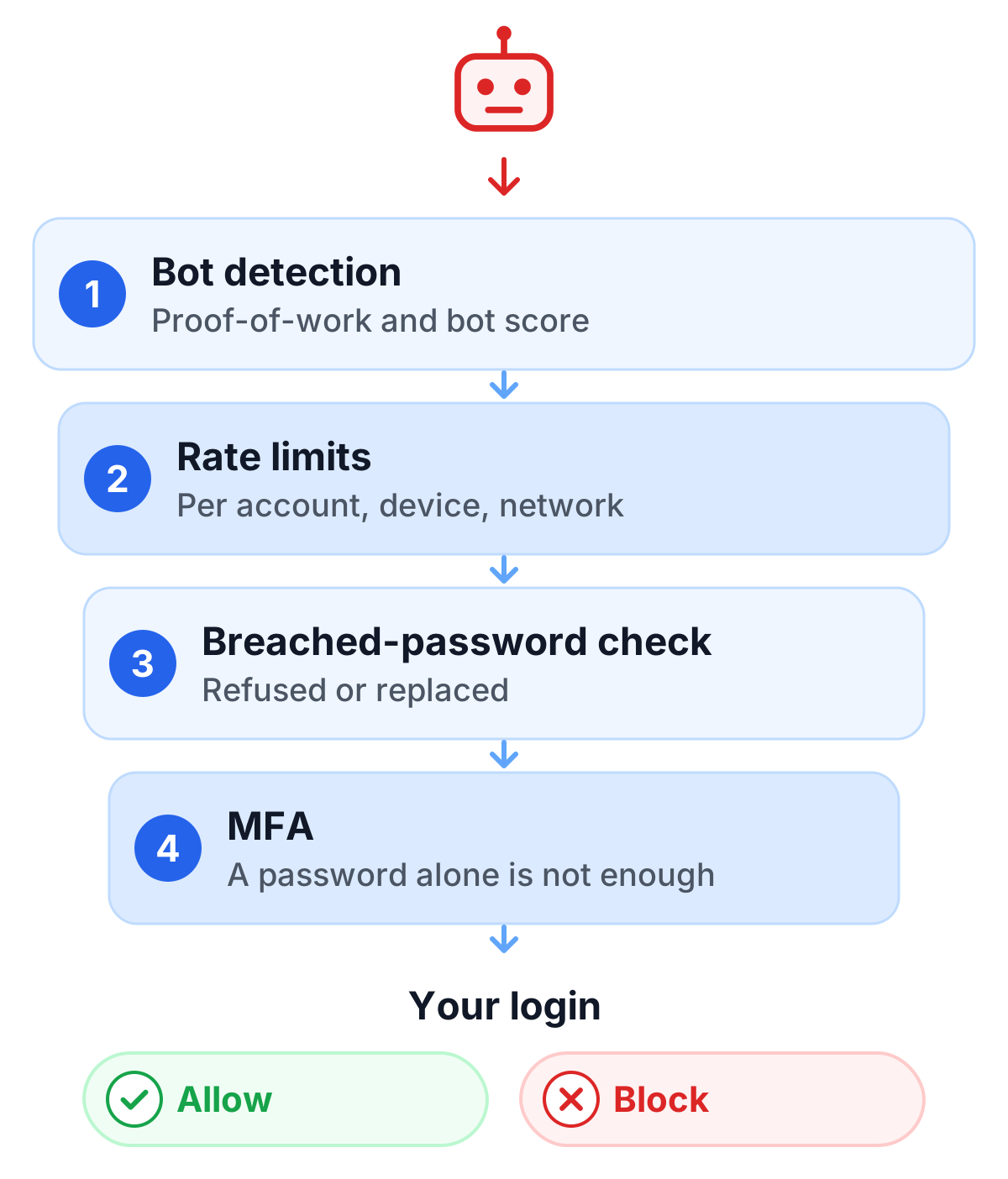
Multi-factor authentication
OWASP calls MFA “by far the best defense against the majority of password-related attacks” and cites a Microsoft analysis that found it would have stopped 99.9% of account compromises. With a second factor, a correct password from a leaked list no longer opens the account.
MFA has gaps all the same. It protects only the accounts that have it switched on, and on consumer sites many users never do. On most login flows the password step succeeds before the second factor is requested, so the attacker still learns which passwords are valid, and that knowledge is useful for phishing and for push-notification spam aimed at tired users. And every attempt still reaches your servers. A middle way is risk-based MFA: ask for the second factor when a login looks unusual, from a new device, a new country or with a high bot score.
Rate limits that look beyond the IP address
A limit per IP address is the obvious first step, and attackers plan for it: they rotate through proxy pools so that each address stays under your limit. Add limits per account, per device fingerprint and per network range, and watch the overall rate of failed logins. A sudden jump in that rate is often the first sign that a run has started. Slowing down responses after failed attempts costs a real user little and a bot operator a lot of time.
Breached-password checks
Check new passwords at signup and on every password change against a list of passwords known from breaches, and refuse the ones on it. NIST SP 800-63B makes this a requirement for services that follow it: new passwords have to be compared against a blocklist that includes passwords from earlier breaches. Services such as Pwned Passwords from Have I Been Pwned let you run the check without sending the password anywhere. You send the first characters of its hash and compare the returned matches on your own server.
The same check works at login. If someone signs in with a password that appears in a breach, ask them to change it before an attacker gets there.
Bot detection on the login form
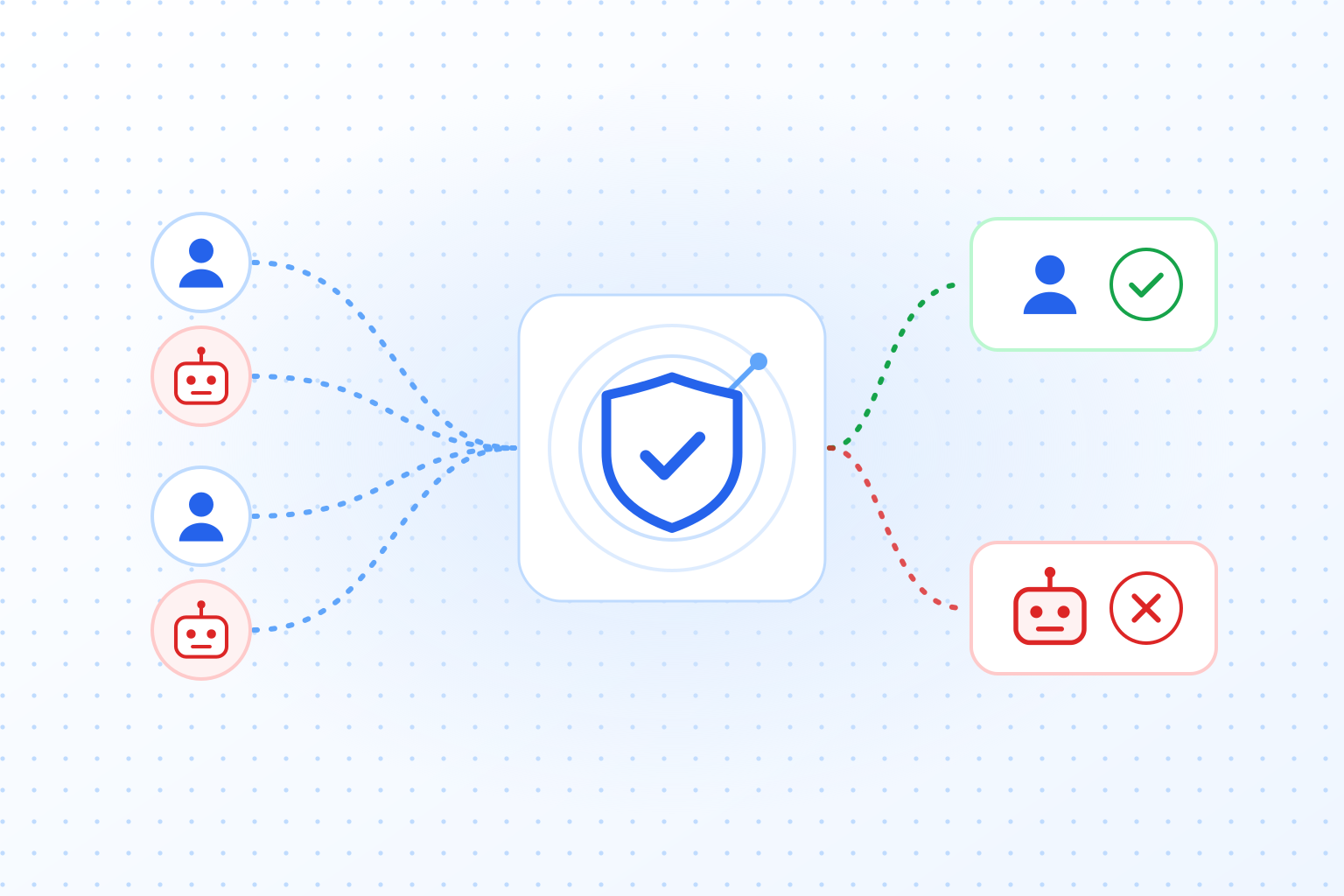
Credential stuffing depends on volume. Bot detection on the login form, through a CAPTCHA, a proof-of-work task or device and behavior signals, puts a price on each attempt and marks the ones that look automated. With a bot score your server can treat logins differently: let clean ones through, ask doubtful ones for a second factor and reject the obvious bots.
Validate the result on the server for every login request, and cover every way in: the web form, the API your mobile app uses, older login endpoints, the password reset form and any step that reveals whether an email address has an account. Attackers look for the one entrance without a check.
Can a CAPTCHA stop credential stuffing?
A CAPTCHA helps against credential stuffing, and that is true whichever vendor you pick: hCaptcha, Google reCAPTCHA, Cloudflare Turnstile and TrustCaptcha all make automated login attempts slower and more expensive. None of them stops the attack alone. OWASP points out that CAPTCHAs “are not perfect” and that tools and services exist to break them with a reasonably high success rate, and a login that gets past the CAPTCHA still works if the password is right.
So treat the CAPTCHA as the layer that cuts the volume, and rely on MFA and breached-password checks for the attempts that get through. For login forms, the differences between vendors that matter most are whether your users see a challenge, whether you get a score to act on and where visitor data is processed. The same CAPTCHA on your contact and signup forms also cuts automated spam, and on signup it helps prevent fake account creation by the same kind of automation.
Smaller measures that add up
- Show the same error message for a wrong username and a wrong password, so your login does not tell attackers which email addresses have an account.
- Notify users about logins from a new device. They often spot a takeover before your monitoring does.
- Let users see and end their active sessions.
- Offer passkeys. An account that signs in with a passkey has no password that can leak and be reused.
What to do while an attack is running
- Raise the friction on the login: increase the proof-of-work difficulty, require the bot check on every login and block the networks the attack comes from.
- Find the accounts with successful logins from the attack’s IP addresses or devices, end their sessions and force a password reset.
- Tell the affected users what happened and what they should do, including changing the password on other sites where they used it.
- Find out whether personal data was accessed, and ask your data protection officer whether the incident has to be reported.
- Once it is over, check which endpoint the attack used and close that gap.
TrustCaptcha on your login form
TrustCaptcha checks every login in the background. The widget starts on its own and solves a proof-of-work task in the browser, so a real user has nothing to solve or click while a bot pays for each attempt. The proof-of-work gets harder as the risk of a request rises, which makes a run of thousands of logins from suspicious traffic expensive.
From the Solo plan, a bot score and custom proof-of-work rules give your server a signal to act on: let the login through, ask for the second factor or reject it. TrustCaptcha sets no cookies, processes data in EU data centers and includes a Data Processing Agreement for every customer. It is one layer of your login security and works best next to MFA and breached-password checks.
Try TrustCaptcha
Every plan starts with a 14-day free trial, and non-commercial websites can use TrustCaptcha for free. Start your free trial and put a check on your login form that your users never have to solve.