

Do I need a CAPTCHA?
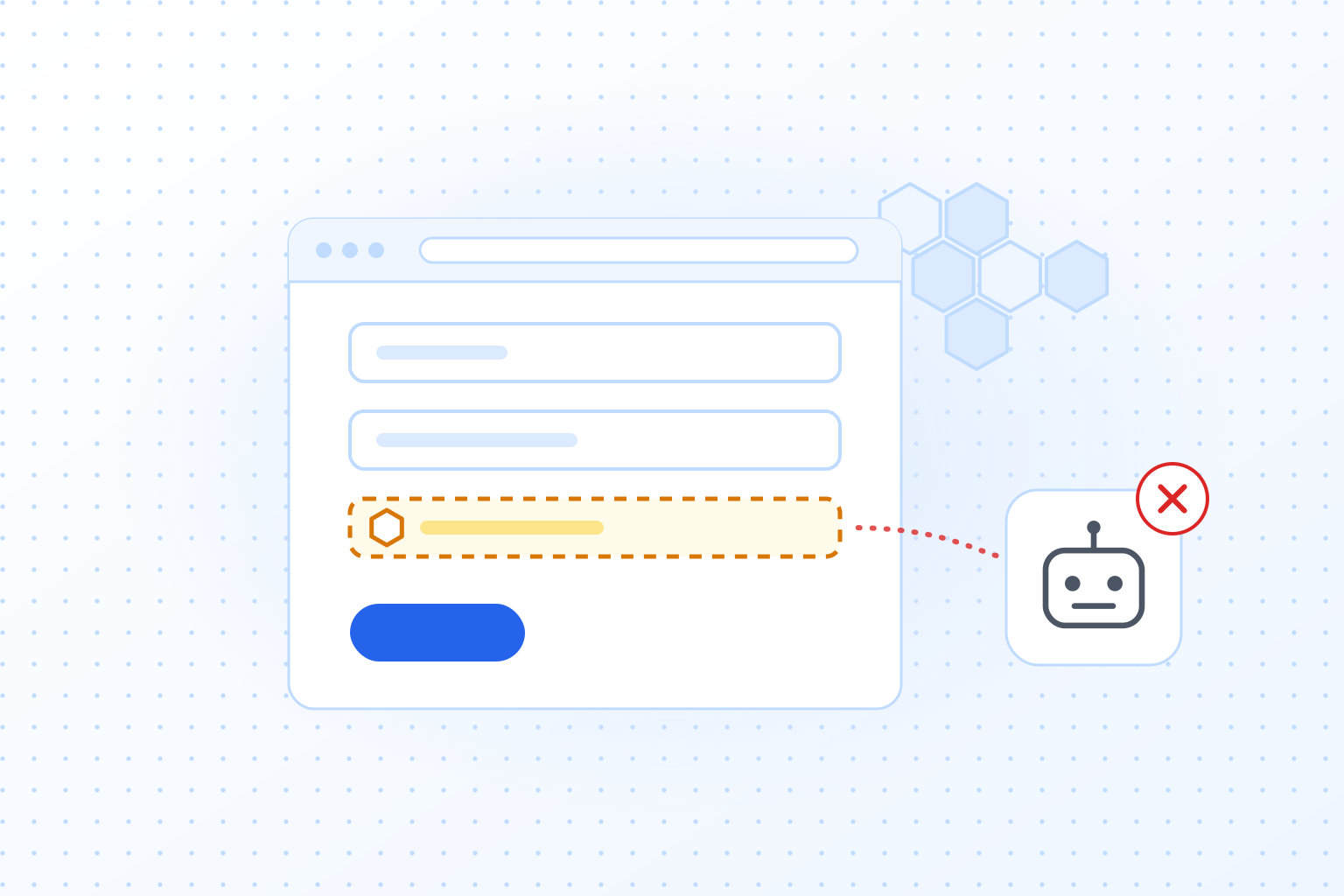
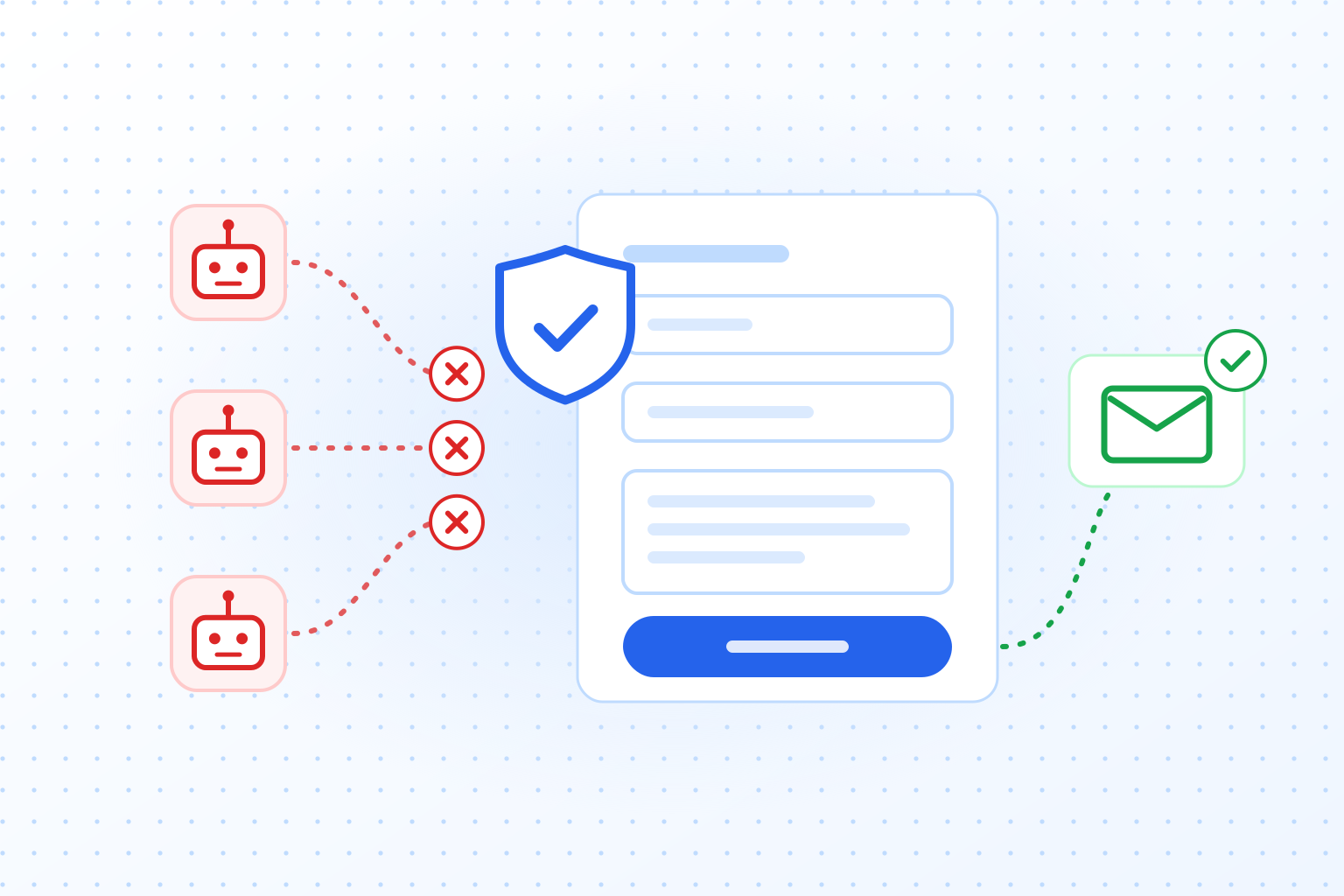
For most websites, yes. If people can log in, sign up, comment or send you a message, bots will try to do the same, and usually at a much higher volume. The exceptions are sites with no input fields at all and internal sites that only employees can reach. A CAPTCHA checks that the visitor is a person before the request goes through. If you have ever picked out traffic lights or typed distorted letters, you have met one. Below are the advantages and drawbacks, so you can decide whether it makes sense for your site.
'/%3e%3c/mask%3e%3cradialGradient%20id='glow'%20cx='0.5'%20cy='0.5'%20r='0.5'%3e%3cstop%20offset='0'%20stop-color='%23dbeafe'%20stop-opacity='0.95'/%3e%3cstop%20offset='1'%20stop-color='%23dbeafe'%20stop-opacity='0'/%3e%3c/radialGradient%3e%3c/defs%3e%3crect%20width='1536'%20height='1024'%20fill='url(%23bg)'/%3e%3crect%20width='1536'%20height='1024'%20fill='url(%23dots)'%20mask='url(%23dotmask)'/%3e%3cellipse%20cx='768'%20cy='512'%20rx='640'%20ry='420'%20fill='url(%23glow)'/%3e%3crect%20x='608'%20y='770'%20width='320'%20height='34'%20rx='17'%20fill='%232563eb'/%3e%3crect%20x='752'%20y='330'%20width='32'%20height='444'%20rx='12'%20fill='%232563eb'/%3e%3ccircle%20cx='768'%20cy='324'%20r='34'%20fill='%23ffffff'%20stroke='%232563eb'%20stroke-width='12'/%3e%3crect%20x='408'%20y='318'%20width='720'%20height='24'%20rx='12'%20fill='%232563eb'/%3e%3cpath%20d='M408%20342%20L258%20600%20M408%20342%20L558%20600'%20stroke='%2360a5fa'%20stroke-width='6'%20stroke-linecap='round'/%3e%3ccircle%20cx='408'%20cy='342'%20r='14'%20fill='%232563eb'/%3e%3cpath%20d='M218%20600%20h380%20a190%2070%200%200%201%20-380%200%20z'%20fill='%23ffffff'%20stroke='%232563eb'%20stroke-width='8'%20stroke-linejoin='round'%20filter='url(%23shadow-sm)'/%3e%3cpath%20d='M1128%20342%20L978%20600%20M1128%20342%20L1278%20600'%20stroke='%2360a5fa'%20stroke-width='6'%20stroke-linecap='round'/%3e%3ccircle%20cx='1128'%20cy='342'%20r='14'%20fill='%232563eb'/%3e%3cpath%20d='M938%20600%20h380%20a190%2070%200%200%201%20-380%200%20z'%20fill='%23ffffff'%20stroke='%232563eb'%20stroke-width='8'%20stroke-linejoin='round'%20filter='url(%23shadow-sm)'/%3e%3cpath%20d='M408%20401.4%20C455.6%20418.4%20482.8%20421.79999999999995%20493.0%20425.2%20V499.15%20C493.0%20553.89%20452.2%20581.26%20408%20596.9%20C363.8%20581.26%20323.0%20553.89%20323.0%20499.15%20V425.2%20C333.2%20421.79999999999995%20360.4%20418.4%20408%20401.4%20Z'%20fill='%23ffffff'%20stroke='%232563eb'%20stroke-width='11'%20stroke-linejoin='round'%20filter='url(%23shadow-sm)'/%3e%3cpath%20d='M374.0%20503.4%20l23.8%2023.8%20l45.900000000000006%20-47.6'%20fill='none'%20stroke='%232563eb'%20stroke-width='13.2'%20stroke-linecap='round'%20stroke-linejoin='round'/%3e%3crect%20x='1013'%20y='420'%20width='230'%20height='170'%20rx='24'%20fill='%23ffffff'%20stroke='%23bfdbfe'%20stroke-width='3'%20filter='url(%23shadow-sm)'/%3e%3crect%20x='1039'%20y='450'%20width='178'%20height='30'%20rx='9'%20fill='%23ffffff'%20stroke='%23bfdbfe'%20stroke-width='4'/%3e%3crect%20x='1039'%20y='496'%20width='178'%20height='30'%20rx='9'%20fill='%23ffffff'%20stroke='%23bfdbfe'%20stroke-width='4'/%3e%3crect%20x='1039'%20y='544'%20width='110'%20height='22'%20rx='11'%20fill='%232563eb'/%3e%3ccircle%20cx='1213'%20cy='570'%20r='56'%20fill='%23eff6ff'%20stroke='%2360a5fa'%20stroke-width='6'%20filter='url(%23shadow-sm)'/%3e%3ccircle%20cx='1213'%20cy='556.16'%20r='14.4'%20fill='%232563eb'/%3e%3cpath%20d='M1187.08%20599.36%20a25.919999999999998%2021.599999999999998%200%200%201%2051.839999999999996%200%20z'%20fill='%232563eb'/%3e%3c/svg%3e)
Advantages of using CAPTCHAs
A CAPTCHA makes your website noticeably harder to abuse. It stops bots from registering fake accounts, posting spam and scraping data. To do that, it looks at each request sent to your website and decides whether a bot or a person sent it. That is why CAPTCHAs are most useful on sensitive pages such as logins, registration forms and comment sections, and why they are the usual first step in form spam protection.

CAPTCHAs also slow down brute force attacks, where bots guess passwords by trying one combination after another. A modern CAPTCHA recognizes this pattern and stops the attack before it does damage, which keeps user data safe and lowers the risk of someone getting into an account. Our page on brute force protection shows how this works on a login form.
A good CAPTCHA also leaves you in charge of who gets access. With TrustCaptcha you can, for example, create IP allowlists and blocklists, use geoblocking and receive a bot score for every request, then decide yourself what happens next.
Disadvantages of using CAPTCHAs
Traditional CAPTCHAs put friction in front of users. Hard, long or repeated challenges frustrate people, and some give up. Modern CAPTCHAs like TrustCaptcha therefore work without image labeling, text puzzles or any other task, so visitors are not interrupted and the site stays protected. Without a puzzle, TrustCaptcha is also an accessible CAPTCHA for people with disabilities.
The second drawback of many CAPTCHA services is the amount of data they collect. Some traditional services send a lot of information about each visitor to the provider and process it there, which adds load for visitors and site owners alike. That slows things down and raises privacy questions. TrustCaptcha is a GDPR-compliant CAPTCHA built to use as little data as possible. All CAPTCHA data is processed in line with the General Data Protection Regulation (GDPR) and the German Federal Data Protection Act.
How much friction and data a CAPTCHA brings depends on the provider. Our guide to the best CAPTCHA compares the best-known services on both points.
Can I go without a CAPTCHA?
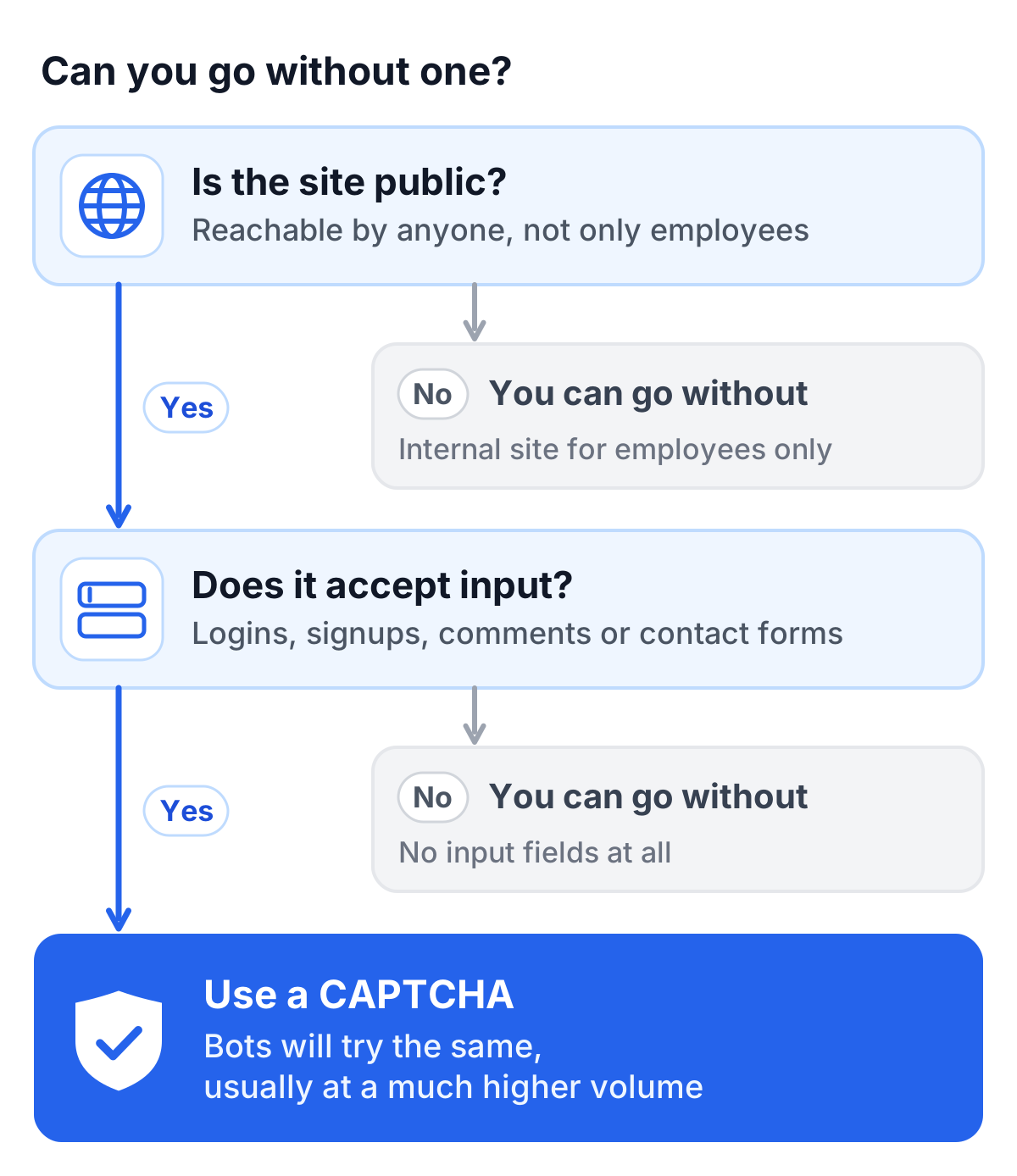
For most websites, we would not recommend it. CAPTCHAs keep bots from exploiting the parts of a site that accept input: forms, login attempts and pages worth scraping. Without one, your site is open to spam, fraud and other abuse that lowers the quality of your user interactions and can put accounts at risk. Cleaning up after an incident like that usually costs far more than the CAPTCHA would have. There are a few cases where you can do without: internal company websites that only employees can reach, or low traffic sites with no input fields, comment areas or registration. For almost every public website, though, a CAPTCHA is part of keeping the site secure and pleasant to use.
Try TrustCaptcha
For most online platforms, the sensible step is a modern CAPTCHA that does not get in the way. TrustCaptcha combines security, ease of use and data protection, so your site stays protected against automated attacks while visitors barely notice the check. The list of features shows what else it can do.
Every plan starts with a 14-day free trial, and non-commercial websites can use TrustCaptcha for free. Start your free trial and see how your forms behave with a check nobody has to solve.
'/%3e%3c/mask%3e%3cradialGradient%20id='glow'%20cx='0.5'%20cy='0.5'%20r='0.5'%3e%3cstop%20offset='0'%20stop-color='%23dbeafe'%20stop-opacity='0.95'/%3e%3cstop%20offset='1'%20stop-color='%23dbeafe'%20stop-opacity='0'/%3e%3c/radialGradient%3e%3c/defs%3e%3crect%20width='1536'%20height='1024'%20fill='url(%23bg)'/%3e%3crect%20width='1536'%20height='1024'%20fill='url(%23dots)'%20mask='url(%23dotmask)'/%3e%3cellipse%20cx='768'%20cy='512'%20rx='640'%20ry='420'%20fill='url(%23glow)'/%3e%3crect%20x='270.0'%20y='580'%20width='300'%20height='240'%20rx='22'%20fill='%23ffffff'%20stroke='%23bfdbfe'%20stroke-width='4'%20filter='url(%23shadow)'/%3e%3crect%20x='304.0'%20y='616'%20width='232'%20height='14'%20rx='7'%20fill='%23dbeafe'/%3e%3crect%20x='325'%20y='365'%20width='190'%20height='190'%20rx='32'%20fill='%23ffffff'%20stroke='%23bfdbfe'%20stroke-width='3'%20filter='url(%23shadow-sm)'/%3e%3crect%20x='366'%20y='406'%20width='32'%20height='32'%20rx='7'%20fill='%23dbeafe'/%3e%3crect%20x='404'%20y='406'%20width='32'%20height='32'%20rx='7'%20fill='%23dbeafe'/%3e%3crect%20x='442'%20y='406'%20width='32'%20height='32'%20rx='7'%20fill='%2360a5fa'/%3e%3crect%20x='366'%20y='444'%20width='32'%20height='32'%20rx='7'%20fill='%2360a5fa'/%3e%3crect%20x='404'%20y='444'%20width='32'%20height='32'%20rx='7'%20fill='%23dbeafe'/%3e%3crect%20x='442'%20y='444'%20width='32'%20height='32'%20rx='7'%20fill='%23dbeafe'/%3e%3crect%20x='366'%20y='482'%20width='32'%20height='32'%20rx='7'%20fill='%23dbeafe'/%3e%3crect%20x='404'%20y='482'%20width='32'%20height='32'%20rx='7'%20fill='%2360a5fa'/%3e%3crect%20x='442'%20y='482'%20width='32'%20height='32'%20rx='7'%20fill='%23dbeafe'/%3e%3crect%20x='618.0'%20y='440'%20width='300'%20height='380'%20rx='22'%20fill='%232563eb'%20stroke='%232563eb'%20stroke-width='4'%20filter='url(%23shadow)'/%3e%3crect%20x='652.0'%20y='476'%20width='232'%20height='14'%20rx='7'%20fill='%2360a5fa'/%3e%3crect%20x='673'%20y='225'%20width='190'%20height='190'%20rx='32'%20fill='%23ffffff'%20stroke='%23bfdbfe'%20stroke-width='3'%20filter='url(%23shadow-sm)'/%3e%3cpath%20d='M768%20260.2%20C798.8%20271.2%20816.4%20273.4%20823.0%20275.59999999999997%20V323.45%20C823.0%20358.87%20796.6%20376.58%20768%20386.7%20C739.4%20376.58%20713.0%20358.87%20713.0%20323.45%20V275.59999999999997%20C719.6%20273.4%20737.2%20271.2%20768%20260.2%20Z'%20fill='%23eff6ff'%20stroke='%232563eb'%20stroke-width='9'%20stroke-linejoin='round'%20filter='url(%23shadow-sm)'/%3e%3cpath%20d='M746.0%20326.2%20l15.400000000000002%2015.400000000000002%20l29.700000000000003%20-30.800000000000004'%20fill='none'%20stroke='%232563eb'%20stroke-width='10.799999999999999'%20stroke-linecap='round'%20stroke-linejoin='round'/%3e%3crect%20x='966.0'%20y='650'%20width='300'%20height='170'%20rx='22'%20fill='%23ffffff'%20stroke='%23bfdbfe'%20stroke-width='4'%20filter='url(%23shadow)'/%3e%3crect%20x='1000.0'%20y='686'%20width='232'%20height='14'%20rx='7'%20fill='%23dbeafe'/%3e%3crect%20x='1021'%20y='435'%20width='190'%20height='190'%20rx='32'%20fill='%23ffffff'%20stroke='%23bfdbfe'%20stroke-width='3'%20filter='url(%23shadow-sm)'/%3e%3crect%20x='1076'%20y='490'%20width='80'%20height='80'%20rx='18'%20fill='%23ffffff'%20stroke='%232563eb'%20stroke-width='8'/%3e%3cpath%20d='M1096%20531%20l14%2014%20l27%20-29'%20fill='none'%20stroke='%232563eb'%20stroke-width='9'%20stroke-linecap='round'%20stroke-linejoin='round'/%3e%3cline%20x1='230'%20y1='820'%20x2='1306'%20y2='820'%20stroke='%23bfdbfe'%20stroke-width='6'%20stroke-linecap='round'/%3e%3ccircle%20cx='880'%20cy='228'%20r='38'%20fill='%23ffffff'%20stroke='%2316a34a'%20stroke-width='4'%20filter='url(%23shadow-sm)'/%3e%3cpath%20d='M864.04%20228.76%20l10.64%2010.64%20l21.28%20-21.28'%20fill='none'%20stroke='%2316a34a'%20stroke-width='6'%20stroke-linecap='round'%20stroke-linejoin='round'/%3e%3c/svg%3e)