'%3e%3crect%20width='32'%20height='24'%20fill='white'/%3e%3cpath%20fill-rule='evenodd'%20clip-rule='evenodd'%20d='M0%200V24H32V0H0Z'%20fill='%232E42A5'/%3e%3cmask%20id='mask0_270_67386'%20style='mask-type:luminance'%20maskUnits='userSpaceOnUse'%20x='0'%20y='0'%20width='32'%20height='24'%3e%3cpath%20fill-rule='evenodd'%20clip-rule='evenodd'%20d='M0%200V24H32V0H0Z'%20fill='white'/%3e%3c/mask%3e%3cg%20mask='url(%23mask0_270_67386)'%3e%3cpath%20d='M-3.56323%2022.2854L3.47846%2025.2635L32.1597%203.23787L35.874%20-1.18761L28.344%20-2.18297L16.6456%207.3085L7.22956%2013.7035L-3.56323%2022.2854Z'%20fill='white'/%3e%3cpath%20d='M-2.59924%2024.3719L0.988173%2026.1001L34.5402%20-1.59881H29.5031L-2.59924%2024.3719Z'%20fill='%23F50100'/%3e%3cpath%20d='M35.5631%2022.2854L28.5214%2025.2635L-0.159817%203.23787L-3.87415%20-1.18761L3.65593%20-2.18297L15.3543%207.3085L24.7703%2013.7035L35.5631%2022.2854Z'%20fill='white'/%3e%3cpath%20d='M35.3229%2023.7829L31.7355%2025.5111L17.4487%2013.6518L13.2129%2012.3267L-4.23151%20-1.17246H0.805637L18.2403%2012.0063L22.8713%2013.5952L35.3229%2023.7829Z'%20fill='%23F50100'/%3e%3cmask%20id='path-7-inside-1_270_67386'%20fill='white'%3e%3cpath%20fill-rule='evenodd'%20clip-rule='evenodd'%20d='M19.7777%20-2H12.2222V8H-1.97253V16H12.2222V26H19.7777V16H34.0275V8H19.7777V-2Z'/%3e%3c/mask%3e%3cpath%20fill-rule='evenodd'%20clip-rule='evenodd'%20d='M19.7777%20-2H12.2222V8H-1.97253V16H12.2222V26H19.7777V16H34.0275V8H19.7777V-2Z'%20fill='%23F50100'/%3e%3cpath%20d='M12.2222%20-2V-4H10.2222V-2H12.2222ZM19.7777%20-2H21.7777V-4H19.7777V-2ZM12.2222%208V10H14.2222V8H12.2222ZM-1.97253%208V6H-3.97253V8H-1.97253ZM-1.97253%2016H-3.97253V18H-1.97253V16ZM12.2222%2016H14.2222V14H12.2222V16ZM12.2222%2026H10.2222V28H12.2222V26ZM19.7777%2026V28H21.7777V26H19.7777ZM19.7777%2016V14H17.7777V16H19.7777ZM34.0275%2016V18H36.0275V16H34.0275ZM34.0275%208H36.0275V6H34.0275V8ZM19.7777%208H17.7777V10H19.7777V8ZM12.2222%200H19.7777V-4H12.2222V0ZM14.2222%208V-2H10.2222V8H14.2222ZM-1.97253%2010H12.2222V6H-1.97253V10ZM0.0274658%2016V8H-3.97253V16H0.0274658ZM12.2222%2014H-1.97253V18H12.2222V14ZM14.2222%2026V16H10.2222V26H14.2222ZM19.7777%2024H12.2222V28H19.7777V24ZM17.7777%2016V26H21.7777V16H17.7777ZM34.0275%2014H19.7777V18H34.0275V14ZM32.0275%208V16H36.0275V8H32.0275ZM19.7777%2010H34.0275V6H19.7777V10ZM17.7777%20-2V8H21.7777V-2H17.7777Z'%20fill='white'%20mask='url(%23path-7-inside-1_270_67386)'/%3e%3c/g%3e%3c/g%3e%3cdefs%3e%3cclipPath%20id='clip0_270_67386'%3e%3crect%20width='32'%20height='24'%20fill='white'/%3e%3c/clipPath%3e%3c/defs%3e%3c/svg%3e)
'%3e%3crect%20width='32'%20height='24'%20fill='white'/%3e%3cpath%20fill-rule='evenodd'%20clip-rule='evenodd'%20d='M0%2016H32V24H0V16Z'%20fill='%23FFD018'/%3e%3cpath%20fill-rule='evenodd'%20clip-rule='evenodd'%20d='M0%208H32V16H0V8Z'%20fill='%23E31D1C'/%3e%3cpath%20fill-rule='evenodd'%20clip-rule='evenodd'%20d='M0%200H32V8H0V0Z'%20fill='%23272727'/%3e%3c/g%3e%3cdefs%3e%3cclipPath%20id='clip0_270_67353'%3e%3crect%20width='32'%20height='24'%20fill='white'/%3e%3c/clipPath%3e%3c/defs%3e%3c/svg%3e)
'%3e%3crect%20width='32'%20height='24'%20fill='white'/%3e%3cpath%20fill-rule='evenodd'%20clip-rule='evenodd'%20d='M22%200H32V24H22V0Z'%20fill='%23F50100'/%3e%3cpath%20fill-rule='evenodd'%20clip-rule='evenodd'%20d='M0%200H12V24H0V0Z'%20fill='%232E42A5'/%3e%3cpath%20fill-rule='evenodd'%20clip-rule='evenodd'%20d='M10%200H22V24H10V0Z'%20fill='%23F7FCFF'/%3e%3c/g%3e%3cdefs%3e%3cclipPath%20id='clip0_270_67361'%3e%3crect%20width='32'%20height='24'%20fill='white'/%3e%3c/clipPath%3e%3c/defs%3e%3c/svg%3e)
What Is a CAPTCHA?
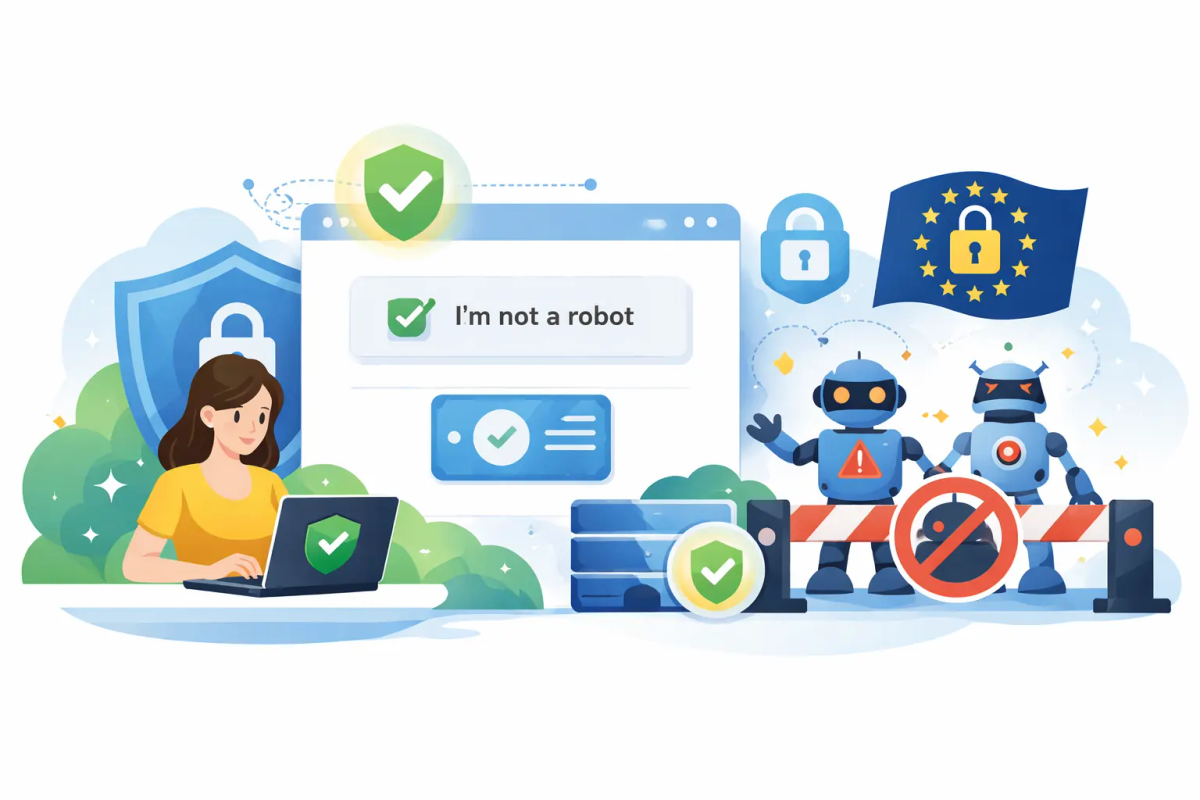
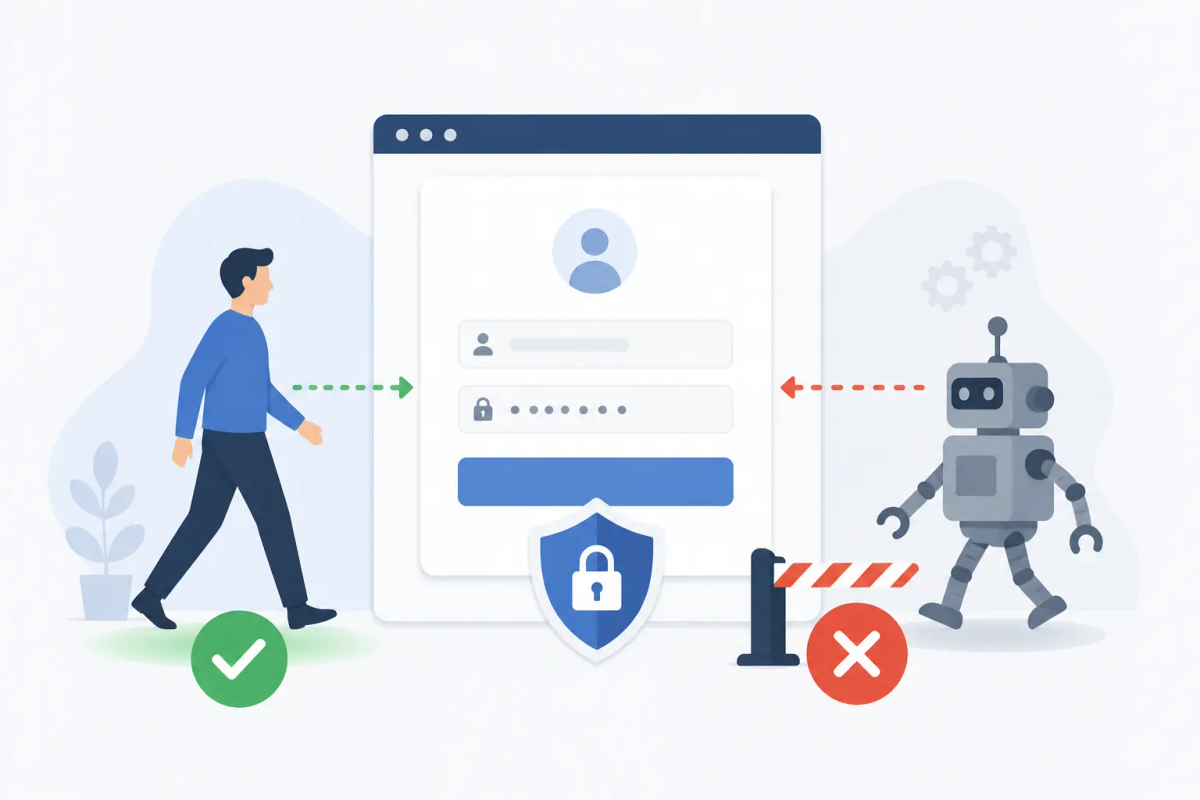
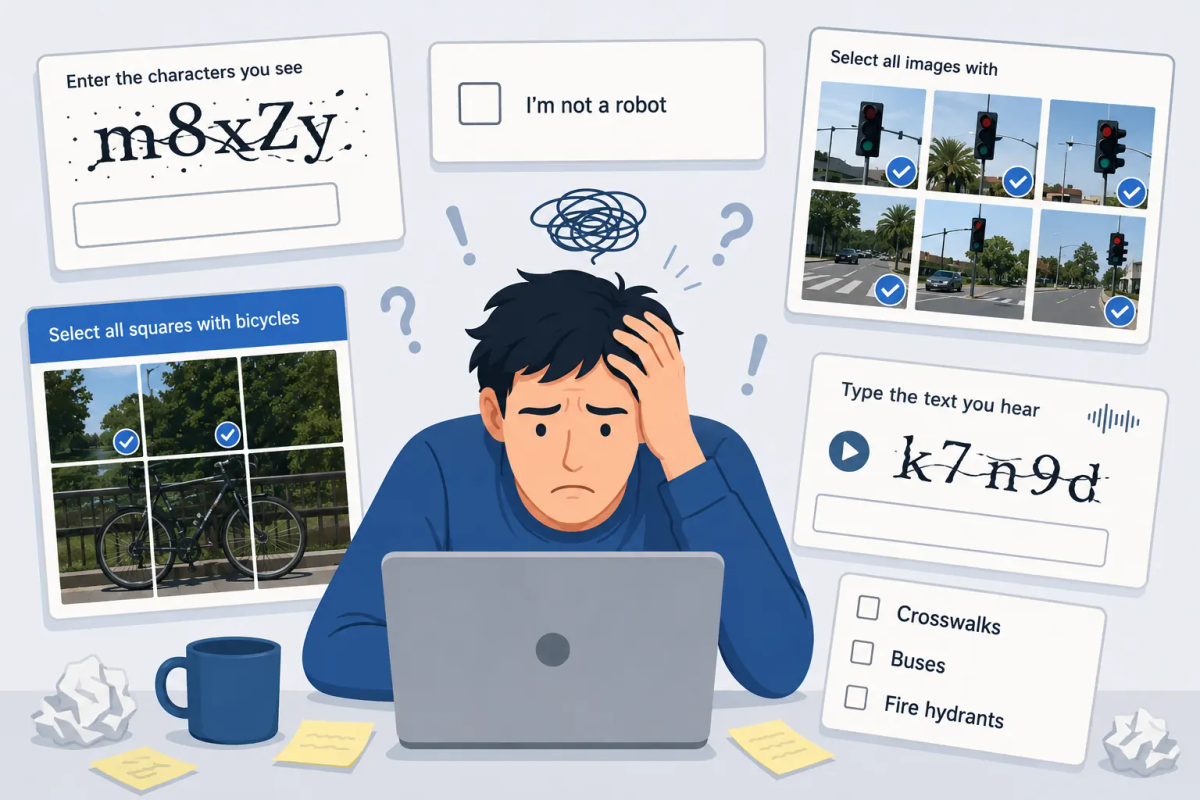
A CAPTCHA is an automated security test that determines whether a user is a human or a bot. Most people encounter them at login pages, signup forms, contact forms, and checkout flows — a distorted string of letters to type, a grid of images to click through, or a checkbox before a form submission goes through.
The goal is always the same: let real users through while blocking automated programs. When a bot floods a registration form with fake accounts or hammers a login page with stolen credentials, a CAPTCHA raises the cost of that automation enough to make it economically unattractive at scale.
What Does CAPTCHA Mean?
CAPTCHA is an acronym for “Completely Automated Public Turing test to tell Computers and Humans Apart.”
The Turing test was developed by Alan Turing in 1950 as a way to examine whether machines could exhibit human-like intelligence. A CAPTCHA inverts the concept: rather than testing if a machine behaves like a human, it tests whether a user is human rather than a machine.
The term was introduced in 2003 by a research team at Carnegie Mellon University led by Luis von Ahn and Manuel Blum, partly in response to Yahoo’s problem with bots creating millions of fake email accounts. The first CAPTCHA code generated a distorted image of random text and asked users to type what they saw — simple enough for a human, difficult for the optical character recognition (OCR) software available at the time.
How Does a CAPTCHA Work?
Every CAPTCHA, regardless of type, follows the same basic process:
- Trigger: The CAPTCHA activates when a user reaches a high-risk action — submitting a form, creating an account, resetting a password, completing a purchase.
- Challenge: The system presents a task. In modern systems, this may run entirely in the background with no visible interaction.
- Response: The user completes the challenge — typing text, clicking images, solving an arithmetic problem, or simply waiting while the system analyzes behavioral signals.
- Token: The CAPTCHA generates a signed verification token and sends it to your server.
- Validation: Your server calls the CAPTCHA provider’s API to confirm the token is genuine and unexpired.
- Enforcement: Based on the result — pass, fail, or a risk score — your application allows the request, blocks it, or asks for additional verification.
The server-side validation step is what makes CAPTCHAs effective. Without it, a bot could replay tokens or bypass client-side checks entirely. The real security work happens on the server.
When developers look for CAPTCHA code, the question usually breaks into two parts: the client-side script that runs verification in the browser, and the server-side validation call that confirms the token before the request goes through. Both pieces are required for the system to work.
Types of CAPTCHA
CAPTCHA technology has evolved from simple distorted text into several distinct approaches. Each type makes a different trade-off between security, usability, and accessibility.
Text-Based CAPTCHAs
The original format. Users see distorted letters or numbers — stretched, bent, overlaid with noise — and are asked to type what they see. The distortion is what makes it difficult for automated OCR to interpret.
Text CAPTCHAs are still in use but increasingly solvable by machine learning systems. They also frustrate legitimate users: a 2010 Stanford study found that groups of three users agreed on the correct answer only 71% of the time.
Image-Based CAPTCHAs
Users select all images from a grid that match a given description — “select all traffic lights” or “click every crosswalk.” Image recognition is harder for bots than reading text, though advances in computer vision have narrowed that gap considerably.
Image CAPTCHAs became widespread through Google’s reCAPTCHA v2, which replaced blurry text with photos sourced from Google Street View. They are more intuitive for most users than text CAPTCHAs but still fail on accessibility and add visible friction.
Audio CAPTCHAs
Designed as an accessibility alternative to visual challenges, audio CAPTCHAs play a recording of spoken letters or numbers — usually with background noise — and ask the user to type what they hear. Voice recognition software can defeat them, and the listening experience is often poor enough that many users with visual impairments still find them difficult to complete.
Math CAPTCHAs
Math CAPTCHAs are a form of text or image based CAPTCHAs where Users solve a simple arithmetic problem — “2 + 3 = ?” — before submitting a form. Math CAPTCHAs are straightforward to implement and work without images, but they provide almost no security against modern attacks. Bots can parse simple math as easily as they can read undistorted text.
Behavioral CAPTCHAs (Checkbox and Interaction Signals)
The “I’m not a robot” checkbox, used in Google reCAPTCHA v2, is the most recognizable example of behavioral analysis. The visible action is simple — click a box — but what the system actually evaluates is how the cursor moved before clicking, along with cookies, browser history, and device signals.
Human mouse movements contain tiny variations that a perfectly straight, instant bot movement does not. If the system is uncertain, it falls back to an image challenge.
Invisible CAPTCHAs and Proof-of-Work
Modern systems remove visible challenges entirely. Verification runs in the background while the user loads the page or fills out a form.
In score-based systems, every user receives a risk score, and your server decides what to do with that score — allow, block, or trigger a harder challenge. In proof-of-work systems, the user’s browser solves a lightweight cryptographic problem automatically. Legitimate users notice nothing. High-volume bot traffic faces a computational cost that makes mass automation impractical.
What CAPTCHA Code Does
CAPTCHA code has two components: a client-side script that runs in the browser, and a server-side validation call that checks the resulting token before processing the request.
In all cases, the client-side CAPTCHA code runs at the defined trigger point and collects evidence — a challenge response, behavioral signals, or a computational proof — then returns a signed token the server validates independently. The type of challenge the code presents — distorted text, an image task, a math problem, or no visible interaction at all — is a configuration choice. The two-part structure of client script and server call is constant across all types.
Most providers supply both components: a JavaScript snippet loaded with a site key, and a single server-to-server API call to verify the token. The code itself is usually small. The decisions that matter are where to deploy it, what thresholds to set, and how to handle borderline scores.
What CAPTCHAs Protect Against
CAPTCHAs are most effective against attacks that depend on automation at volume:
- Form spam: Bots submitting contact forms or comment sections with spam content or malicious links
- Fake account creation: Automated registrations used for spam distribution or platform abuse
- Credential stuffing: Bots testing large lists of stolen username and password pairs against login forms
- Brute force attacks: Repeated password guessing against login or reset endpoints
- Ticket scalping: Bots buying up limited inventory faster than any human could
- Skewed online polls: Automated votes to manipulate polling results
What CAPTCHAs do not do: they do not verify identity, they do not stop a human attacker, and they are not a replacement for access control. Determined attackers can use human CAPTCHA-solving services, where people are paid small amounts to complete challenges on behalf of bots. A CAPTCHA raises the cost of automation — it does not eliminate the threat entirely.
Limitations of Traditional CAPTCHAs
Text and image CAPTCHAs have three well-documented problems that have pushed the industry toward invisible alternatives.
User experience. Interrupting a form submission with a puzzle creates friction. Users who fail a challenge — or find it unclear — often abandon the form. The harder the CAPTCHA, the worse the conversion rate. The impact on user experience is measurable and compounds on mobile, where image grids are harder to interact with.
Accessibility. Text and image challenges rely on visual perception. For users who are blind, have low vision, dyslexia, or certain cognitive disabilities, they create a genuine barrier. The European Accessibility Act, which entered into force in June 2025, means this is now a legal consideration for EU B2C services — not just a UX concern.
Effectiveness gaps. Machine learning has made classic text CAPTCHAs reliably solvable by bots. Researchers demonstrated automated attacks on distorted-text CAPTCHAs as early as 2012. Image CAPTCHAs have followed a similar trajectory. High-volume attackers also use human-solving services, which bypass any challenge a human could complete.
Choosing the Right CAPTCHA Matters as Much as Having One
Deploying a CAPTCHA is the right call. Deploying the wrong one creates a different set of problems: users abandoning forms, accessibility violations, and — for EU businesses — real regulatory exposure around data transfers and consent.
The trade-off that defined traditional CAPTCHAs — better security means more friction — no longer holds. Modern invisible systems verify users entirely in the background using proof-of-work and behavioral signals. Legitimate users notice nothing. Bots face a computational cost that makes mass automation economically unviable at scale.
For EU organizations, the implementation choice carries additional weight. A CAPTCHA that sends data to US infrastructure introduces GDPR transfer risk. A CAPTCHA that relies on cookies requires a consent banner. A CAPTCHA that presents visual puzzles needs a separate accessible alternative to meet WCAG 2.1 — or it becomes a compliance liability under the European Accessibility Act.
An invisible, cookie-free system hosted within the EU is the only architecture that resolves all three concerns without workarounds. The best CAPTCHA is one that protects effectively, holds up legally, and remains entirely invisible to the users it is protecting.
TrustCaptcha
TrustCaptcha is an invisible CAPTCHA built for exactly this trade-off. It uses proof-of-work and bot scoring to verify users entirely in the background — no puzzles, no checkboxes, no interaction required. All data is processed in EU-certified data centers, no cookies are used, and a Data Processing Agreement is included with every account. For EU businesses navigating GDPR, the European Accessibility Act, and conversion pressure at the same time, it is designed to satisfy all three without compromise.
Try TrustCaptcha for free and protect your site from spam and automated abuse without disrupting the experience for real users.