'%3e%3crect%20width='32'%20height='24'%20fill='white'/%3e%3cpath%20fill-rule='evenodd'%20clip-rule='evenodd'%20d='M0%200V24H32V0H0Z'%20fill='%232E42A5'/%3e%3cmask%20id='mask0_270_67386'%20style='mask-type:luminance'%20maskUnits='userSpaceOnUse'%20x='0'%20y='0'%20width='32'%20height='24'%3e%3cpath%20fill-rule='evenodd'%20clip-rule='evenodd'%20d='M0%200V24H32V0H0Z'%20fill='white'/%3e%3c/mask%3e%3cg%20mask='url(%23mask0_270_67386)'%3e%3cpath%20d='M-3.56323%2022.2854L3.47846%2025.2635L32.1597%203.23787L35.874%20-1.18761L28.344%20-2.18297L16.6456%207.3085L7.22956%2013.7035L-3.56323%2022.2854Z'%20fill='white'/%3e%3cpath%20d='M-2.59924%2024.3719L0.988173%2026.1001L34.5402%20-1.59881H29.5031L-2.59924%2024.3719Z'%20fill='%23F50100'/%3e%3cpath%20d='M35.5631%2022.2854L28.5214%2025.2635L-0.159817%203.23787L-3.87415%20-1.18761L3.65593%20-2.18297L15.3543%207.3085L24.7703%2013.7035L35.5631%2022.2854Z'%20fill='white'/%3e%3cpath%20d='M35.3229%2023.7829L31.7355%2025.5111L17.4487%2013.6518L13.2129%2012.3267L-4.23151%20-1.17246H0.805637L18.2403%2012.0063L22.8713%2013.5952L35.3229%2023.7829Z'%20fill='%23F50100'/%3e%3cmask%20id='path-7-inside-1_270_67386'%20fill='white'%3e%3cpath%20fill-rule='evenodd'%20clip-rule='evenodd'%20d='M19.7777%20-2H12.2222V8H-1.97253V16H12.2222V26H19.7777V16H34.0275V8H19.7777V-2Z'/%3e%3c/mask%3e%3cpath%20fill-rule='evenodd'%20clip-rule='evenodd'%20d='M19.7777%20-2H12.2222V8H-1.97253V16H12.2222V26H19.7777V16H34.0275V8H19.7777V-2Z'%20fill='%23F50100'/%3e%3cpath%20d='M12.2222%20-2V-4H10.2222V-2H12.2222ZM19.7777%20-2H21.7777V-4H19.7777V-2ZM12.2222%208V10H14.2222V8H12.2222ZM-1.97253%208V6H-3.97253V8H-1.97253ZM-1.97253%2016H-3.97253V18H-1.97253V16ZM12.2222%2016H14.2222V14H12.2222V16ZM12.2222%2026H10.2222V28H12.2222V26ZM19.7777%2026V28H21.7777V26H19.7777ZM19.7777%2016V14H17.7777V16H19.7777ZM34.0275%2016V18H36.0275V16H34.0275ZM34.0275%208H36.0275V6H34.0275V8ZM19.7777%208H17.7777V10H19.7777V8ZM12.2222%200H19.7777V-4H12.2222V0ZM14.2222%208V-2H10.2222V8H14.2222ZM-1.97253%2010H12.2222V6H-1.97253V10ZM0.0274658%2016V8H-3.97253V16H0.0274658ZM12.2222%2014H-1.97253V18H12.2222V14ZM14.2222%2026V16H10.2222V26H14.2222ZM19.7777%2024H12.2222V28H19.7777V24ZM17.7777%2016V26H21.7777V16H17.7777ZM34.0275%2014H19.7777V18H34.0275V14ZM32.0275%208V16H36.0275V8H32.0275ZM19.7777%2010H34.0275V6H19.7777V10ZM17.7777%20-2V8H21.7777V-2H17.7777Z'%20fill='white'%20mask='url(%23path-7-inside-1_270_67386)'/%3e%3c/g%3e%3c/g%3e%3cdefs%3e%3cclipPath%20id='clip0_270_67386'%3e%3crect%20width='32'%20height='24'%20fill='white'/%3e%3c/clipPath%3e%3c/defs%3e%3c/svg%3e)
'%3e%3crect%20width='32'%20height='24'%20fill='white'/%3e%3cpath%20fill-rule='evenodd'%20clip-rule='evenodd'%20d='M0%2016H32V24H0V16Z'%20fill='%23FFD018'/%3e%3cpath%20fill-rule='evenodd'%20clip-rule='evenodd'%20d='M0%208H32V16H0V8Z'%20fill='%23E31D1C'/%3e%3cpath%20fill-rule='evenodd'%20clip-rule='evenodd'%20d='M0%200H32V8H0V0Z'%20fill='%23272727'/%3e%3c/g%3e%3cdefs%3e%3cclipPath%20id='clip0_270_67353'%3e%3crect%20width='32'%20height='24'%20fill='white'/%3e%3c/clipPath%3e%3c/defs%3e%3c/svg%3e)
'%3e%3crect%20width='32'%20height='24'%20fill='white'/%3e%3cpath%20fill-rule='evenodd'%20clip-rule='evenodd'%20d='M22%200H32V24H22V0Z'%20fill='%23F50100'/%3e%3cpath%20fill-rule='evenodd'%20clip-rule='evenodd'%20d='M0%200H12V24H0V0Z'%20fill='%232E42A5'/%3e%3cpath%20fill-rule='evenodd'%20clip-rule='evenodd'%20d='M10%200H22V24H10V0Z'%20fill='%23F7FCFF'/%3e%3c/g%3e%3cdefs%3e%3cclipPath%20id='clip0_270_67361'%3e%3crect%20width='32'%20height='24'%20fill='white'/%3e%3c/clipPath%3e%3c/defs%3e%3c/svg%3e)
What Is an Invisible CAPTCHA?
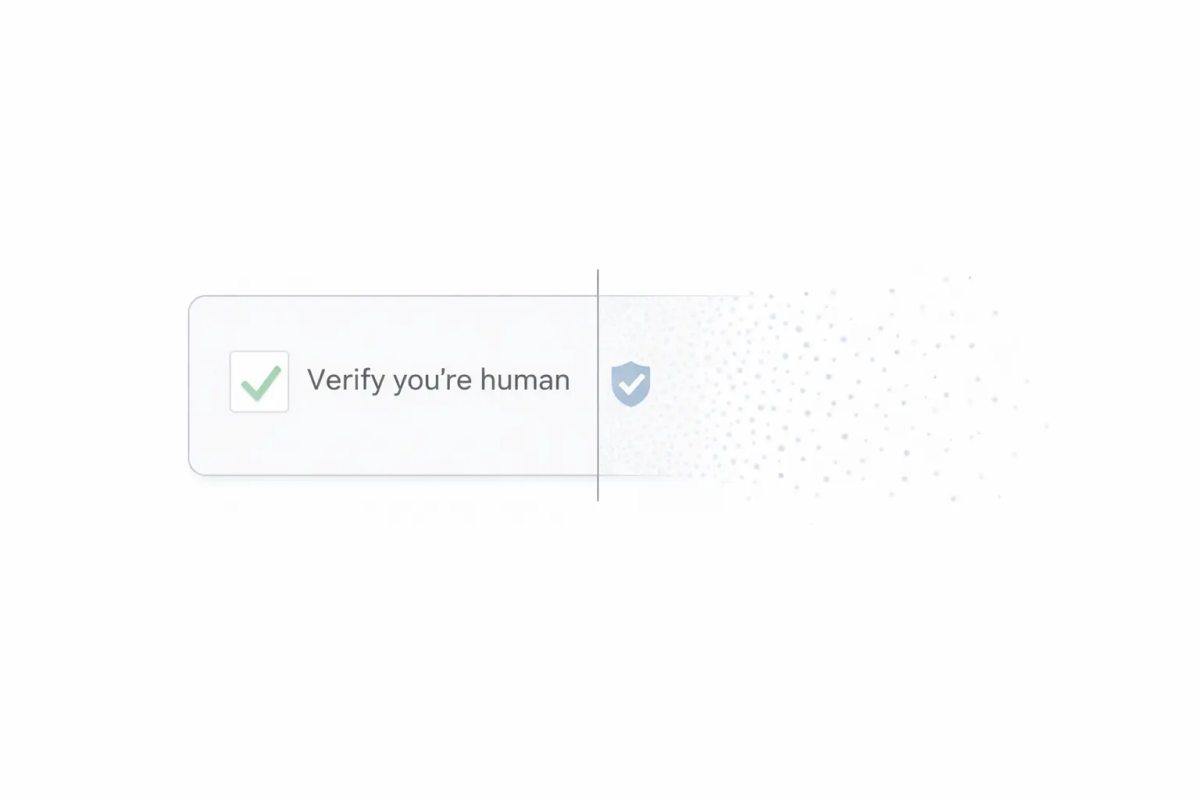
Invisible CAPTCHAs stop automated abuse without forcing most real users to solve puzzles. Instead of asking people to click traffic lights or decode warped text, an invisible CAPTCHA runs checks in the background, assigns risk, and decides what to do next. The goal is to reduce bot traffic while protecting conversion and accessibility.
Why Traditional CAPTCHAs Became a Problem
Traditional CAPTCHAs were designed for an earlier era of bots. The most common formats—text puzzles, image grids, and audio challenges—can still slow some automation, but they also create business and usability costs.
1) They add friction exactly where you don’t want it
CAPTCHAs often appear at the final step: submitting a form, creating an account, or completing checkout. That’s a conversion cliff. Even small interruptions can cause a measurable drop in completion.
2) Accessibility is a real risk
Visual puzzles can be difficult or impossible for many people, including users with low vision, cognitive disabilities, motor challenges, or those relying on assistive tools. Audio alternatives are often unreliable and frustrating too.
3) They punish humans more than bots
Bots don’t get annoyed—they just retry. Attackers distribute requests, use solver services, or adapt quickly. Meanwhile legitimate users bounce, and support tickets pile up (“It says I’m a robot”).
Invisible CAPTCHAs try to flip that equation: less burden on humans, more pressure on automation.
How do Invisible CAPTCHAs work?
Most invisible CAPTCHAs combine three ideas: signal collection, scoring, and policy. The details vary, but the model is consistent.
Background verification signals
Invisible systems observe signals that can indicate automation. Common categories include:
- Behavior signals: timing, interaction patterns, cursor movement, scrolling, typing cadence
- Browser/device signals: environment consistency, automation indicators, scripting patterns
- Session signals: repeated attempts, unusual navigation flow, abnormal submission frequency
- Network signals: IP reputation, proxy/VPN patterns, geolocation anomalies (depending on your setup)
No single signal proves “bot” or “human.” The system looks for combinations that suggest risk.
Risk scoring and decisioning
Many tools output a risk score or classification. Your application then decides what to do. A typical policy model looks like this:
- Low risk → allow
- Medium risk → allow with guardrails (rate-limit, email verification, temporary restrictions)
- High risk → block or step up verification
This is why invisible CAPTCHA is best understood as risk-based bot management, not a single “test.”
The privacy trade-off (often overlooked)
Verifying users in the background typically requires collecting or deriving signals. That can raise questions for privacy and compliance teams, such as:
- Are you introducing third-party scripts into sensitive pages?
- Are signals tied to identifiers that trigger consent expectations?
- Where is data processed and stored, and for how long?
- Can your organization justify the collection under its privacy program?
Invisible CAPTCHA can be great for UX, but it’s not automatically privacy-light. For businesses in regulated areas, it’s a key evaluation point.
What are the benefits of Invisible CAPTCHAs?
1) Better UX and conversion
Invisible CAPTCHA reduces interruptions in critical flows. That usually means:
- Higher completion rates on signups and lead forms
- Less friction on login and password reset
- Fewer “CAPTCHA failed” support issues
- A smoother mobile experience
2) Adaptive security that fits modern attacks
Bots attack endpoints differently: spam, scraping, credential stuffing, fake signups, card testing, and more. Invisible CAPTCHA can adapt by endpoint and risk level, instead of applying the same logic everywhere.
3) Operational performance
A well-tuned invisible CAPTCHA can reduce time spent dealing with:
- Form spam cleanup
- Fraud-related support tickets
- Misleading analytics (fake signups, inflated traffic)
- Overly aggressive blocks that hurt real customers
Are Invisible CAPTCHAs truly invisible?
Often they’re invisible for many users, but not always. Most “invisible” systems rely on step-ups when confidence is low, which means real users can still see friction—especially on VPNs, corporate networks, blocked scripts, mobile edge cases, or assistive setups.
The practical question is whether that friction stays rare and predictable. If step-ups show up often, you’ll see drop-off, confused users, and more tuning work just to keep the experience stable. To avoid guessing, track challenge rate (the % of sessions that see any friction) and false positives (legitimate users slowed or blocked).
What “truly invisible” changes
A truly invisible approach keeps verification fully in the background—so legitimate users don’t see puzzles, step-ups, or surprise interruptions. It relies on more modern detection than “invisible” CAPTCHAs, using layered background signals and automation-resistant checks to stop bots without putting extra work on real people.
Traditional vs Invisible vs Truly Invisible
| Buyer criteria | Traditional CAPTCHA (e.g. reCAPTCHA v2) | Invisible CAPTCHA (e.g. reCAPTCHA v3) | Truly Invisible CAPTCHA (e.g. TrustCaptcha) |
|---|---|---|---|
| What users experience | Frequent puzzles and interruptions | Usually no puzzle, but step-up challenges appear when confidence is low | Background-only |
| How decisions are made | Puzzle pass/fail result | Risk scoring + policy decisions | Proof-of-work + policy decisions, tuned to minimize visible friction |
| Challenge rate | High | Medium (depends on thresholds and traffic) | None |
| False positives | Medium (friction hits everyone) | Medium–high if tuning is off or signals are limited | Few-None |
| Accessibility | Difficult | Better, but step-ups can create barriers | Fully accessible |
| Privacy & compliance posture | Typically lower data use, but still disruptive | Can raise concerns (third-party scripts, signal collection) | Privacy-first approach |
| Operational overhead | Support tickets and user complaints | Ongoing tuning and threshold monitoring | Ongoing monitoring, optimized for fewer user-impact incidents |
| Best fit | Low-stakes pages where UX doesn’t matter | Mixed-risk apps needing flexible controls | High-impact flows (signup/login/checkout) where security and UX both matter |
| Main issue | Abandonment due to friction | Step-ups become frequent; tuning + privacy issues | Best when implemented together with custom policys |
Common “Invisible” CAPTCHA Options (and Their Downsides)
Google reCAPTCHA v3 — Mostly invisible via risk scoring, but it can still trigger step-ups in higher-risk flows and requires careful threshold tuning. Key downsides: privacy/data-sharing concerns, and scores can cause false positives or let bots through.
hCaptcha — Commonly relies on visual challenges. Key downsides: challenges add UX friction (especially mobile) and can hurt conversion if shown frequently.
GeeTest — Typically not truly invisible because it frequently uses interactive/slider-style challenges. Key downsides: visible friction plus accessibility risk depending on implementation, and attackers can adapt to challenge patterns.
Cloudflare Turnstile — Designed to be low-friction and often invisible, but it can become visible depending on configuration and confidence levels. Key downsides: edge-case user disruptions.
Arkose Labs / FunCaptcha — Often not invisible. Key downsides: high friction when triggered, which can impact conversion unless policies are tightly tuned.
TrustCaptcha: A Truly Invisible CAPTCHA
Many teams want the benefits of invisible CAPTCHA without the common drawbacks: step-ups, accessibility and privacy friction. TrustCaptcha is positioned as a truly invisible CAPTCHA: bot protection designed to stay invisible for real users while still giving teams control over security outcomes.
What “truly invisible” means in practice
A practical definition:
- No puzzle-based challenges for legitimate users
- Background verification that deters automation without adding clicks
- A policy model that supports secure decisions without constant user interruptions
To archieve this, TrustCaptcha uses a layered system that includes:
- Proof-of-work calculation to make bot attacks inefficient and ineffective (happens fully in the background rather than on the user)
- Risk scoring to estimate suspicious behavior
- Rules and policy controls to tune protections by endpoint and risk level
This layered approach is designed to make automated abuse more expensive while staying unnoticed for humans.
Conclusion
Invisible CAPTCHA exists because traditional CAPTCHAs create too much friction, accessibility risk, and conversion loss. The even better modern approaches stop automation “truly invisible” with background verification and without real users even noticing. If your goal is strong protection without user pain, choose a solution that stays truly invisible: no puzzles, no step-ups, and no surprise interruptions. That’s exactly what TrustCaptcha is built for, offering bot resistance that runs completely in the background, with the controls teams need to protect high-impact flows like signup, login, and checkout.