
'%3e%3crect%20width='32'%20height='24'%20fill='white'/%3e%3cpath%20fill-rule='evenodd'%20clip-rule='evenodd'%20d='M0%200V24H32V0H0Z'%20fill='%232E42A5'/%3e%3cmask%20id='mask0_270_67386'%20style='mask-type:luminance'%20maskUnits='userSpaceOnUse'%20x='0'%20y='0'%20width='32'%20height='24'%3e%3cpath%20fill-rule='evenodd'%20clip-rule='evenodd'%20d='M0%200V24H32V0H0Z'%20fill='white'/%3e%3c/mask%3e%3cg%20mask='url(%23mask0_270_67386)'%3e%3cpath%20d='M-3.56323%2022.2854L3.47846%2025.2635L32.1597%203.23787L35.874%20-1.18761L28.344%20-2.18297L16.6456%207.3085L7.22956%2013.7035L-3.56323%2022.2854Z'%20fill='white'/%3e%3cpath%20d='M-2.59924%2024.3719L0.988173%2026.1001L34.5402%20-1.59881H29.5031L-2.59924%2024.3719Z'%20fill='%23F50100'/%3e%3cpath%20d='M35.5631%2022.2854L28.5214%2025.2635L-0.159817%203.23787L-3.87415%20-1.18761L3.65593%20-2.18297L15.3543%207.3085L24.7703%2013.7035L35.5631%2022.2854Z'%20fill='white'/%3e%3cpath%20d='M35.3229%2023.7829L31.7355%2025.5111L17.4487%2013.6518L13.2129%2012.3267L-4.23151%20-1.17246H0.805637L18.2403%2012.0063L22.8713%2013.5952L35.3229%2023.7829Z'%20fill='%23F50100'/%3e%3cmask%20id='path-7-inside-1_270_67386'%20fill='white'%3e%3cpath%20fill-rule='evenodd'%20clip-rule='evenodd'%20d='M19.7777%20-2H12.2222V8H-1.97253V16H12.2222V26H19.7777V16H34.0275V8H19.7777V-2Z'/%3e%3c/mask%3e%3cpath%20fill-rule='evenodd'%20clip-rule='evenodd'%20d='M19.7777%20-2H12.2222V8H-1.97253V16H12.2222V26H19.7777V16H34.0275V8H19.7777V-2Z'%20fill='%23F50100'/%3e%3cpath%20d='M12.2222%20-2V-4H10.2222V-2H12.2222ZM19.7777%20-2H21.7777V-4H19.7777V-2ZM12.2222%208V10H14.2222V8H12.2222ZM-1.97253%208V6H-3.97253V8H-1.97253ZM-1.97253%2016H-3.97253V18H-1.97253V16ZM12.2222%2016H14.2222V14H12.2222V16ZM12.2222%2026H10.2222V28H12.2222V26ZM19.7777%2026V28H21.7777V26H19.7777ZM19.7777%2016V14H17.7777V16H19.7777ZM34.0275%2016V18H36.0275V16H34.0275ZM34.0275%208H36.0275V6H34.0275V8ZM19.7777%208H17.7777V10H19.7777V8ZM12.2222%200H19.7777V-4H12.2222V0ZM14.2222%208V-2H10.2222V8H14.2222ZM-1.97253%2010H12.2222V6H-1.97253V10ZM0.0274658%2016V8H-3.97253V16H0.0274658ZM12.2222%2014H-1.97253V18H12.2222V14ZM14.2222%2026V16H10.2222V26H14.2222ZM19.7777%2024H12.2222V28H19.7777V24ZM17.7777%2016V26H21.7777V16H17.7777ZM34.0275%2014H19.7777V18H34.0275V14ZM32.0275%208V16H36.0275V8H32.0275ZM19.7777%2010H34.0275V6H19.7777V10ZM17.7777%20-2V8H21.7777V-2H17.7777Z'%20fill='white'%20mask='url(%23path-7-inside-1_270_67386)'/%3e%3c/g%3e%3c/g%3e%3cdefs%3e%3cclipPath%20id='clip0_270_67386'%3e%3crect%20width='32'%20height='24'%20fill='white'/%3e%3c/clipPath%3e%3c/defs%3e%3c/svg%3e)
'%3e%3crect%20width='32'%20height='24'%20fill='white'/%3e%3cpath%20fill-rule='evenodd'%20clip-rule='evenodd'%20d='M0%2016H32V24H0V16Z'%20fill='%23FFD018'/%3e%3cpath%20fill-rule='evenodd'%20clip-rule='evenodd'%20d='M0%208H32V16H0V8Z'%20fill='%23E31D1C'/%3e%3cpath%20fill-rule='evenodd'%20clip-rule='evenodd'%20d='M0%200H32V8H0V0Z'%20fill='%23272727'/%3e%3c/g%3e%3cdefs%3e%3cclipPath%20id='clip0_270_67353'%3e%3crect%20width='32'%20height='24'%20fill='white'/%3e%3c/clipPath%3e%3c/defs%3e%3c/svg%3e)
'%3e%3crect%20width='32'%20height='24'%20fill='white'/%3e%3cpath%20fill-rule='evenodd'%20clip-rule='evenodd'%20d='M22%200H32V24H22V0Z'%20fill='%23F50100'/%3e%3cpath%20fill-rule='evenodd'%20clip-rule='evenodd'%20d='M0%200H12V24H0V0Z'%20fill='%232E42A5'/%3e%3cpath%20fill-rule='evenodd'%20clip-rule='evenodd'%20d='M10%200H22V24H10V0Z'%20fill='%23F7FCFF'/%3e%3c/g%3e%3cdefs%3e%3cclipPath%20id='clip0_270_67361'%3e%3crect%20width='32'%20height='24'%20fill='white'/%3e%3c/clipPath%3e%3c/defs%3e%3c/svg%3e)
Understanding Brute Force Attacks and What They Typically Target
Brute force attacks remain one of the most persistent and damaging threats in modern cybersecurity. They are highly effective, especially against organizations with exposed authentication surfaces and inconsistent identity controls. At a practical level, a brute force attack is a trial-and-error method where automated tools repeatedly guess login credentials, encryption keys, or access tokens until something works.
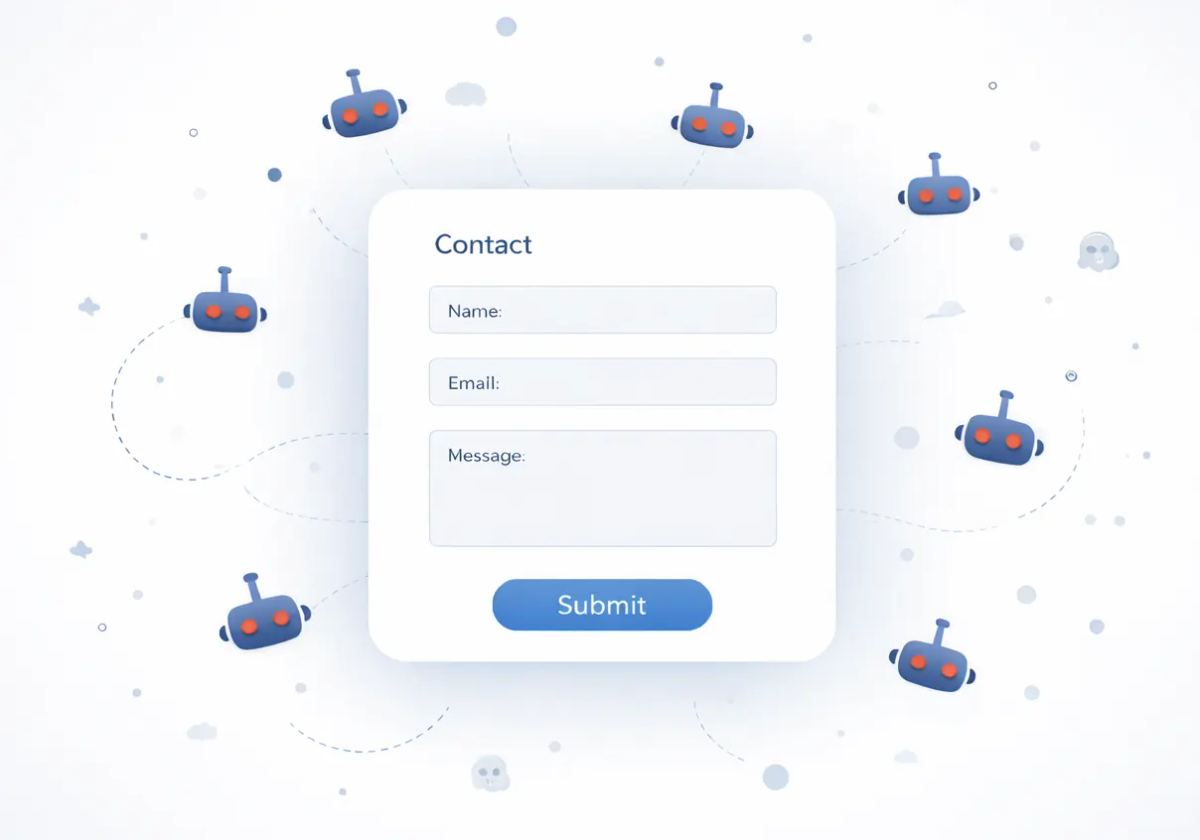
For IT teams, the key point is that brute force rarely shows up as a single, obvious incident. It’s typically a sustained pressure campaign: scripted attempts, credential stuffing from breach dumps, and distributed botnets designed to evade basic IP blocks. This is why the modern objective isn’t merely to “block one attacker,” but to prevent brute force attacks by reducing the attacker’s ability to automate authentication attempts across your environment, without creating friction for legitimate users or overloading your support desk with lockouts.
In practice, brute force campaigns commonly target login forms and authentication endpoints, admin dashboards and CMS panels, API authentication, VPN and remote access gateways, and password reset / OTP verification endpoints. Any exposed authentication surface is a potential entry point, particularly when it can be hit repeatedly at scale, or when endpoint defenses are inconsistent across web, mobile, and API channels. As automation, AI-driven bots, and credential leaks grow, brute force techniques have become faster, cheaper, and harder to detect. This guide provides a complete overview of brute force attack types, how to recognize them, how to mitigate their impact, and most importantly how to prevent brute force attacks.
Different Types of Brute Force Attacks and How to Block Each One
Brute force isn’t one single technique. Attackers choose different styles depending on what they know, what they’ve stolen, and what defenses they expect. The table below breaks down common variants and the preventive countermeasures that work best.
| Attack Type | How It Works | What Attackers Typically Need | Typical Targets | Impact | Most Effective Countermeasures |
|---|---|---|---|---|---|
| Classic Brute Force | Tries large number of passwords automatically until one matches | Nothing | Login forms, admin panels | Breaks weak passwords; creates heavy auth load | Strong password policy, rate limiting, Captcha, lockout thresholds |
| Dictionary Guessing | Uses common password lists and wordlists (often with leaked “top passwords”) | A password list; sometimes known usernames | Consumer logins, CMS, SaaS portals | Fast compromise of predictable passwords | Strong password rules, banned password lists, Captcha, MFA |
| Hybrid Guessing | Combines dictionary words with patterns | Wordlists + common patterns | Enterprise portals, SSO login pages | Defeats “semi-strong” human passwords | Password managers, random passphrases, Captcha, MFA |
| Password Spraying | Tries a small set of popular passwords across many accounts to avoid lockouts | A list of usernames | SSO, email, corporate apps | Slow but scalable; compromises multiple accounts | Captcha, MFA, anomaly detection, per-account and per-IP throttling |
| Credential Stuffing | Reuses breached username/password pairs across multiple sites | Credential dumps from breaches | E-commerce, login | High success rate if users reuse passwords | Captcha, MFA, breached-password checks |
| Reverse Brute Force | Uses one known password against many usernames (e.g., “Welcome123!”) | A likely password | Employee portals, legacy systems | Can compromise multiple users quickly | Captcha, MFA, password hygiene, monitoring |
| Distributed Brute Force (Botnets) | Spreads attempts across many IPs/devices to evade IP-based blocks | Botnet capacity | High-value targets | Evades simple IP blocking; sustained pressure | Proof-of-work CAPTCHA (TrustCaptcha), behavioral scoring, adaptive throttling |
| Session/Token Guessing | Attempts to guess or brute weak tokens, session IDs, or API keys | Knowledge of token formats or weak entropy | APIs, session endpoints | Account takeover without passwords | Strong token generation, rotation, rate limiting, Captcha, Token lifetime |
| Password Reset Abuse | Attacks reset flows to discover valid accounts or brute OTP codes | Endpoint access; sometimes leaked emails | Reset + OTP verification endpoints | Account enumeration, takeover attempts, support overload | Captcha, rate limits, OTP hardening, anti-enumeration messaging |
Indicators of Brute Force Attacks
If you’re seeing abnormal authentication behavior, then you’re likely dealing with an automated attempt against your authentication surfaces.
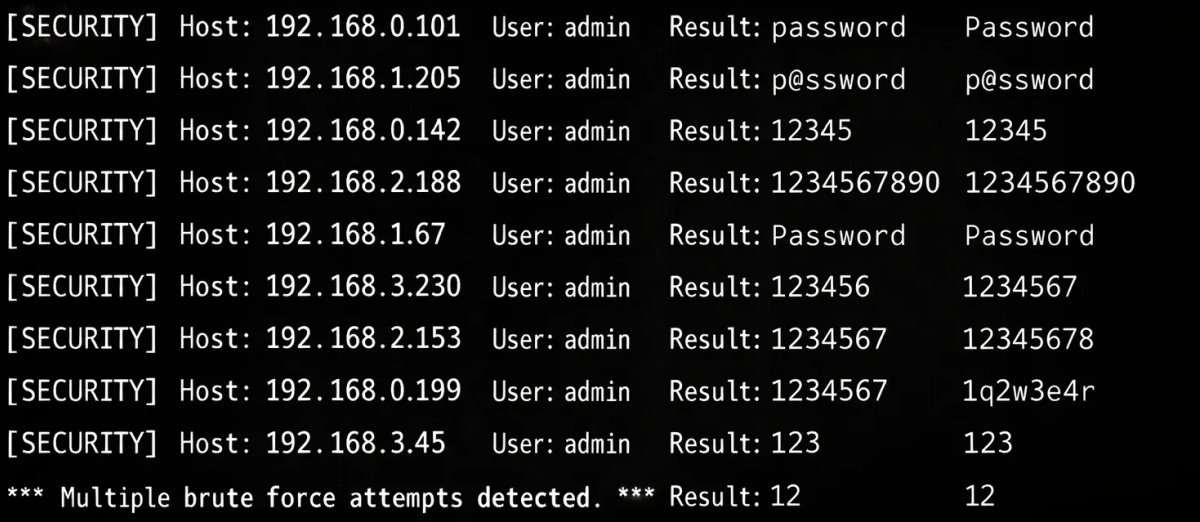
To identify a brute force attempt, look for patterns that indicate automation rather than user error:
- A spike in logins clustered around a small set of accounts with many of them failing.
- Attempts spread across many accounts with the same password guess.
- Repeated login requests with rotating IPs or unusual geographies.
What to if you suspect a brute force attack
When a brute force attack is in progress, speed matters. The objective is to reduce automation capacity quickly while avoiding broad lockouts that create business disruption.
Recommended immediate actions:
- Protect the endpoint right away with a CAPTCHA to stop automation.
- Throttle requests on auth, reset, and OTP endpoints (IP/user-based).
- Enable MFA (or enforce step-up authentication) for high-risk logins.
- If necessary, temporarily lock or step-up protect targeted accounts.
- Force password resets for accounts showing signs of compromise.
- Review logs and alerts for successful logins from suspicious locations or devices.
How to Prevent Brute Force Attacks (Layered Strategy)
There’s no single solution to prevent all types of brute force attacks. The most sustainable prevention is a layered use of multiple measures:
- Strong password policies (length, uniqueness, banned password lists)
- CAPTCHA-based bot protection to stop automated attacks
- Multi-factor authentication (MFA) for account takeover resistance
- Monitoring and alerting for anomalies on auth endpoints
- Rate limiting and throttling to reduce high-frequency attempts
CAPTCHAs help because they target the biggest advantage attackers have: automation. Without automation, brute force becomes slow, inefficient, and expensive. A modern CAPTCHA also reduces downstream costs: fewer authentication-related incidents, fewer password reset events triggered by bots, and less unnecessary load on identity systems.
How CAPTCHAs Help Prevent Brute Force Attacks
Modern CAPTCHAs are especially effective at mitigating automated brute force attacks by adding a human and technical verification layer before your application accepts the request. In practice, they help because:
- They prevent bots from repeatedly submitting login forms at high speed.
- They disrupt automated tooling cycling through password lists and credential dumps.
- They break pattern-based login attempts that rely on predictable, repeatable requests.
- They slow attackers down by forcing additional work for every attempt.
- They reduce both burst attacks and “low-and-slow” attacks that try to avoid detection.
When used alongside safeguards like MFA and monitoring, a CAPTCHA becomes a core line of defense that makes brute force attacks inefficient and far easier to contain, without forcing heavy-handed controls that impact legitimate users.
Introducing TrustCaptcha: A Modern CAPTCHA for Brute Force Defense
TrustCaptcha is a next-generation CAPTCHA designed for organizations that need strong security without sacrificing privacy, accessibility, or conversion. It runs invisibly in the background and focuses on stopping automation where it matters most: on authentication and verification endpoints.
How TrustCaptcha Prevents Brute Force Attacks (Proof of Work + Bot Score)
TrustCaptcha prevents brute force attacks using two mechanisms that directly undermine automated guessing and distributed bot traffic.
Proof of Work (PoW):
TrustCaptcha uses proof-of-work to require a small computational task per request. For real users, this happens quickly and invisibly. For bots operating at scale, it changes the economics:
- Every attempt consumes compute.
- High-volume attacks become slower by design.
- Distributed botnets pay per request.
- The attacker’s “cheap guessing” turns into expensive, throttled guessing.
In brute force terms, PoW scales against automated abuse without blocking normal users. This is especially valuable for high-traffic environments where you can’t rely solely on lockouts or IP blocks without collateral damage.
Bot Score:
TrustCaptcha also assigns a bot score by analyzing request context and behavior. The benefit is a smarter control plane:
- Low-risk traffic passes smoothly.
- Suspicious patterns and attacks take longer and are more expensive for attackers.
- Malicious automation gets slowed or blocked.
This risk-based approach is especially useful for brute force scenarios where attackers rotate IPs, mimic browsers, and attempt to blend into real traffic. Instead of relying on brittle allow/block rules, TrustCaptcha adapts to the risk level, supporting a stronger security while maintaining high conversion and accessibility.
Conclusion
Brute force attacks are a common threat. They are usually automated and frequently aimed at the exact endpoints every application depends on: login, reset, OTP, and API auth. The good news is that organisations can build layered defenses and break attacker automation early.
Modern CAPTCHA protection remains one of the most effective ways to stop brute force attempts at the source. With proof-of-work and bot scoring, TrustCaptcha makes automated guessing expensive, slow, and far less likely to succeed, without legitimate users even noticing.
👉 Try TrustCaptcha for free and see how it works in your own environment.