
'%3e%3crect%20width='32'%20height='24'%20fill='white'/%3e%3cpath%20fill-rule='evenodd'%20clip-rule='evenodd'%20d='M0%200V24H32V0H0Z'%20fill='%232E42A5'/%3e%3cmask%20id='mask0_270_67386'%20style='mask-type:luminance'%20maskUnits='userSpaceOnUse'%20x='0'%20y='0'%20width='32'%20height='24'%3e%3cpath%20fill-rule='evenodd'%20clip-rule='evenodd'%20d='M0%200V24H32V0H0Z'%20fill='white'/%3e%3c/mask%3e%3cg%20mask='url(%23mask0_270_67386)'%3e%3cpath%20d='M-3.56323%2022.2854L3.47846%2025.2635L32.1597%203.23787L35.874%20-1.18761L28.344%20-2.18297L16.6456%207.3085L7.22956%2013.7035L-3.56323%2022.2854Z'%20fill='white'/%3e%3cpath%20d='M-2.59924%2024.3719L0.988173%2026.1001L34.5402%20-1.59881H29.5031L-2.59924%2024.3719Z'%20fill='%23F50100'/%3e%3cpath%20d='M35.5631%2022.2854L28.5214%2025.2635L-0.159817%203.23787L-3.87415%20-1.18761L3.65593%20-2.18297L15.3543%207.3085L24.7703%2013.7035L35.5631%2022.2854Z'%20fill='white'/%3e%3cpath%20d='M35.3229%2023.7829L31.7355%2025.5111L17.4487%2013.6518L13.2129%2012.3267L-4.23151%20-1.17246H0.805637L18.2403%2012.0063L22.8713%2013.5952L35.3229%2023.7829Z'%20fill='%23F50100'/%3e%3cmask%20id='path-7-inside-1_270_67386'%20fill='white'%3e%3cpath%20fill-rule='evenodd'%20clip-rule='evenodd'%20d='M19.7777%20-2H12.2222V8H-1.97253V16H12.2222V26H19.7777V16H34.0275V8H19.7777V-2Z'/%3e%3c/mask%3e%3cpath%20fill-rule='evenodd'%20clip-rule='evenodd'%20d='M19.7777%20-2H12.2222V8H-1.97253V16H12.2222V26H19.7777V16H34.0275V8H19.7777V-2Z'%20fill='%23F50100'/%3e%3cpath%20d='M12.2222%20-2V-4H10.2222V-2H12.2222ZM19.7777%20-2H21.7777V-4H19.7777V-2ZM12.2222%208V10H14.2222V8H12.2222ZM-1.97253%208V6H-3.97253V8H-1.97253ZM-1.97253%2016H-3.97253V18H-1.97253V16ZM12.2222%2016H14.2222V14H12.2222V16ZM12.2222%2026H10.2222V28H12.2222V26ZM19.7777%2026V28H21.7777V26H19.7777ZM19.7777%2016V14H17.7777V16H19.7777ZM34.0275%2016V18H36.0275V16H34.0275ZM34.0275%208H36.0275V6H34.0275V8ZM19.7777%208H17.7777V10H19.7777V8ZM12.2222%200H19.7777V-4H12.2222V0ZM14.2222%208V-2H10.2222V8H14.2222ZM-1.97253%2010H12.2222V6H-1.97253V10ZM0.0274658%2016V8H-3.97253V16H0.0274658ZM12.2222%2014H-1.97253V18H12.2222V14ZM14.2222%2026V16H10.2222V26H14.2222ZM19.7777%2024H12.2222V28H19.7777V24ZM17.7777%2016V26H21.7777V16H17.7777ZM34.0275%2014H19.7777V18H34.0275V14ZM32.0275%208V16H36.0275V8H32.0275ZM19.7777%2010H34.0275V6H19.7777V10ZM17.7777%20-2V8H21.7777V-2H17.7777Z'%20fill='white'%20mask='url(%23path-7-inside-1_270_67386)'/%3e%3c/g%3e%3c/g%3e%3cdefs%3e%3cclipPath%20id='clip0_270_67386'%3e%3crect%20width='32'%20height='24'%20fill='white'/%3e%3c/clipPath%3e%3c/defs%3e%3c/svg%3e)
'%3e%3crect%20width='32'%20height='24'%20fill='white'/%3e%3cpath%20fill-rule='evenodd'%20clip-rule='evenodd'%20d='M0%2016H32V24H0V16Z'%20fill='%23FFD018'/%3e%3cpath%20fill-rule='evenodd'%20clip-rule='evenodd'%20d='M0%208H32V16H0V8Z'%20fill='%23E31D1C'/%3e%3cpath%20fill-rule='evenodd'%20clip-rule='evenodd'%20d='M0%200H32V8H0V0Z'%20fill='%23272727'/%3e%3c/g%3e%3cdefs%3e%3cclipPath%20id='clip0_270_67353'%3e%3crect%20width='32'%20height='24'%20fill='white'/%3e%3c/clipPath%3e%3c/defs%3e%3c/svg%3e)
'%3e%3crect%20width='32'%20height='24'%20fill='white'/%3e%3cpath%20fill-rule='evenodd'%20clip-rule='evenodd'%20d='M22%200H32V24H22V0Z'%20fill='%23F50100'/%3e%3cpath%20fill-rule='evenodd'%20clip-rule='evenodd'%20d='M0%200H12V24H0V0Z'%20fill='%232E42A5'/%3e%3cpath%20fill-rule='evenodd'%20clip-rule='evenodd'%20d='M10%200H22V24H10V0Z'%20fill='%23F7FCFF'/%3e%3c/g%3e%3cdefs%3e%3cclipPath%20id='clip0_270_67361'%3e%3crect%20width='32'%20height='24'%20fill='white'/%3e%3c/clipPath%3e%3c/defs%3e%3c/svg%3e)
Introduction: incidents are normal, but clear communication is a choice
Every team that runs software has incidents. What customers remember afterwards is rarely the incident itself, but how it was communicated: whether they heard about it quickly, whether the updates were clear, and whether the team explained what it learned.
An incident communication plan makes that part predictable. This guide explains what belongs in the plan and gives you templates you can copy and adapt for status page updates, IT outage notifications, customer emails and the post-mortem.
What is an incident communication plan?
An incident communication plan (sometimes called an incident response communication plan) defines how your organization communicates during an incident:
- Who communicates, and who approves messages
- To whom: customers, internal teams, management, partners
- Through which channels: status page, subscriber emails, in-app notices, internal chat
- How often: the rhythm of updates for each severity level
- What happens afterwards: the post-mortem and follow-up
It is the communication part of your incident management process, and it works best when it is written down before you need it.
The building blocks of the plan
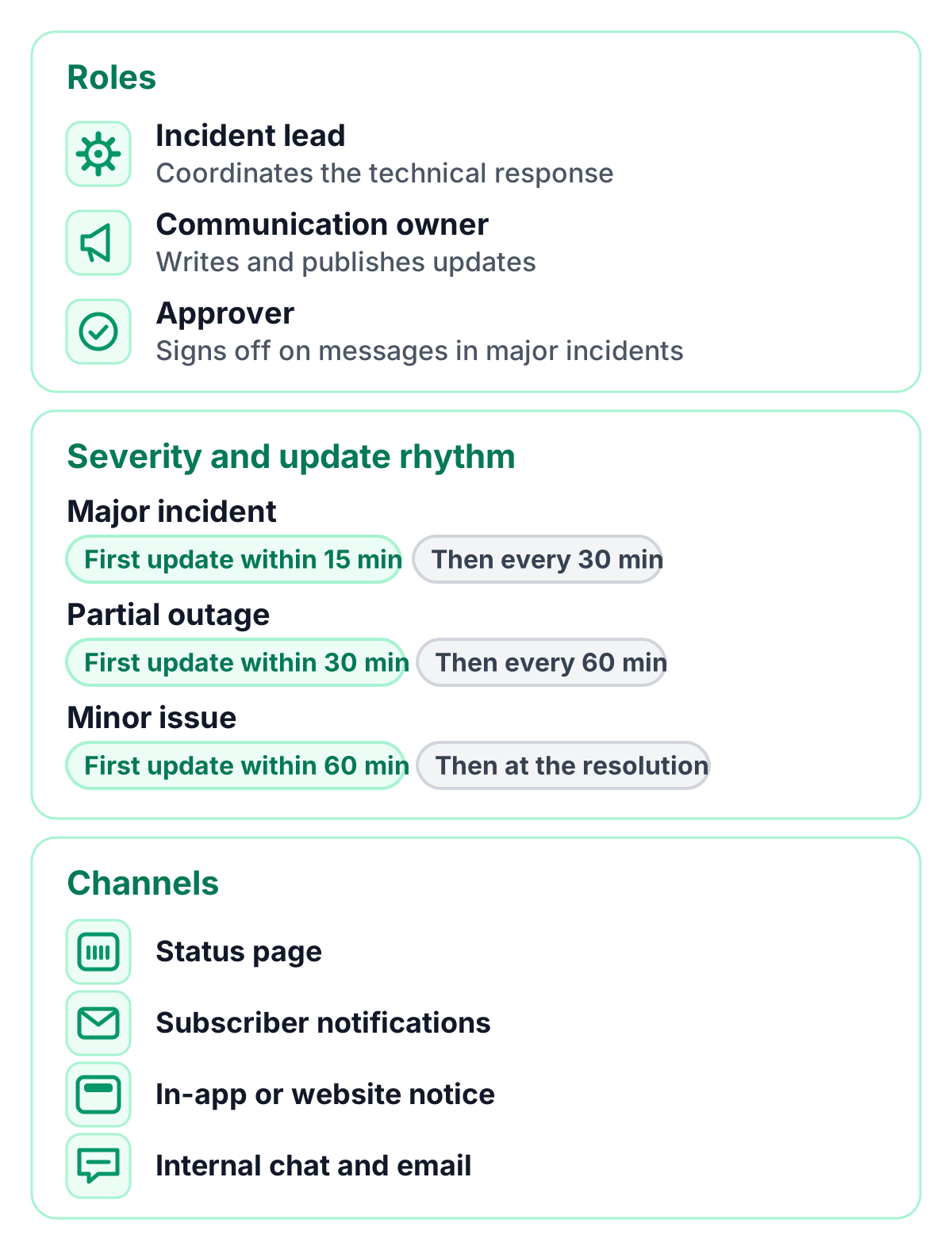
Roles
- Incident lead: coordinates the technical response.
- Communication owner: writes and publishes updates, keeps the timeline current.
- Approver: for major incidents, a person who signs off on customer-facing messages.
Separating the incident lead from the communication owner is the single most effective step: updates go out on time while engineers focus on the fix.
Severity levels and update rhythm
Define a few severity levels and decide in advance how you communicate for each. The values below are a common starting point. Adapt them to your SLA and your customers:
| Severity | Example | First update | Following updates |
|---|---|---|---|
| Major incident | Service unavailable for most customers | within 15 minutes | every 30 minutes |
| Partial outage | One feature or region affected | within 30 minutes | every 60 minutes |
| Minor issue | Degraded performance, workaround available | within 60 minutes | at the resolution |
| Planned maintenance | Announced work with expected impact | several days ahead | at start and end |
Major incident communication also includes your internal escalation path: who is informed in management, support and sales, and when.
Channels
- Status page: the single source of truth for customers
- Subscriber notifications: email or chat updates for those who subscribed
- In-app or website notice: a short banner that links to the status page
- Internal chat and email: the incident channel for your team and stakeholders
Outage communication templates
Copy these templates and replace the placeholders in square brackets. Keep each update short, factual and calm.
Status page: investigating
We are investigating reports of [issue] affecting [service or feature].
Some users may experience [symptom]. Our team is working on it,
and we will share the next update by [time and time zone].
Status page: identified
We have identified the cause of [issue] and are rolling out a fix.
[Optional: workaround.] Next update by [time and time zone].
Status page: monitoring
A fix has been applied and [service] is recovering. We are monitoring
the results and will confirm once everything is fully back to normal.
Status page: resolved
[Service] has been fully operational since [time and time zone].
The issue was caused by [short, non-technical summary]. We will publish
a post-mortem by [date]. Thank you for your patience.
IT outage notification template (internal)
Subject: [Outage] [System] unavailable since [start time]

What is affected: [system, feature, locations]
Who is affected: [teams, customers, regions]
Workaround: [workaround or "none at the moment"]
Incident lead: [name], communication owner: [name]
Status page: [link]
Next update: [time]
Customer email for a major incident
Subject: [Service] incident on [date] — resolved

Hello [name],

On [date], between [start] and [end] [time zone], [service] was
[unavailable / partially unavailable] for [affected customers].
[What customers experienced, in one sentence.]

The cause was [short summary]. We resolved it by [action], and we are
[improvement] to prevent it from happening again.

You can read the full post-mortem here: [link]. If you have questions,
reply to this email or contact [support channel].

[Name], [team]
Scheduled maintenance notice
Scheduled maintenance: on [date] from [start] to [end] [time zone], we
will [describe the work]. During this window, [expected impact].
No action is required on your side. We will update this notice when
the maintenance is complete.
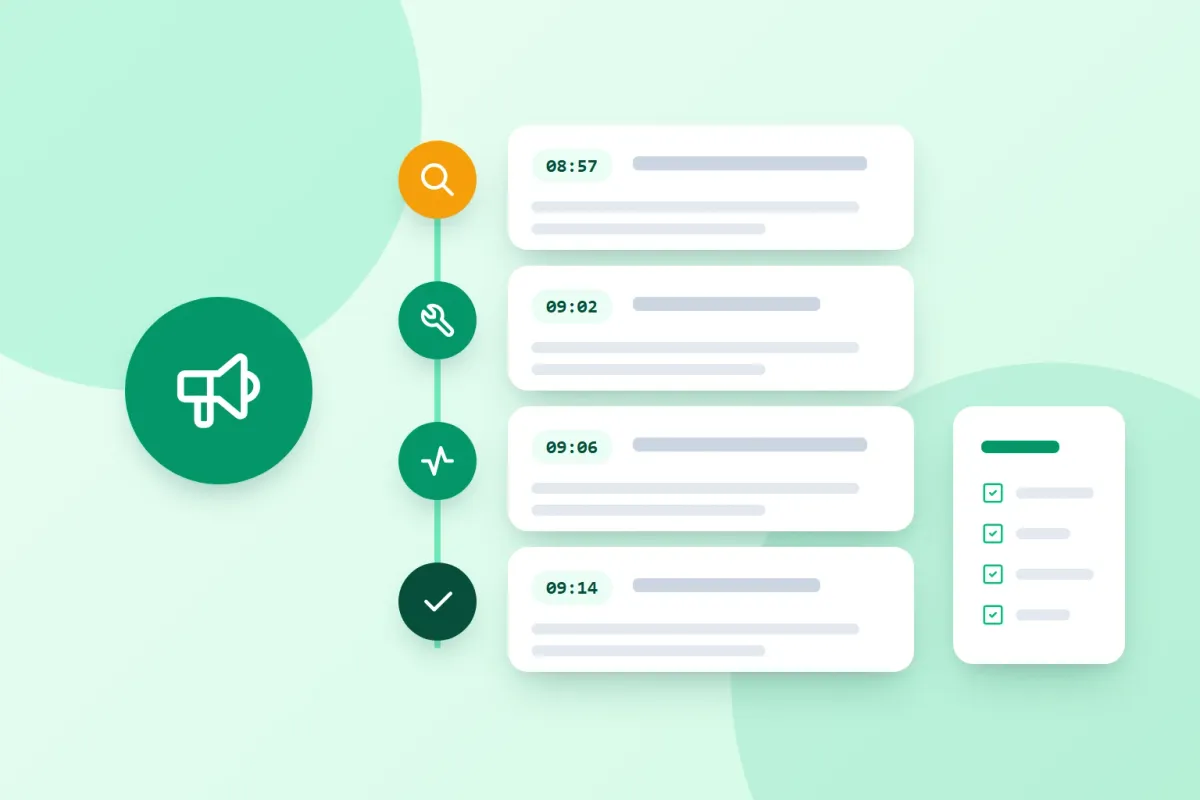
Incident communication example: a complete timeline
Here is how a short incident looks on a status page when the plan works:
| Time | Stage | Update |
|---|---|---|
| 08:57 | Investigating | We are seeing elevated response times on the API and are investigating. Next update by 09:15 CET. |
| 09:02 | Internal note | Database connection pool exhausted. Scaling read replicas. |
| 09:06 | Resolved | Response times are back to normal. A post-mortem will follow. |
The internal note stays with the team; customers see only the public updates.
Incident post-mortem template
A post-mortem closes the incident. Keep it blameless: focus on what happened and what you will improve, not on who made a mistake. This incident postmortem template covers the essentials:
Incident post-mortem: [title]
Date: [date]   Severity: [level]   Author: [name]

1. Summary
   What happened, in two or three sentences.

2. Impact
   Duration: [start] to [end] ([total])
   Affected: [services, customers, regions]
   SLA impact: [yes/no, details]

3. Timeline (with time zone)
   [time] Detected by [monitor / report]
   [time] Incident opened, first update published
   [time] Cause identified
   [time] Fix deployed
   [time] Resolved and confirmed

4. Root cause
   What caused the incident, and why it was possible.

5. What went well
   Detection, response and communication that worked.

6. Improvements
   [action] — owner: [name] — due: [date]
   [action] — owner: [name] — due: [date]

7. Communication recap
   Status page updates: [count], subscribers notified: [yes/no]
Incident communication tools
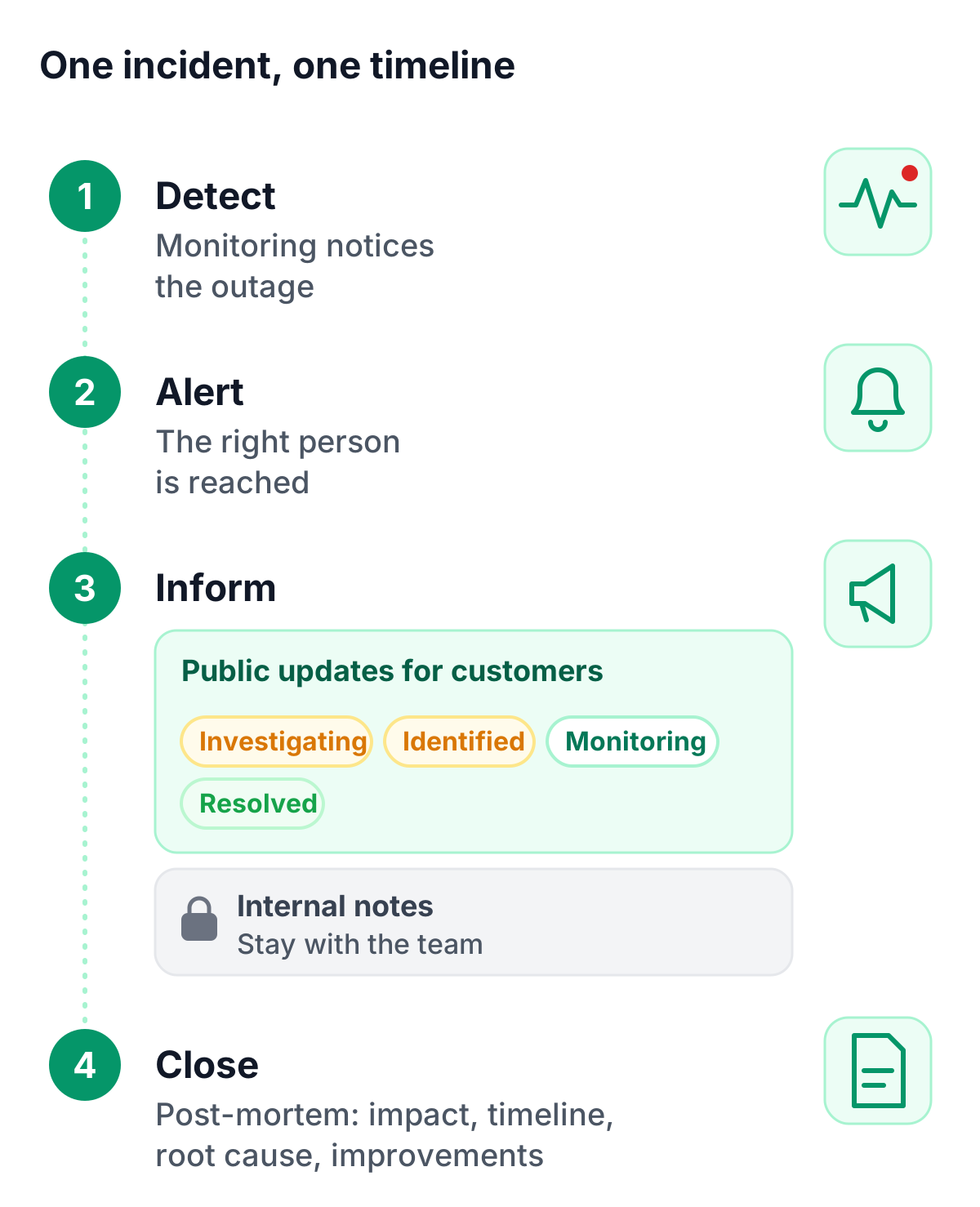
Incident management communication tools work best when they are connected: monitoring that detects the issue, alerting that reaches the right person, and a status page that informs customers, all with one timeline behind them. That way, nobody copies information between tools while the incident is still running.
How TrustComponent Monitoring supports your plan
TrustComponent Monitoring brings these parts together on one European platform:
- Detection and alerting: checks as often as every 30 seconds, alerts in 16 channels and escalation chains of up to 20 steps, with one-click acknowledgement
- Incident drafts: when a monitored service has an outage, a pre-filled incident draft is ready, and nothing is published without your decision
- One timeline, two audiences: public updates for customers and internal notes for your team, with attachments
- Four categories: incidents, scheduled maintenance, informational notices and security events
- Post-mortems and export: close incidents with a structured post-mortem and export the complete record as PDF/ZIP
- Subscribers: updates reach subscribers automatically, in your branding and your status page’s language
See all incident management features.
Conclusion
Incidents happen; a plan makes the communication around them calm and consistent. Define roles and severity levels, prepare your templates, and close every major incident with a post-mortem. Your customers will remember a team that kept them informed.
Get started
👉 Try TrustComponent Monitoring for free and connect your monitoring, incidents and status page in one place.