
'%3e%3crect%20width='32'%20height='24'%20fill='white'/%3e%3cpath%20fill-rule='evenodd'%20clip-rule='evenodd'%20d='M0%200V24H32V0H0Z'%20fill='%232E42A5'/%3e%3cmask%20id='mask0_270_67386'%20style='mask-type:luminance'%20maskUnits='userSpaceOnUse'%20x='0'%20y='0'%20width='32'%20height='24'%3e%3cpath%20fill-rule='evenodd'%20clip-rule='evenodd'%20d='M0%200V24H32V0H0Z'%20fill='white'/%3e%3c/mask%3e%3cg%20mask='url(%23mask0_270_67386)'%3e%3cpath%20d='M-3.56323%2022.2854L3.47846%2025.2635L32.1597%203.23787L35.874%20-1.18761L28.344%20-2.18297L16.6456%207.3085L7.22956%2013.7035L-3.56323%2022.2854Z'%20fill='white'/%3e%3cpath%20d='M-2.59924%2024.3719L0.988173%2026.1001L34.5402%20-1.59881H29.5031L-2.59924%2024.3719Z'%20fill='%23F50100'/%3e%3cpath%20d='M35.5631%2022.2854L28.5214%2025.2635L-0.159817%203.23787L-3.87415%20-1.18761L3.65593%20-2.18297L15.3543%207.3085L24.7703%2013.7035L35.5631%2022.2854Z'%20fill='white'/%3e%3cpath%20d='M35.3229%2023.7829L31.7355%2025.5111L17.4487%2013.6518L13.2129%2012.3267L-4.23151%20-1.17246H0.805637L18.2403%2012.0063L22.8713%2013.5952L35.3229%2023.7829Z'%20fill='%23F50100'/%3e%3cmask%20id='path-7-inside-1_270_67386'%20fill='white'%3e%3cpath%20fill-rule='evenodd'%20clip-rule='evenodd'%20d='M19.7777%20-2H12.2222V8H-1.97253V16H12.2222V26H19.7777V16H34.0275V8H19.7777V-2Z'/%3e%3c/mask%3e%3cpath%20fill-rule='evenodd'%20clip-rule='evenodd'%20d='M19.7777%20-2H12.2222V8H-1.97253V16H12.2222V26H19.7777V16H34.0275V8H19.7777V-2Z'%20fill='%23F50100'/%3e%3cpath%20d='M12.2222%20-2V-4H10.2222V-2H12.2222ZM19.7777%20-2H21.7777V-4H19.7777V-2ZM12.2222%208V10H14.2222V8H12.2222ZM-1.97253%208V6H-3.97253V8H-1.97253ZM-1.97253%2016H-3.97253V18H-1.97253V16ZM12.2222%2016H14.2222V14H12.2222V16ZM12.2222%2026H10.2222V28H12.2222V26ZM19.7777%2026V28H21.7777V26H19.7777ZM19.7777%2016V14H17.7777V16H19.7777ZM34.0275%2016V18H36.0275V16H34.0275ZM34.0275%208H36.0275V6H34.0275V8ZM19.7777%208H17.7777V10H19.7777V8ZM12.2222%200H19.7777V-4H12.2222V0ZM14.2222%208V-2H10.2222V8H14.2222ZM-1.97253%2010H12.2222V6H-1.97253V10ZM0.0274658%2016V8H-3.97253V16H0.0274658ZM12.2222%2014H-1.97253V18H12.2222V14ZM14.2222%2026V16H10.2222V26H14.2222ZM19.7777%2024H12.2222V28H19.7777V24ZM17.7777%2016V26H21.7777V16H17.7777ZM34.0275%2014H19.7777V18H34.0275V14ZM32.0275%208V16H36.0275V8H32.0275ZM19.7777%2010H34.0275V6H19.7777V10ZM17.7777%20-2V8H21.7777V-2H17.7777Z'%20fill='white'%20mask='url(%23path-7-inside-1_270_67386)'/%3e%3c/g%3e%3c/g%3e%3cdefs%3e%3cclipPath%20id='clip0_270_67386'%3e%3crect%20width='32'%20height='24'%20fill='white'/%3e%3c/clipPath%3e%3c/defs%3e%3c/svg%3e)
'%3e%3crect%20width='32'%20height='24'%20fill='white'/%3e%3cpath%20fill-rule='evenodd'%20clip-rule='evenodd'%20d='M0%2016H32V24H0V16Z'%20fill='%23FFD018'/%3e%3cpath%20fill-rule='evenodd'%20clip-rule='evenodd'%20d='M0%208H32V16H0V8Z'%20fill='%23E31D1C'/%3e%3cpath%20fill-rule='evenodd'%20clip-rule='evenodd'%20d='M0%200H32V8H0V0Z'%20fill='%23272727'/%3e%3c/g%3e%3cdefs%3e%3cclipPath%20id='clip0_270_67353'%3e%3crect%20width='32'%20height='24'%20fill='white'/%3e%3c/clipPath%3e%3c/defs%3e%3c/svg%3e)
'%3e%3crect%20width='32'%20height='24'%20fill='white'/%3e%3cpath%20fill-rule='evenodd'%20clip-rule='evenodd'%20d='M22%200H32V24H22V0Z'%20fill='%23F50100'/%3e%3cpath%20fill-rule='evenodd'%20clip-rule='evenodd'%20d='M0%200H12V24H0V0Z'%20fill='%232E42A5'/%3e%3cpath%20fill-rule='evenodd'%20clip-rule='evenodd'%20d='M10%200H22V24H10V0Z'%20fill='%23F7FCFF'/%3e%3c/g%3e%3cdefs%3e%3cclipPath%20id='clip0_270_67361'%3e%3crect%20width='32'%20height='24'%20fill='white'/%3e%3c/clipPath%3e%3c/defs%3e%3c/svg%3e)
Introduction: choosing website monitoring tools with confidence
Website monitoring tools promise the same thing: you hear about problems early. In practice they differ a lot: in what they check, where they check from, how they alert, and how they help you communicate with customers.
Instead of another ranking, this guide gives you ten criteria to evaluate website monitoring tools and uptime monitoring tools for your own situation, explains what free tools usually include, and ends with a checklist you can take into any evaluation.
What website monitoring tools do
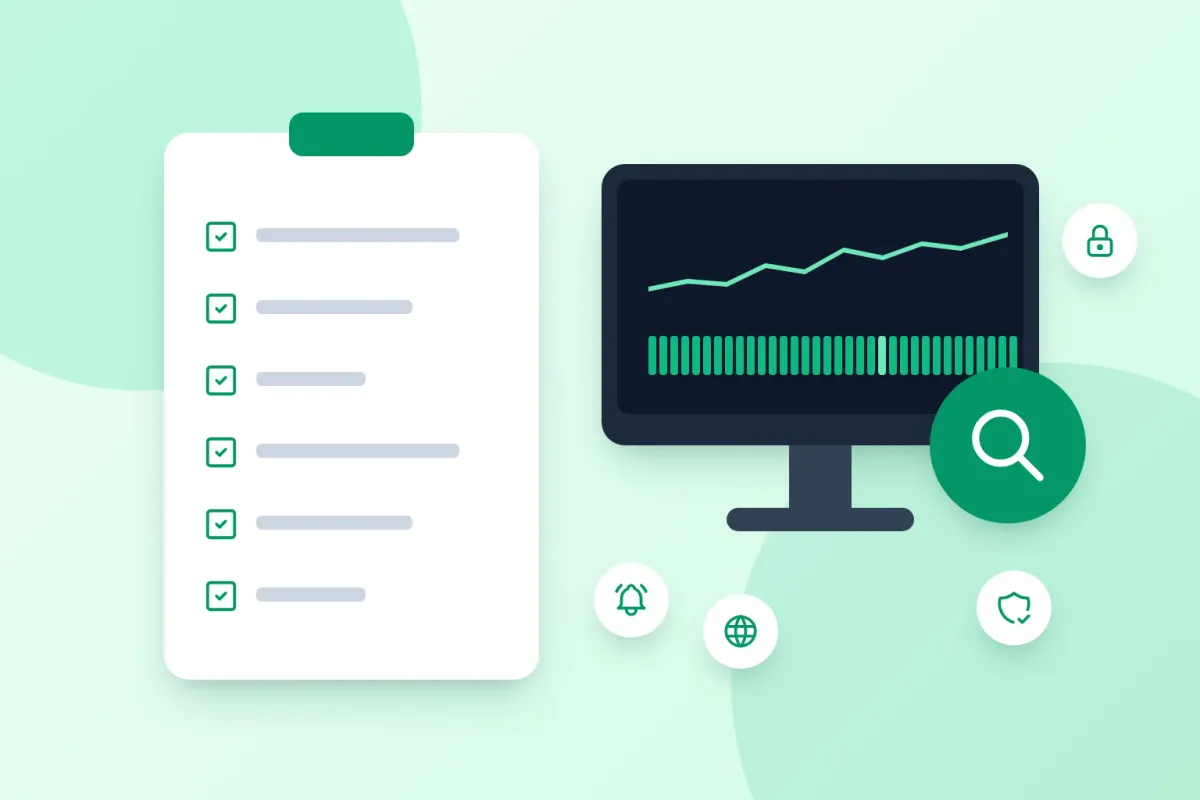
Most website monitoring software covers one or more of these jobs:
- Uptime and availability monitoring: scheduled checks from outside that confirm a website, API or server responds.
- Synthetic and API checks: requests with assertions that confirm the response is correct, not just present.
- Real user monitoring: measurements from actual visitors’ browsers, such as page load times.
- Server and infrastructure monitoring: agents on your servers that collect metrics like CPU and memory.
- Status pages and incident communication: a public page and notifications that keep customers informed.
Clarify which of these jobs you need before you compare website monitoring services. A tool can be excellent at one job and not cover another at all.
Ten criteria for choosing a website monitoring tool
1. Check types
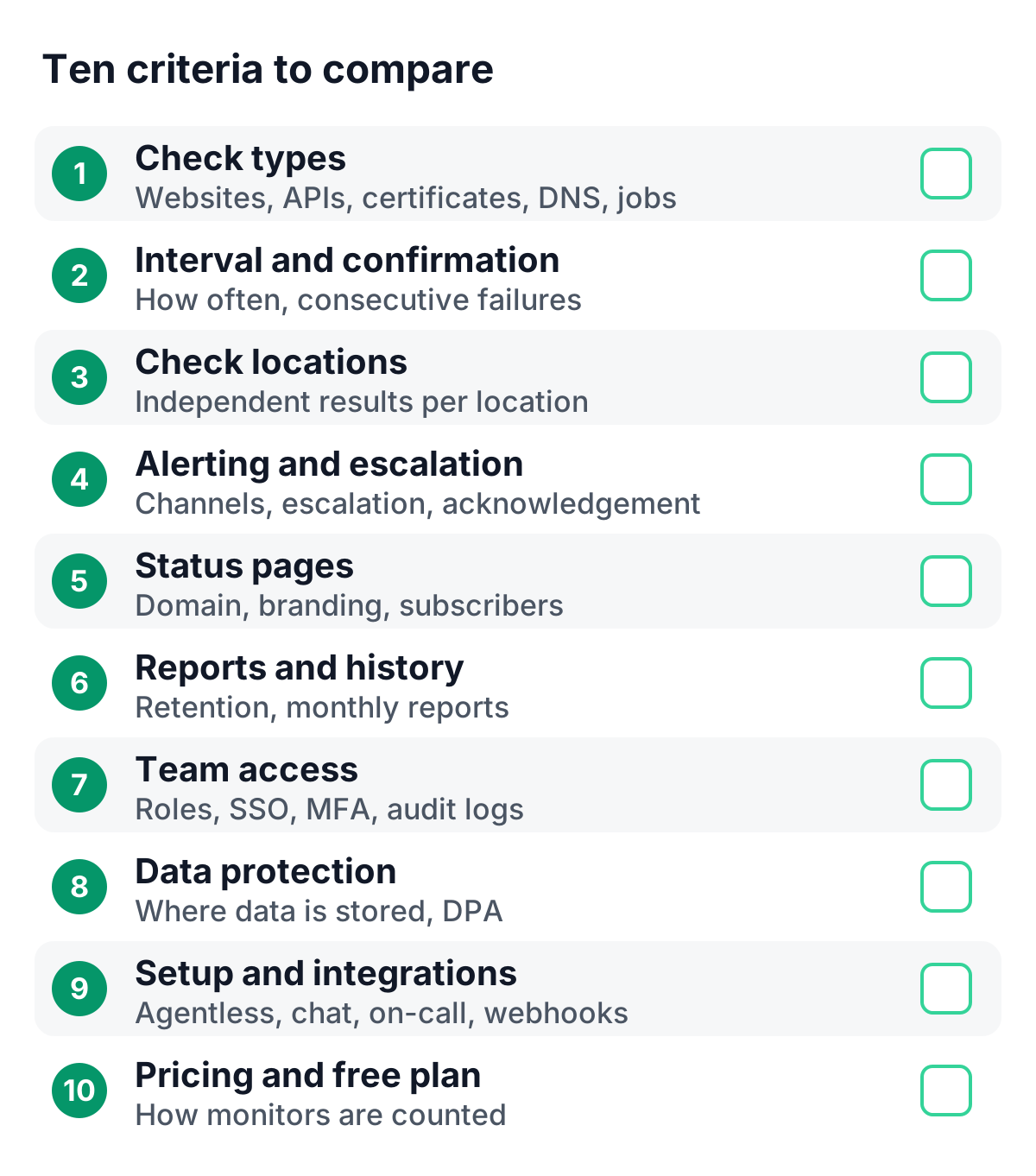
Write down the questions you want answered and match them to check types: HTTP(S) and keyword checks for websites, API checks with status-code and JSON assertions, SSL certificate and domain expiry checks, DNS record checks, port and protocol checks for servers and mail, and heartbeat checks for scheduled jobs.
2. Check interval and confirmation
Shorter intervals mean faster detection and more precise uptime numbers. Just as important is confirmation: a tool should let you require several consecutive failures before it alerts, so every alert reflects a real change.
3. Check locations
Checks should run outside your own infrastructure, ideally from more than one region. Look for independent results per location, because they show regional issues that a single location or a majority vote would hide.
4. Alerting and escalation
Count the channels you need (email, SMS, voice calls, chat, on-call tools, webhooks) and check how alerts escalate when nobody responds. One-click acknowledgement and maintenance windows that pause alerts keep the signal clear.
5. Status pages and incident communication
If customers depend on your service, a status page and incident updates are part of monitoring. Check custom domains, branding, languages, subscriber notifications and whether incidents can start automatically from a failed check.
6. Reports and history
For SLA reviews and customer questions, you need history: how long uptime and latency data is kept, whether monthly reports are generated automatically, and whether you can report on any period.
7. Team access and governance
Monitoring is a team tool. Look at roles and read-only access, single sign-on, enforced multi-factor authentication and audit logs, especially if you share access with agencies or clients.
8. Data protection and hosting
Monitoring data includes operational details, and status pages collect subscriber contact data. Check where data is stored and processed, and whether a data processing agreement is available. For EU organizations, this is often decisive.
9. Setup effort and integrations
Agentless, external checks are set up in minutes. Check how easily the tool connects to the tools you already use, such as chat, on-call and webhooks, and whether heartbeats work with a simple HTTP request.
10. Pricing model and free plan
Compare how each tool defines and counts a monitor. Some tools count each check location as a separate monitor. Check interval limits per plan, which features are paid, and whether a free plan lets you test with real services.
Free website monitoring tools: what to expect
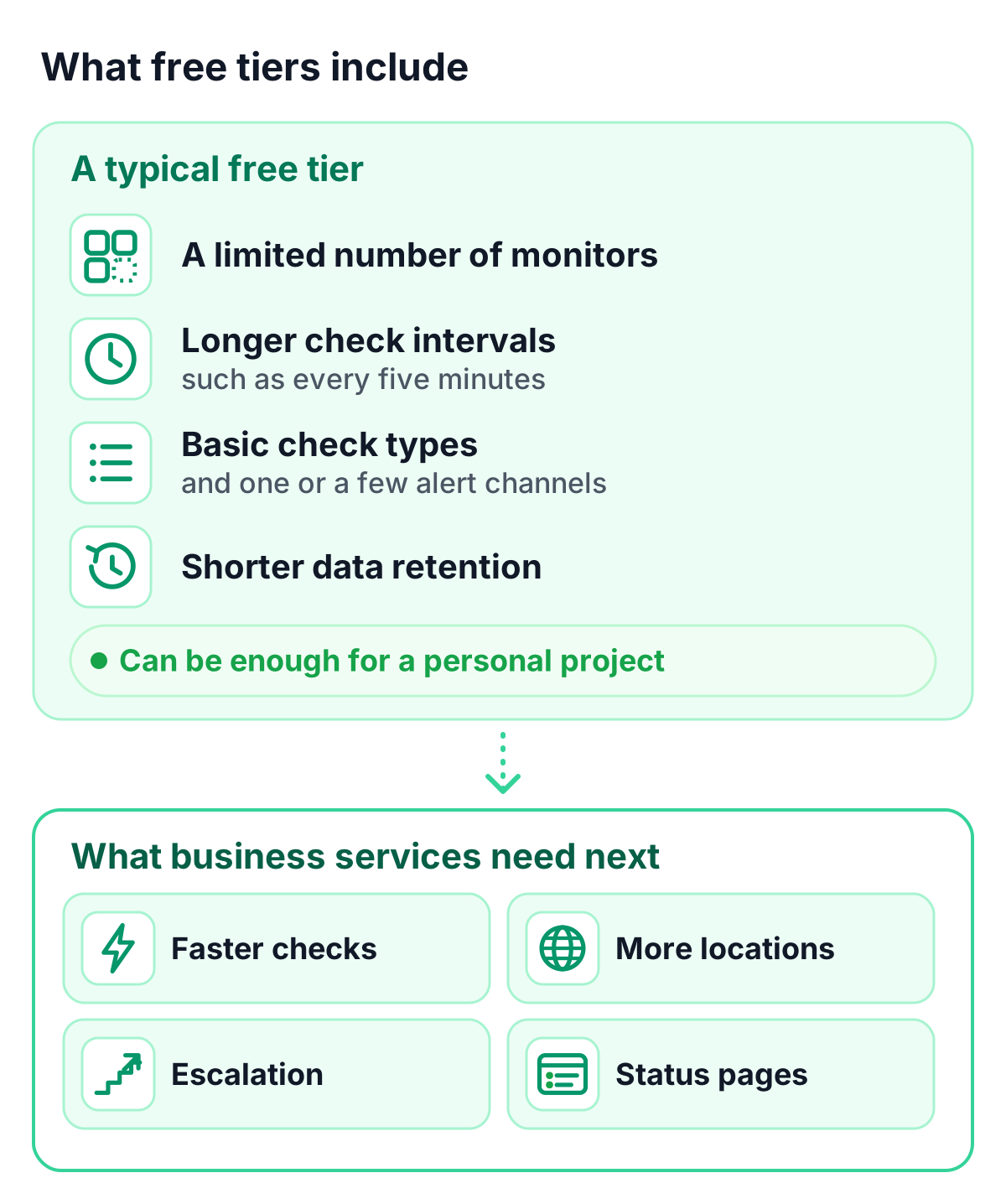
Free website monitoring tools are a good way to start. Free tiers typically include:
- a limited number of monitors,
- longer check intervals, such as every five minutes,
- basic check types and one or a few alert channels,
- shorter data retention.
For a personal project, that can be enough. For business services, look at what you will need next (faster checks, more locations, escalation and status pages) and how smoothly the tool lets you grow into it.
Your evaluation checklist
| Criterion | Question to ask | Why it matters |
|---|---|---|
| Check types | Can it answer each of my monitoring questions? | Coverage of websites, APIs, certificates, DNS and jobs |
| Interval and confirmation | How often does it check, and can I require consecutive failures? | Fast detection with reliable alerts |
| Locations | From where, and are results independent per location? | Visibility of regional issues |
| Alerting | Which channels, escalation steps and acknowledgement? | Every issue reaches an owner |
| Status pages | Custom domain, branding, subscribers, incident drafts? | Clear communication with customers |
| Reports | How much history, which reports? | Evidence for SLA reviews |
| Team | Roles, SSO, MFA, audit logs? | Safe collaboration |
| Data protection | Where is data stored, is there a DPA? | Compliance with your requirements |
| Setup | Agentless? Integrations and webhooks? | Time to value |
| Pricing | How are monitors counted, what does the free plan include? | Predictable costs |
How TrustComponent Monitoring fits these criteria
TrustComponent Monitoring is website and uptime monitoring for business teams, built and hosted in the EU:
- Check types: 16 built-in types, from HTTP(S), keyword and API assertions to SSL, domain expiry, DNS, mail, SSH and heartbeats
- Interval and locations: checks as often as every 30 seconds from multiple locations, with independent results per location and configurable confirmation thresholds
- Alerting: 16 channels, escalation chains of up to 20 steps, one-click acknowledgement and maintenance windows
- Status pages and incidents: hosted status pages with custom domains, 10 languages and subscribers, plus incident drafts, public updates and internal notes
- Reports: automatic monthly uptime reports and on-demand reports for any period up to a year
- Team and data protection: roles, SSO and MFA enforcement, audit logs, EU hosting and a GDPR data processing agreement you can sign online
- Pricing: a Free plan with 10 monitors and a status page, and paid plans with a 14-day free trial
Explore all monitoring features or compare the plans.
Conclusion
The right website monitoring tool is the one that answers your questions, reaches the right people and fits your data protection requirements. Start from your own list of questions, use the checklist above, and test with real services before you decide.
Get started
👉 Try TrustComponent Monitoring for free and test it against your checklist with your own websites and APIs.