Introduction
Almost every website uses cookies. They make logins, shopping carts and settings work, and they also raise privacy questions. Knowing what cookies are, how they work and what they are good and bad for makes it easier to manage them.
What are cookies?
Definition of cookies
Cookies are small text files that websites store on a user’s device. They contain data the website needs to recognize your browser, such as a session ID, your language preference or the items in your shopping cart.
The data in a cookie is not shared directly with other websites unless it is a third-party cookie. Cookies hold small pieces of information that the website can read back quickly, so you do not have to start from scratch on every page.
The origin and development of cookies on the internet
The history of cookies began in 1994 when Lou Montulli, a developer at Netscape Communications, sought to solve a problem: How can a website “remember” what a user does during a browsing session? At the time, there was no way to track user interactions across page visits. Cookies changed that, and they made features like personalized content and online shopping possible.
Since then, their use has shifted. At first cookies served almost only technical purposes; today they are also a core part of online marketing.
How cookies work technically
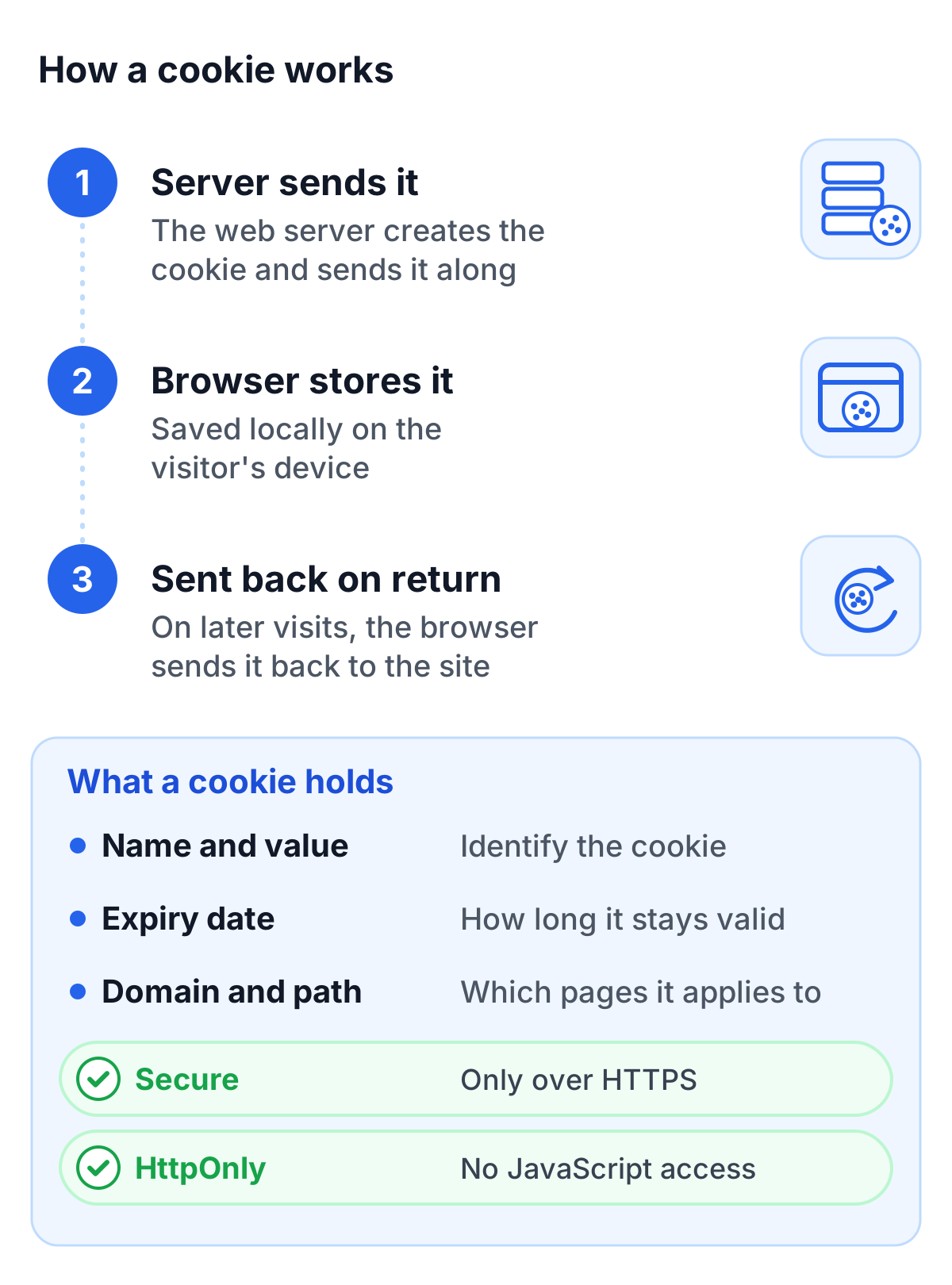
A cookie is created by a web server and sent to a user’s browser. The browser stores the cookie locally and sends it back during subsequent visits to the same website. Cookies typically have three fundamental attributes:
- Name and value: Identify the cookie and the associated data.
- Expiration date: Determines how long the cookie remains valid.
- Domain and path: Specify which pages the cookie is valid for.
Modern cookies may also include attributes like “Secure” (accessible only via HTTPS) and “HttpOnly” (not accessible via JavaScript) to enhance security.
Types of cookies
Session cookies
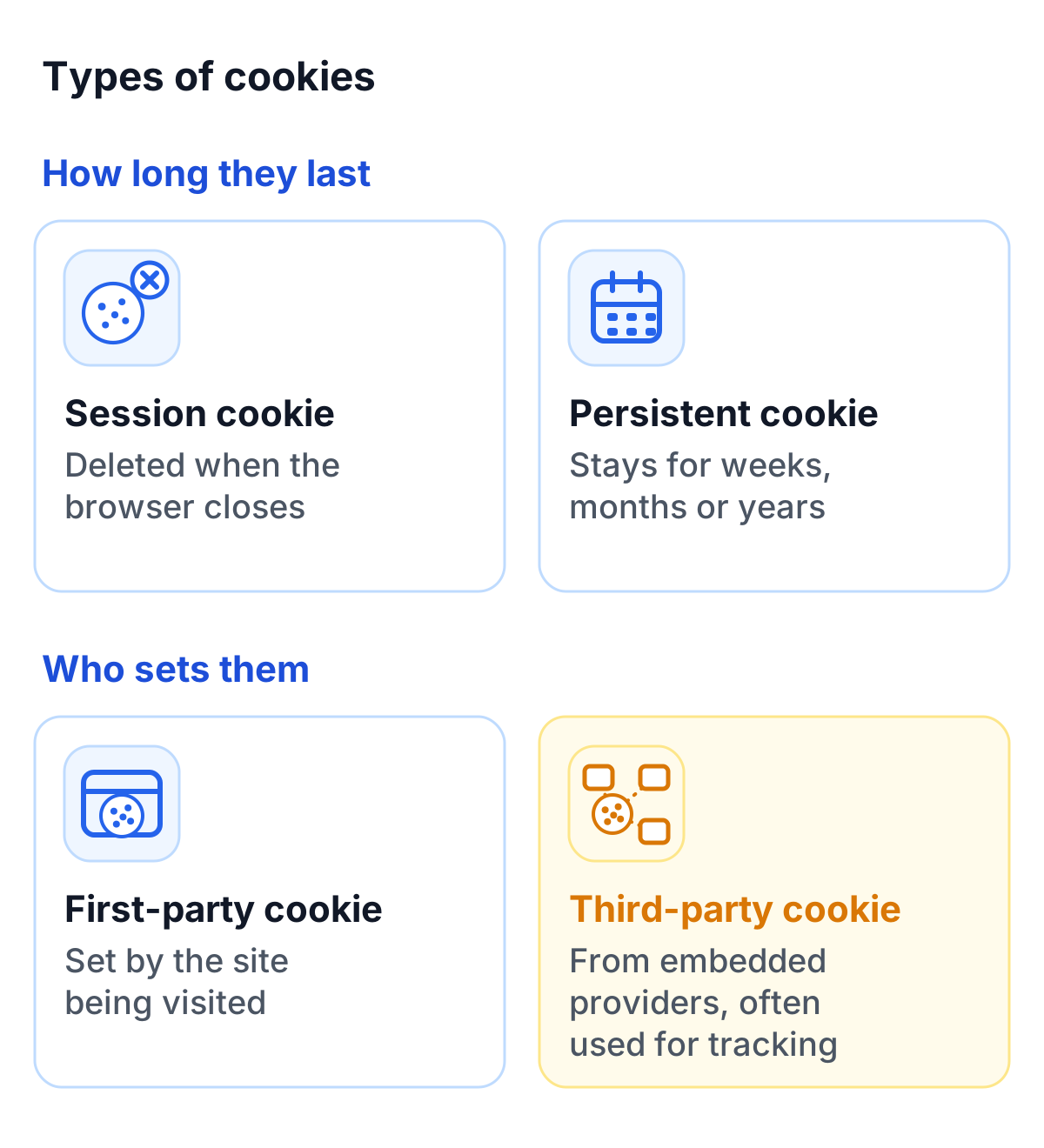
Session cookies are temporary and are deleted as soon as you close your browser. They store transient information, such as whether you are logged in to a website or which items are in your shopping cart. Without session cookies, an online store would forget your cart on every new page.
Persistent cookies
Persistent cookies remain on your device even after closing the browser. They store long-term settings like language preferences or login information. Some of these cookies can last for weeks, months, or even years. They are useful for recognizing users during repeat visits to a website.
First-party vs. third-party cookies
- First-party cookies: These are created directly by the website you are visiting. They are often essential for the site’s functionality and are less problematic in terms of privacy.
- Third-party cookies: These originate from external providers embedded in the website, such as ad networks or social media platforms. These cookies are often used to track user behavior across multiple websites.
Tracking cookies and their role in online advertising
Tracking cookies are used to analyze user preferences and behavior. They help businesses create targeted ad campaigns and measure the effectiveness of their ads. These cookies often store information such as visited websites, clicks, or interactions with content.
An example of tracking cookies in action is retargeting: You visit a website and later see ads for the exact product you viewed.
Uses of cookies
Enhancing user experience
Many everyday conveniences depend on cookies. They allow a site to remember your preferences, such as the language you prefer or the items you placed in your shopping cart. Without cookies, you would have to set these preferences anew with every visit.
Personalized advertising
Advertisers use cookies to tailor ads to users’ interests. Tracking cookies help analyze browsing behavior and categorize users into target groups. This can make ads more relevant but raises privacy concerns.
User behavior analysis
Cookies are a common tool for web analytics. Platforms like Google Analytics use cookies to gather data such as visit duration, page views and bounce rates. Site owners use these numbers to improve their websites.
Technical functions (e.g., login sessions)
Many technical functions depend on cookies. Without them, websites couldn’t manage login sessions or display personalized content. They are also useful for managing database access or distributing server loads efficiently.
Advantages and disadvantages of cookies
Advantages
- Improved user experience: Cookies remember your preferences, making website interactions smoother.
- Efficiency for operators: Businesses can better tailor their content and services to users by analyzing cookies.
- Targeted advertising: Advertisers can create more effective campaigns, which can also be beneficial for users.
Disadvantages and risks
- Privacy concerns: Cookies can collect extensive data about your behavior without you realizing it.
- Exploitation by third parties: Cookies are potentially vulnerable to attacks, such as cross-site scripting (XSS).
- Complexity: The wide range of cookies used on websites can be confusing for users.
Privacy and legal aspects
GDPR and ePrivacy rules
The consent rule for cookies comes from Article 5(3) of the EU ePrivacy Directive, which every member state has written into national law, in Germany for example § 25 TDDDG. Websites must inform users and obtain consent before setting cookies that are not strictly necessary for a service the user asked for. Since the GDPR took effect in 2018, that consent has to meet the GDPR standard: freely given, specific, informed and unambiguous. The ePrivacy Regulation, which was meant to replace the directive, was withdrawn in 2025.
Cookie consent (cookie banners)
Cookie banners now appear on almost every website. They allow users to provide consent for specific types of cookies or to accept only the necessary ones.
How businesses handle cookies
Many businesses publish a cookie policy that explains which cookies they set and why, offer ways to opt out and review their setup regularly. One source of cookies that is easy to miss is the spam protection on forms: some CAPTCHA services set their own, while a GDPR-compliant CAPTCHA such as TrustCaptcha sets none. This section is not legal advice; clarify the details for your website with your data protection officer.
Managing or blocking cookies
Browser settings
Most browsers offer detailed options for cookie management. Users can decide which websites can set cookies and block or delete specific cookies.
Using anti-tracking tools
Tools like Ghostery or Privacy Badger block tracking cookies and enhance privacy. They are particularly useful for users who want to protect their personal data.
Manual deletion of cookies
Manually deleting cookies is a straightforward way to remove unwanted data from your device. This is especially helpful when using public computers.
The future of cookies
The end of third-party cookies?
Safari has blocked third-party cookies by default since March 2020. Firefox has kept them in a separate cookie jar for each website by default since June 2022 (Total Cookie Protection), so they can no longer follow you from site to site. Chrome took a different path. Google planned for years to phase out third-party cookies, dropped that plan in July 2024 in favor of user choice, and announced in April 2025 that it would not show a separate prompt either. Third-party cookies therefore remain in Chrome: users decide in Chrome’s privacy and security settings whether to block them, and Incognito mode blocks them by default.
Alternatives to cookies (e.g., Privacy Sandbox, server-side approaches)
Google tested FLoC (Federated Learning of Cohorts) as a replacement for tracking cookies and replaced it with the Topics API in January 2022. Topics was part of the Privacy Sandbox, a set of browser interfaces meant to support advertising without third-party cookies. In October 2025, Google announced that it would retire most of them because of low adoption, including Topics, Protected Audience and Attribution Reporting. It keeps a few that improve cookie privacy and sign-ins, such as CHIPS and FedCM. Server-side approaches, which keep data on the website’s own servers instead of in the browser, are another route. They do not change the consent rules when tracking is involved.
Conclusion
Cookies keep logins, carts and settings working, and they also power tracking and targeted ads. Useful cookies and tracking cookies use the same technology, which is why consent rules and browser settings matter. Once you know how cookies work, you can decide which ones to accept and delete the rest.