

What are phishing attacks?
Phishing attacks are among the most common and dangerous forms of cybercrime. The goal is to steal sensitive information such as passwords, bank details, or personal data. Attackers deceive their victims through manipulated messages or websites that closely resemble legitimate organizations. They combine psychological tricks with technical skill.
Many phishing attacks are written to catch people when they are stressed or busy. Attackers count on people feeling pressured and paying less attention when they rush to fix a supposed problem.
How do phishing attacks work?
The basis of every phishing attack is deception. Attackers use fake emails, websites, or even SMS messages to build trust. Many of these messages present themselves as official communications from banks, email services, or well-known companies. The goal is to trick the victim into clicking on malicious links, entering sensitive data, or opening attachments containing malware.
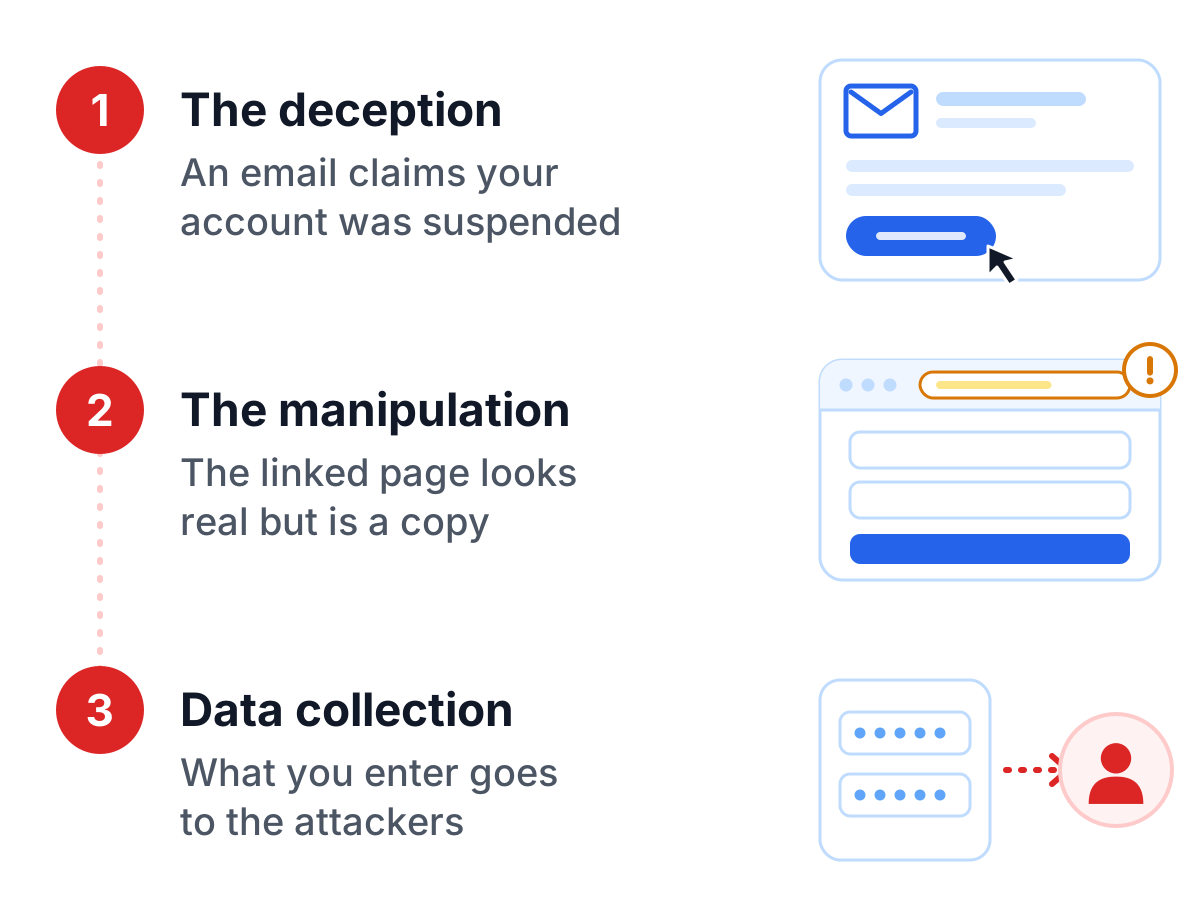
Typical steps in a phishing attack
- The deception: An email claims that your account has been suspended and prompts you to click a link.
- The manipulation: The linked page looks authentic but is a copy.
- Data collection: Once you enter your data, it falls into the hands of the attackers.
Why are phishing attacks so successful?
Phishing attacks succeed because they exploit human weaknesses. Attackers use emotions like fear or urgency to trick their victims. A fake message warning of a supposed account suspension triggers an unconsidered reaction in many people. In addition, technical tricks like fake URLs or manipulated sender addresses make it difficult to verify the authenticity of a message.
Better tools help the attackers too. Phishing websites now look so real that even experienced users fall for them. And with email, social media and mobile devices all in daily use, attackers have plenty of ways to reach people.
How can you protect yourself from phishing?
Protection from phishing attacks starts with you. A healthy dose of suspicion, plus a few technical safeguards, goes a long way. Be critical of suspicious emails or messages, especially if they are unexpected or demand urgent action.
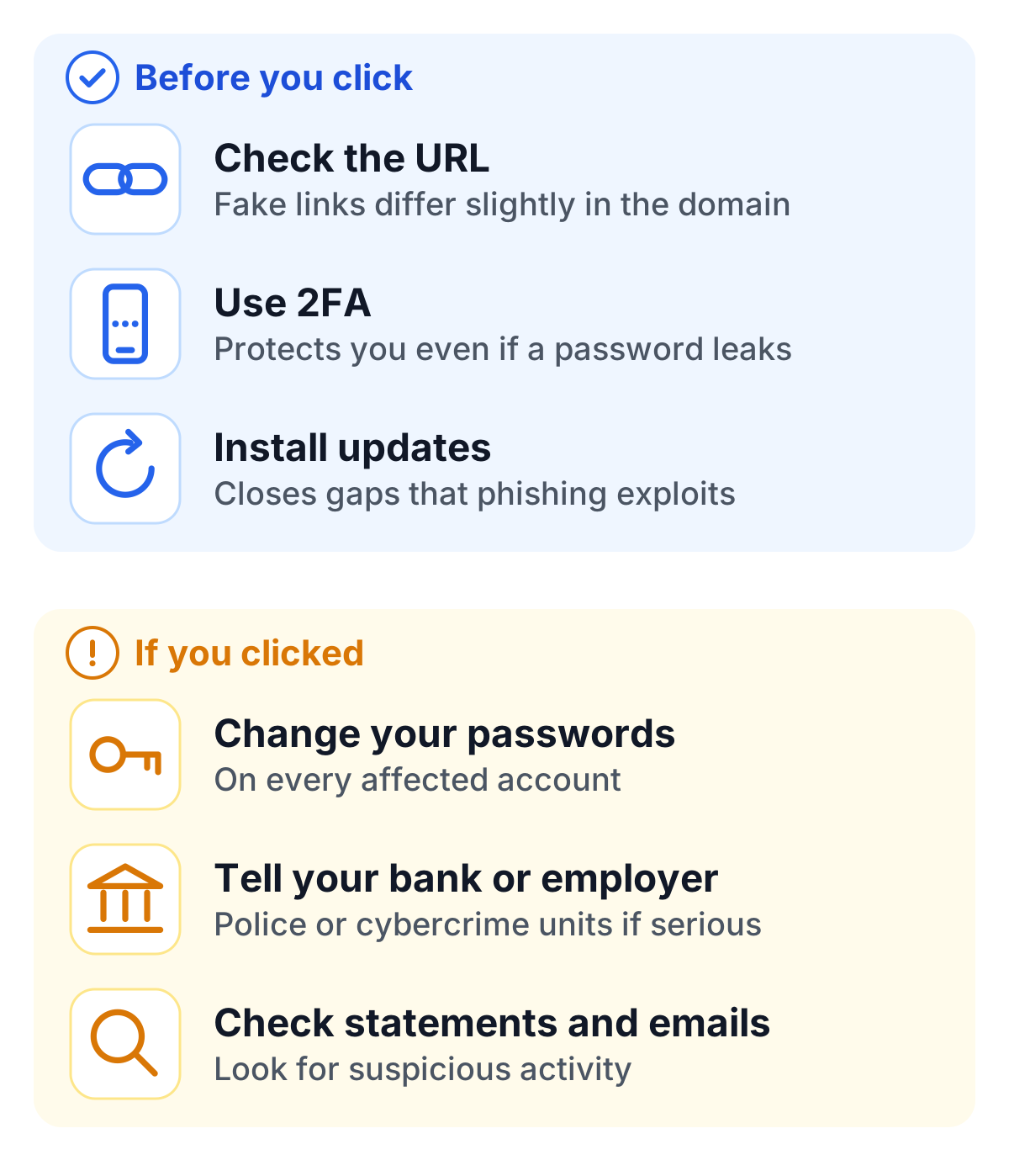
- Carefully check the URL: Fake links often contain small deviations in the domain.
- Use two-factor authentication (2FA): It offers additional protection even if a password is compromised.
- Let a password manager fill in your passwords: It only fills them in on the site they belong to, so a look-alike page gets nothing.
- Use passkeys where offered: A passkey only works on the real website, so there is nothing to phish.
Keep your devices up to date as well. Security updates close many of the vulnerabilities that phishing attacks exploit.
What to do if you fall victim to an attack?
If you have fallen for a phishing scam, act right away. Change the credentials for all affected accounts immediately. Notify your bank, employer, or other relevant entities about the incident. In serious cases, you should also contact the police or specialized cybercrime units.
Additionally, regularly check your bank statements and emails for suspicious activities. The quicker you act, the greater the likelihood of minimizing the damage.
Phishing protection for companies
Companies need prevention against phishing attacks on two fronts: people and systems. Staff awareness comes first, and regular training helps employees spot phishing early.
On the technical side, email authentication with SPF, DKIM and DMARC makes it harder for attackers to send mail in the company’s name, and mail filters catch many phishing messages before they reach an inbox. Phishing-resistant sign-in methods such as passkeys or security keys mean that a stolen password alone is no longer enough.
For the company’s own login forms, a CAPTCHA such as TrustCaptcha checks that requests come from people and not from bots. A CAPTCHA does not stop phishing emails, but when attackers try phished or stolen passwords at scale, this is where they get stopped, which makes it part of account takeover protection on login forms. TrustCaptcha runs without puzzles and is GDPR-compliant, so real users barely notice it.
Conclusion
Phishing attacks work because they exploit people’s trust and haste. Checking links and senders, using 2FA wherever you can and reacting fast after a mistake protect you better than any single tool. Companies add regular training, email authentication and phishing-resistant sign-in, and protect their own logins with a CAPTCHA, a check such as TrustCaptcha that keeps stolen passwords from being tried out automatically.
'/%3e%3c/mask%3e%3cradialGradient%20id='glow'%20cx='0.5'%20cy='0.5'%20r='0.5'%3e%3cstop%20offset='0'%20stop-color='%23dbeafe'%20stop-opacity='0.95'/%3e%3cstop%20offset='1'%20stop-color='%23dbeafe'%20stop-opacity='0'/%3e%3c/radialGradient%3e%3c/defs%3e%3crect%20width='1536'%20height='1024'%20fill='url(%23bg)'/%3e%3crect%20width='1536'%20height='1024'%20fill='url(%23dots)'%20mask='url(%23dotmask)'/%3e%3cellipse%20cx='768'%20cy='512'%20rx='640'%20ry='420'%20fill='url(%23glow)'/%3e%3cpath%20d='M930%20400%20C%201040%20400%201090%20420%201110%20450'%20fill='none'%20stroke='%2360a5fa'%20stroke-width='6'%20stroke-dasharray='4%2016'%20stroke-linecap='round'/%3e%3ccircle%20cx='430'%20cy='540'%20r='190'%20fill='%23ffffff'%20stroke='%23bfdbfe'%20stroke-width='4'%20filter='url(%23shadow)'/%3e%3cclipPath%20id='plateA'%3e%3ccircle%20cx='430'%20cy='540'%20r='186'/%3e%3c/clipPath%3e%3cg%20clip-path='url(%23plateA)'%3e%3ccircle%20cx='430'%20cy='526.0'%20r='60.0'%20fill='%2360a5fa'/%3e%3cpath%20d='M322.0%20706.0%20C322.0%20616.0%20376.0%20598.0%20430%20598.0%20C484.0%20598.0%20538.0%20616.0%20538.0%20706.0%20Z'%20fill='%2360a5fa'/%3e%3crect%20x='322'%20y='704.0'%20width='216'%20height='120'%20fill='%2360a5fa'/%3e%3c/g%3e%3cpath%20d='M345.0%20507.76%20C358.6%20475.93600000000004%20406.2%20482.056%20430%20501.64%20C453.8%20482.056%20501.4%20475.93600000000004%20515.0%20507.76%20C511.6%20550.6%20464.0%20557.944%20430%20533.4639999999999%20C396.0%20557.944%20348.4%20550.6%20345.0%20507.76%20Z'%20fill='%231e40af'/%3e%3cellipse%20cx='392.6'%20cy='516.94'%20rx='17.0'%20ry='12.24'%20fill='%23ffffff'/%3e%3cellipse%20cx='467.4'%20cy='516.94'%20rx='17.0'%20ry='12.24'%20fill='%23ffffff'/%3e%3cpath%20d='M680%20260%20h230%20a30%2030%200%200%201%2030%2030%20v130%20a30%2030%200%200%201%20-30%2030%20h-180%20l-60%2046%20v-46%20a30%2030%200%200%201%20-30%20-30%20v-130%20a30%2030%200%200%201%2030%20-30%20z'%20fill='%23ffffff'%20stroke='%23bfdbfe'%20stroke-width='4'%20filter='url(%23shadow-sm)'/%3e%3crect%20x='690'%20y='302'%20width='200'%20height='16'%20rx='8'%20fill='%23bfdbfe'/%3e%3crect%20x='690'%20y='342'%20width='160'%20height='16'%20rx='8'%20fill='%23dbeafe'/%3e%3crect%20x='690'%20y='382'%20width='120'%20height='16'%20rx='8'%20fill='%23dbeafe'/%3e%3ccircle%20cx='934'%20cy='268'%20r='40'%20fill='%23ffffff'%20stroke='%23d97706'%20stroke-width='4'%20filter='url(%23shadow-sm)'/%3e%3cpath%20d='M934%20251.2%20V272.0'%20stroke='%23d97706'%20stroke-width='7.0'%20stroke-linecap='round'/%3e%3ccircle%20cx='934'%20cy='284.8'%20r='4.0'%20fill='%23d97706'/%3e%3ccircle%20cx='1150'%20cy='600'%20r='150'%20fill='%23ffffff'%20stroke='%23bfdbfe'%20stroke-width='4'%20filter='url(%23shadow)'/%3e%3cclipPath%20id='plateB'%3e%3ccircle%20cx='1150'%20cy='600'%20r='146'/%3e%3c/clipPath%3e%3cg%20clip-path='url(%23plateB)'%3e%3ccircle%20cx='1150'%20cy='592.6'%20r='46.0'%20fill='%232563eb'/%3e%3cpath%20d='M1067.2%20730.6%20C1067.2%20661.6%201108.6%20647.8%201150%20647.8%20C1191.4%20647.8%201232.8%20661.6%201232.8%20730.6%20Z'%20fill='%232563eb'/%3e%3crect%20x='1067.2'%20y='728.6'%20width='165.6'%20height='120'%20fill='%232563eb'/%3e%3c/g%3e%3c/svg%3e)