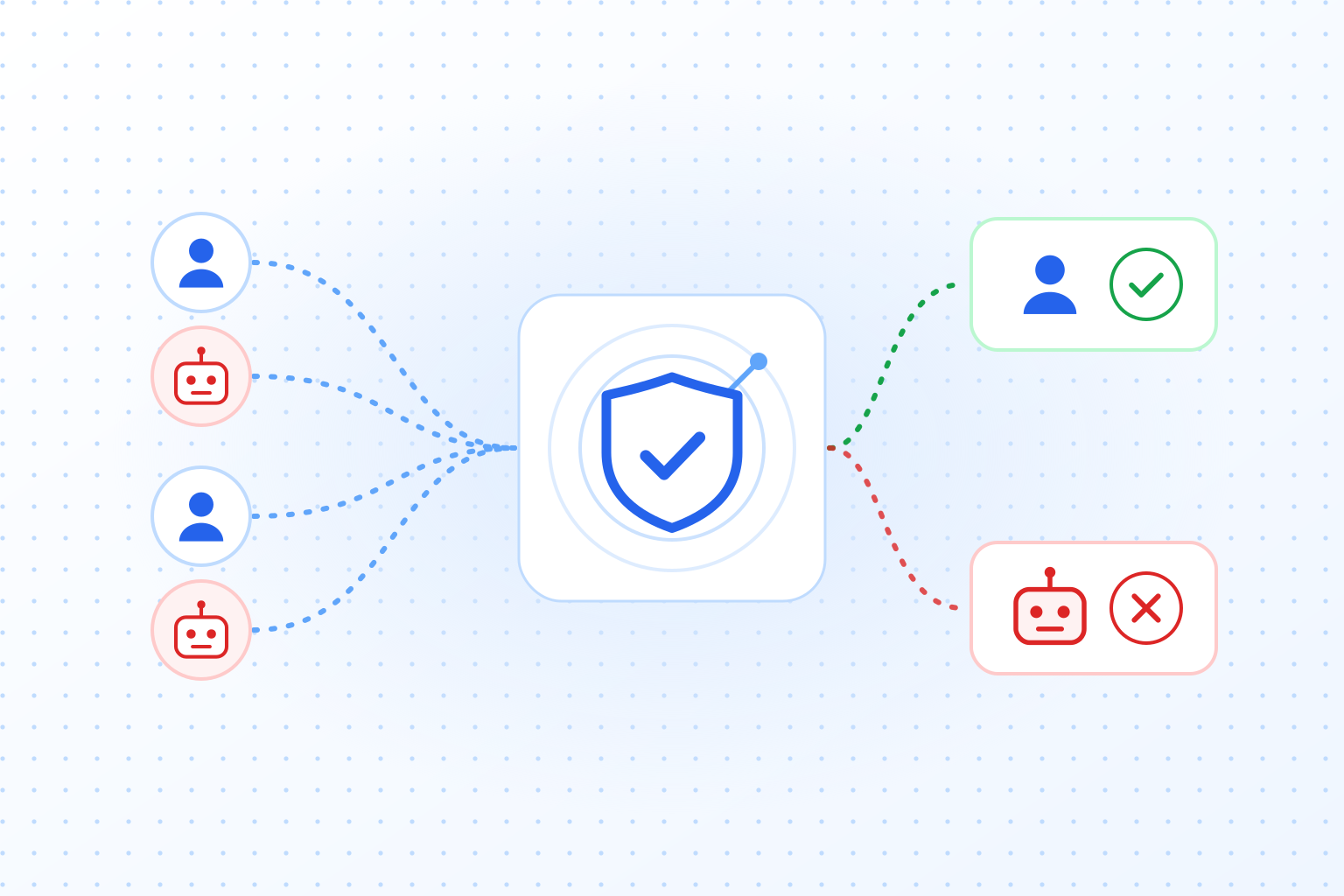
What is browser fingerprinting?
Browser fingerprinting is a tracking method that can identify users on the internet without relying on cookies. It uses the specific configuration of a device and browser to create a kind of “digital fingerprint.” Some advertisers turn to it where browsers block cookies, but it is no legal loophole: in the EU, fingerprinting falls under the same consent rule as cookies. How it works, what data it collects and what it means for privacy is covered below.
How does browser fingerprinting work?
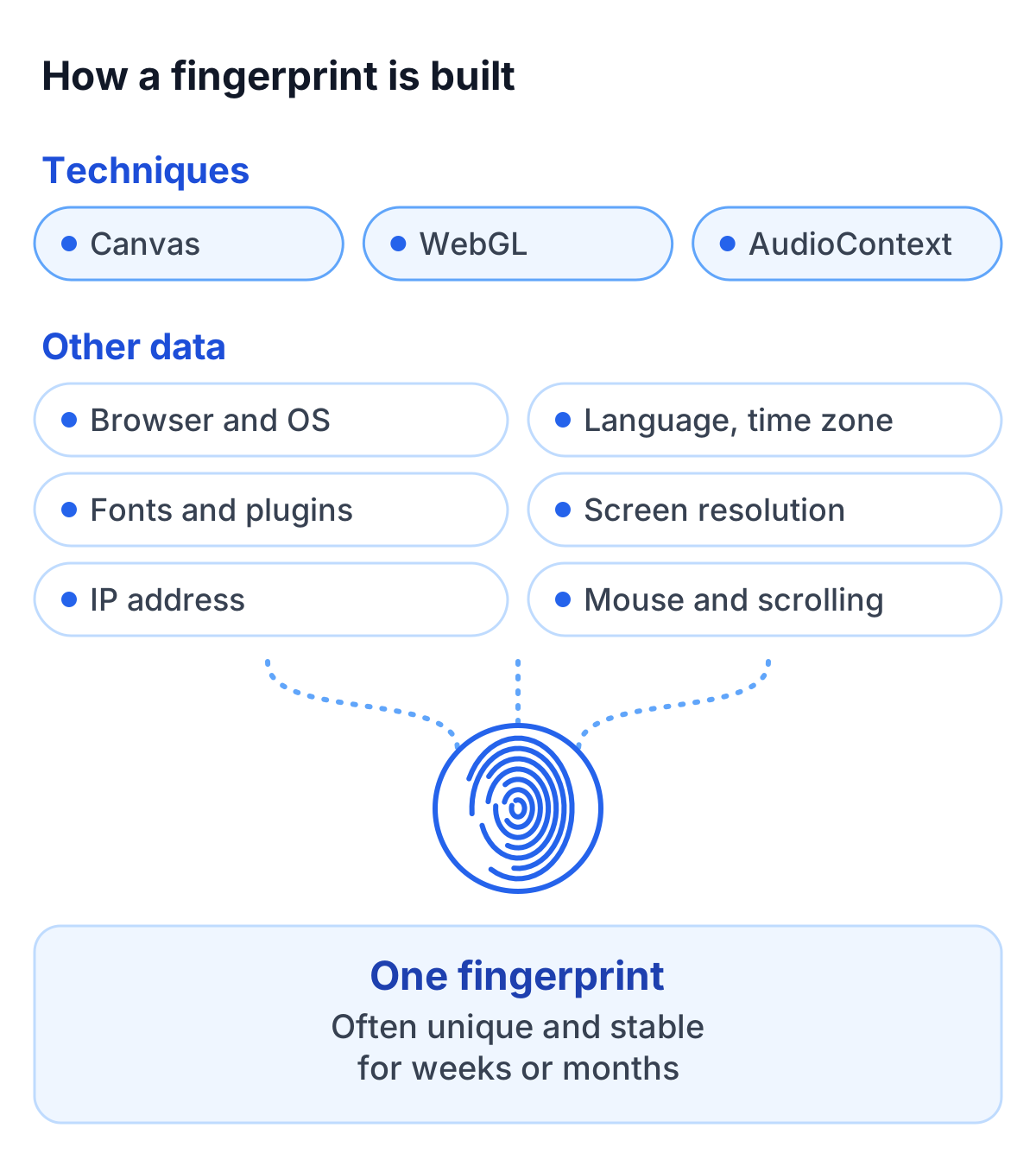
Browser fingerprinting is based on the principle that each browser and device can be identified by a unique combination of technical attributes. The collected data includes a wide range of information derived from browser configurations, hardware properties, and software environments. These data points are combined to create a “digital fingerprint” that is often stable and unique.
Key techniques
- Canvas fingerprinting: The browser is instructed to render an invisible image. The way this image is created varies slightly depending on the device, graphics driver, and software.
- WebGL fingerprinting: This method uses the 3D graphics capabilities of the device to detect differences in the rendering of 3D objects.
- AudioContext fingerprinting: This measures subtle differences in audio playback caused by hardware and software configurations.
Additionally, browser fingerprinting techniques collect a wide range of other data, including:
- Browser version and operating system
- Language settings and time zone
- Installed fonts and plugins
- Screen resolution and color depth
- Geolocation and IP address
- Mouse movements, scrolling behavior, and touchscreen patterns
- Active network interfaces and CPU architecture
The combination of this data enables the creation of a unique fingerprint that can remain stable for weeks or even months. Research projects such as the EFF’s Panopticlick found that most of the browsers they tested could be told apart by their fingerprint alone. This makes fingerprinting a powerful technology, though it also poses risks to privacy.
Browser fingerprinting vs. cookies
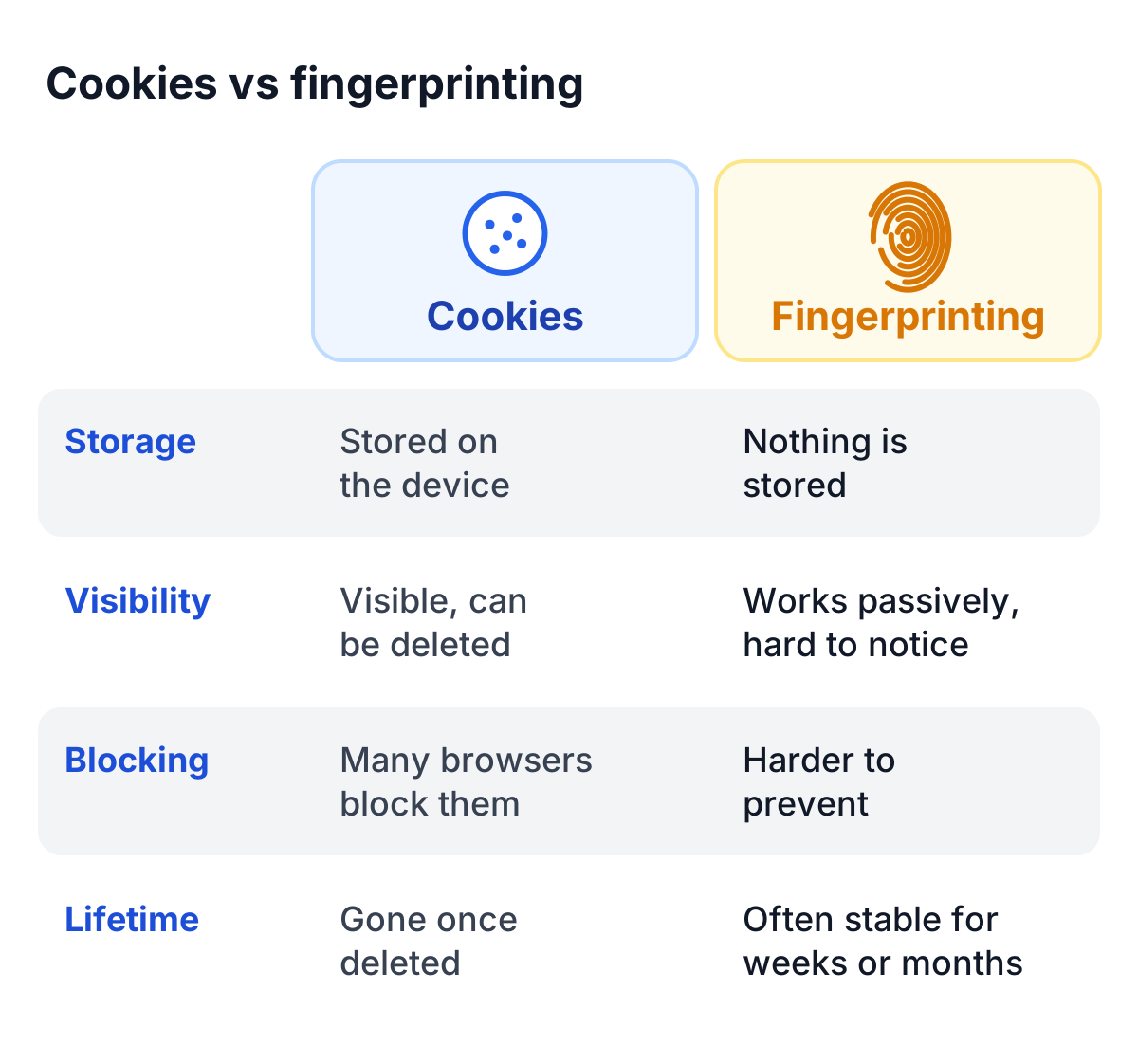
While cookies are explicitly stored on a user’s device and often require active acceptance, browser fingerprinting works passively and is harder to detect or block. That does not put it outside the consent rules: in the EU, reading device properties for a fingerprint is treated like setting a cookie (more on this below).
Advantages of browser fingerprinting
- No storage needed: A fingerprint is calculated from properties the browser already reveals, so nothing has to be stored on the device. This does not exempt it from consent rules.
- Longer stability: While cookies can be deleted, fingerprints often remain stable over longer periods, which makes them useful for recognizing a returning device in fraud and bot detection.
Disadvantages of browser fingerprinting
- Privacy concerns: The invisible nature of fingerprinting makes it difficult for users to know whether they are being tracked.
- Hard for users to control: Many browsers block cookies, but fingerprinting is harder to prevent. That is exactly why regulators apply the consent rules to it.
- Technical complexity: Modern browser protections make it more challenging to create stable fingerprints.
Many companies combine fingerprinting with cookies to achieve maximum tracking accuracy. However, these hybrid approaches increase the potential privacy risks.
Applications of browser fingerprinting
Browser fingerprinting is used in several areas:
- Online marketing: Advertisers use fingerprinting to track users across multiple websites and deliver targeted advertising. It enables personalized marketing campaigns without cookies.
- Fraud detection: Banks and online services use fingerprinting to identify suspicious devices and minimize security risks.
- Statistical analysis: Website operators analyze user behavior to optimize content and improve usability.
- Bot detection: Fingerprinting helps distinguish automated bots from real users and prevent abuse. A GDPR-compliant CAPTCHA such as TrustCaptcha uses device and browser data only for this purpose and builds no tracking profiles from it.
It is used most where cookies are blocked or restricted.
Privacy and risks
Browser fingerprinting is a real privacy problem, because it often runs without users knowing or agreeing. The amount of data collected can add up to detailed user profiles.
Studies on the uniqueness of fingerprints
Research shows that many fingerprints are unique, although larger studies found lower rates than the early ones. A fingerprint changes when the browser or system is updated, but tracking tools can often link the old and the new one, so identification can work for weeks or months. Time matters: the longer a fingerprint remains unchanged, the more valuable it is to companies.
Does browser fingerprinting need consent?
In the EU, usually yes. Article 5(3) of the ePrivacy Directive covers more than cookies: it applies whenever information is stored on a device or read from it. The European Data Protection Board confirms in its Guidelines 2/2023 on the technical scope of Article 5(3), adopted in final form on 7 October 2024, that fingerprinting falls under this rule. A script that reads device properties and sends them to a server counts as access, even though no cookie is stored. The rule applies whether or not the information is personal data.
Whether consent is needed depends on the purpose. Fingerprinting for tracking, profiling or advertising needs consent, and the same generally applies to analytics. The exemption covers only access that is strictly necessary for a service the user explicitly requested (or that serves solely to transmit a communication). Security uses can fall under it. The Article 29 Working Party, the EDPB’s predecessor, named the detection of repeated failed logins as an example in 2012 and confirmed in 2014 that the same exemptions apply to fingerprinting. The German data protection authorities state that user-oriented fraud prevention and IT security can count as part of the service itself, and the French CNIL exempts trackers that protect a login against automated access attempts. The EDPB leaves the exemptions to a case-by-case assessment. They do not cover the security of other services the user did not ask for, and the data must not be reused for other purposes.
When the fingerprint is personal data, the GDPR applies in addition: the processing needs a legal basis, and the privacy policy has to explain it (Art. 13 GDPR: who processes the data, for what purpose, on which legal basis, whether it leaves the EU and how long it is kept). We deliberately give no template, because the wording depends on your setup. This section is not legal advice; check it with your data protection officer.
How do modern browsers protect against fingerprinting?
To protect users from fingerprinting, many browsers have implemented built-in protection mechanisms:
- Firefox: Blocks known fingerprinting scripts and minimizes access to sensitive data.
- Safari: Apple’s “Intelligent Tracking Prevention” limits the amount of information that websites can access.
- Brave browser: Offers default anti-fingerprinting features and aggressively blocks tracking scripts.
Fingerprinting still gets past many of these protections, because new techniques keep appearing.
How can you protect yourself from browser fingerprinting?
There are several ways to protect yourself from browser fingerprinting:
- Use privacy-oriented browsers: Brave, Firefox, and Tor are designed to minimize fingerprinting.
- Install anti-fingerprinting tools: Extensions like “Privacy Badger” or “uBlock Origin” block many tracking attempts.
- Use VPNs: These mask the IP address and prevent geolocation tracking.
- Regularly reset browser data: Changing language settings or removing plugins can render fingerprints unusable.
For businesses, being open about which methods they use is what keeps users’ trust over time.
The future of browser fingerprinting
As cookies become more restricted, fingerprinting could become more widespread. Machine learning may make it more accurate. At the same time, the pressure for privacy-friendly alternatives is growing.
Where the line between useful data collection and privacy lies will stay contested. In the EU, the principle is already set: fingerprinting for tracking needs consent, while narrowly necessary security uses can be exempt after a case-by-case assessment.