Introduction
The General Data Protection Regulation (GDPR) has applied across the EU since May 2018. It sets the rules for how companies and organizations handle personal data, and it requires them to do so transparently and securely. For many businesses, putting it into practice takes real effort, and a checklist of the main requirements makes it easier to get started.
What is GDPR?
The General Data Protection Regulation (GDPR) is an EU-wide regulation that governs the protection of personal data. Its main objective is to safeguard the privacy of individuals in the European Union and ensure that companies handle their data responsibly.
The GDPR applies to organizations based in the EU. It also applies to organizations outside the EU when they offer goods or services to people in the EU or monitor their behavior. It covers every step of processing: collecting, storing, using and sharing data. Companies that violate these rules risk high fines and significant reputational damage.
Key GDPR requirements
The GDPR sets strict requirements for data protection. Companies must ensure that personal data is processed lawfully, transparently, and securely.
Lawfulness of data processing
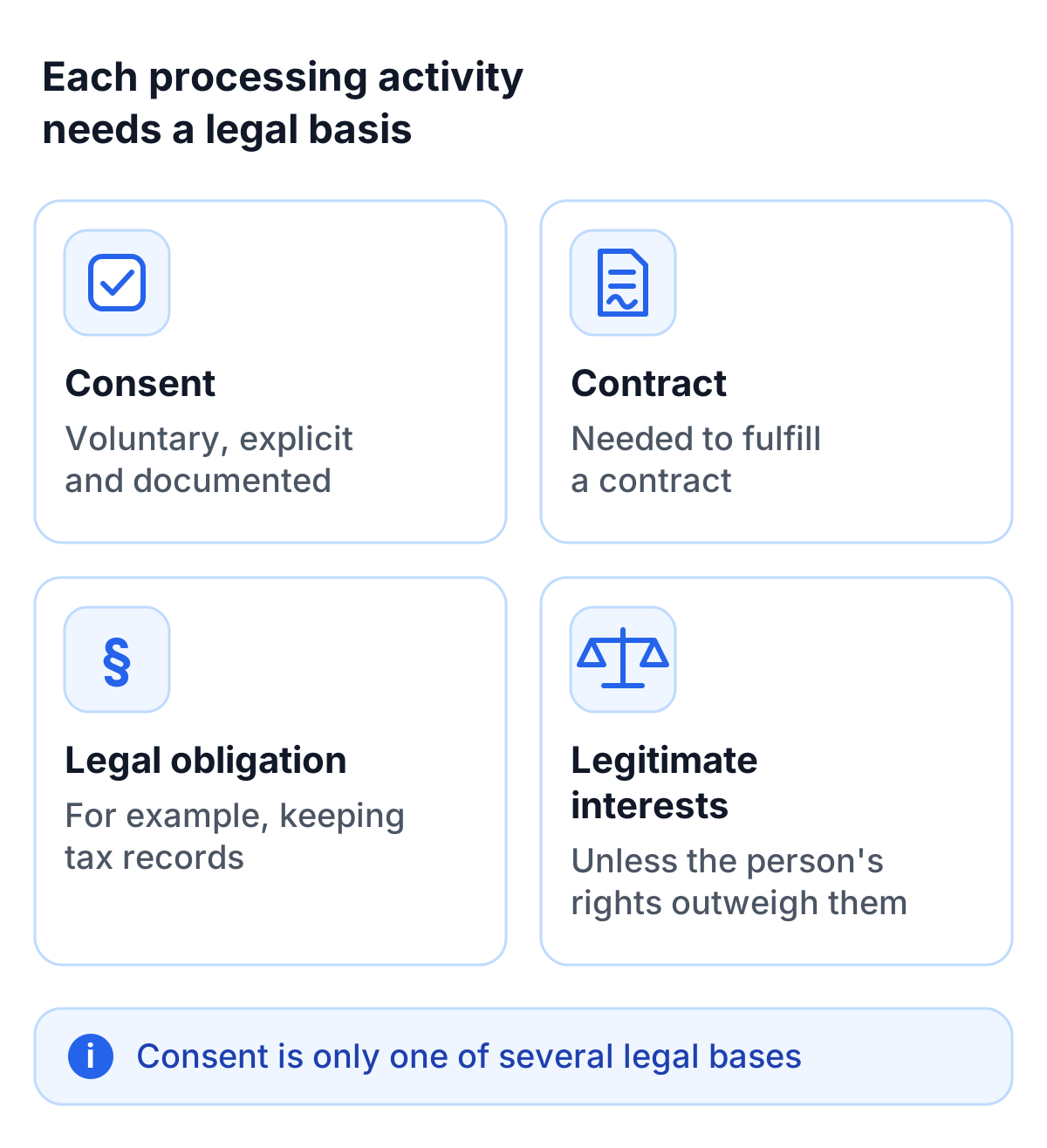
All data processing must have a legal basis, including:
- Consent of the individual: This must be freely given, specific, informed and unambiguous, and the company must be able to prove it.
- Performance of a contract: Data may be processed if necessary for fulfilling a contract.
- Compliance with legal obligations: For example, retaining tax records.
- Legitimate interests: As long as these do not disproportionately affect the rights of the individual.
Transparency and information obligations
GDPR requires companies to clearly and transparently inform users about data processing. A privacy policy has to be easy to find and written in plain language. It must clearly state the purpose of data processing, the responsible parties, and the rights of the individuals concerned.
Privacy by design and by default
The principle of “Privacy by Design” demands that data protection measures are considered during the development of technologies. “Privacy by Default” ensures that privacy-friendly settings are enabled by default. CAPTCHAs are a practical example. Traditional tools like reCAPTCHA often transfer data to the US, while a GDPR-compliant CAPTCHA such as TrustCaptcha collects no unnecessary data, sets no cookies and processes data in EU data centers.
Rights of individuals under GDPR
The GDPR gives individuals a set of rights over their data, and companies have to be able to honor them. Individuals have the following rights:
- Right of access: Users can inquire what data is stored about them.
- Right to rectification: Incorrect or incomplete data must be corrected.
- Right to erasure: Data must be deleted if it is no longer needed or was processed unlawfully.
- Right to restriction of processing: Users can ask for their data to be kept but not used, for example while a correction is being checked.
- Right to object: Users can oppose the processing of their data.
- Right to data portability: Users can receive their data in a machine-readable format and transfer it to another provider.
- Rights related to automated decisions: Users can contest decisions based solely on automated processing that significantly affect them and ask for a person to review them.
For companies, this means having processes in place to answer such requests quickly and transparently.
GDPR checklist for businesses
Define responsibilities
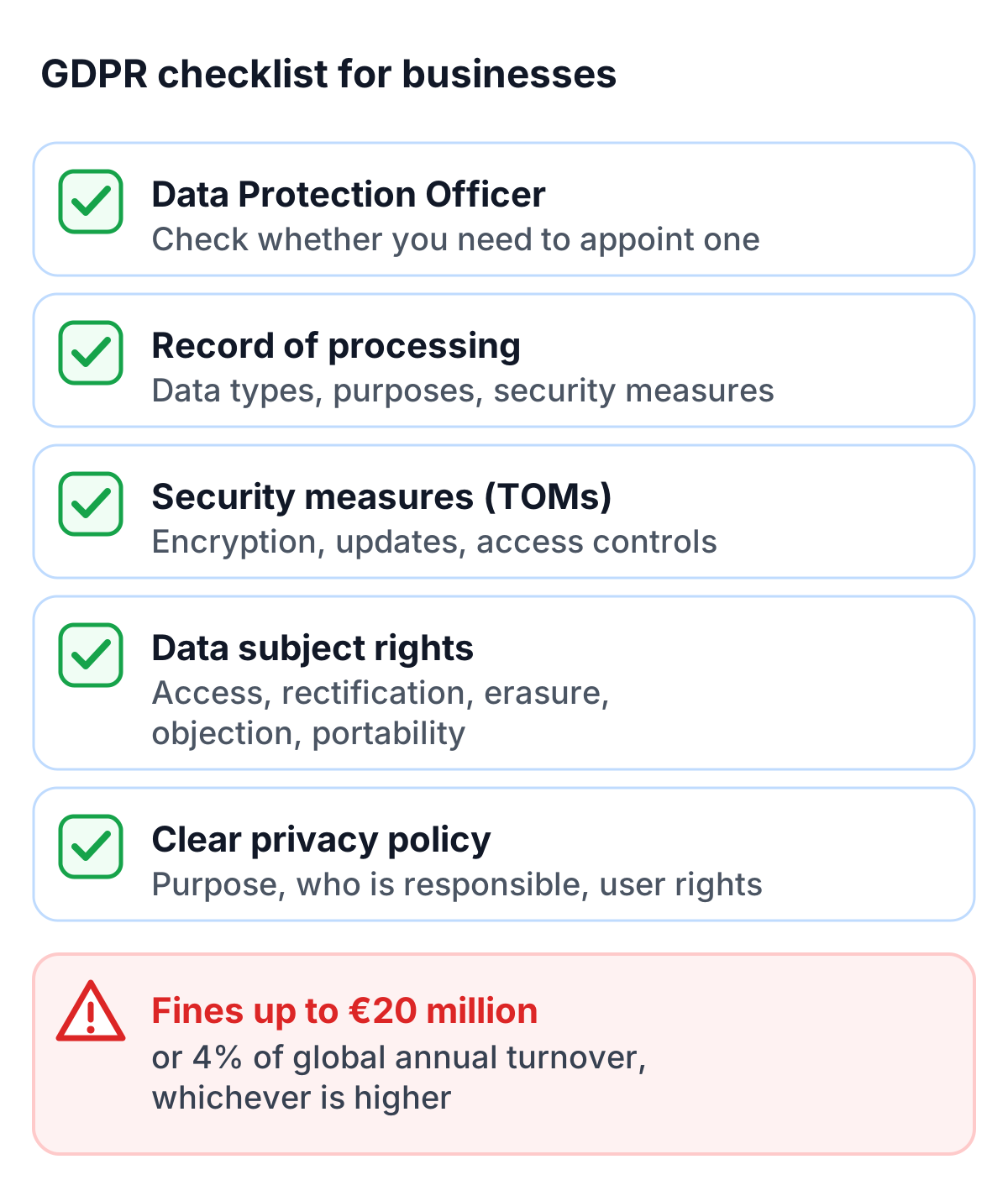
Companies should first check whether they need to appoint a Data Protection Officer (DPO). This is often required when sensitive data is processed or large volumes of data are regularly collected. The DPO advises the company, monitors compliance and is the point of contact for data protection matters.
Documentation and transparency
Most organizations also have to keep a record of processing activities. It documents each processing activity, including the type of data, the purposes and the security measures. The record has to be kept up to date, which also helps companies keep track of their own data.
Implement security measures
GDPR requires companies to implement technical and organizational measures (TOM) to protect personal data. These include:
- Encryption of sensitive data: To prevent data loss and unauthorized access.
- Regular security updates: Software should always be up to date.
- Strong access controls: Only authorized personnel should have access to data.
On websites, this includes forms and logins, where people enter passwords and other personal data. Security tools there process personal data themselves, so it pays to choose ones that collect as little as possible. TrustCaptcha, for example, protects forms without cookies, reads only the device data its security check needs and processes it only in EU data centers.
Consequences of GDPR non-compliance
Non-compliance with GDPR can have severe consequences. Companies that violate the regulations risk fines of up to 20 million euros or 4% of their global annual turnover, whichever is higher. However, financial penalties are not the only risk; companies may also lose customer trust and suffer reputational damage.
Well-known cases show that regulators do enforce these rules. For instance, Google was fined 50 million euros for lacking transparency in obtaining consent. British Airways faced a 20-million-pound penalty after a data breach exposed personal information of over 400,000 customers.
Small businesses are not immune either. Many mistakes arise from using third-party tools that are not fully GDPR-compliant. Tools like reCAPTCHA can be a problem here, as they often transfer data to third countries. Privacy-friendly alternatives that process data in the EU avoid that problem.
Conclusion
The GDPR creates real work, especially at the start: records, policies and processes for user requests. Companies that take it seriously early on spend less time fixing problems later, avoid the risk of heavy fines and give customers a concrete reason to trust them.
Tools that handle user data every day, such as CAPTCHAs, are a good place to start. A provider like TrustCaptcha, which works without cookies and processes data in the EU, keeps that part simple. This article is a general overview and not legal advice; for your own organization, ask your data protection officer.