'%3e%3crect%20width='32'%20height='24'%20fill='white'/%3e%3cpath%20fill-rule='evenodd'%20clip-rule='evenodd'%20d='M0%200V24H32V0H0Z'%20fill='%232E42A5'/%3e%3cmask%20id='mask0_270_67386'%20style='mask-type:luminance'%20maskUnits='userSpaceOnUse'%20x='0'%20y='0'%20width='32'%20height='24'%3e%3cpath%20fill-rule='evenodd'%20clip-rule='evenodd'%20d='M0%200V24H32V0H0Z'%20fill='white'/%3e%3c/mask%3e%3cg%20mask='url(%23mask0_270_67386)'%3e%3cpath%20d='M-3.56323%2022.2854L3.47846%2025.2635L32.1597%203.23787L35.874%20-1.18761L28.344%20-2.18297L16.6456%207.3085L7.22956%2013.7035L-3.56323%2022.2854Z'%20fill='white'/%3e%3cpath%20d='M-2.59924%2024.3719L0.988173%2026.1001L34.5402%20-1.59881H29.5031L-2.59924%2024.3719Z'%20fill='%23F50100'/%3e%3cpath%20d='M35.5631%2022.2854L28.5214%2025.2635L-0.159817%203.23787L-3.87415%20-1.18761L3.65593%20-2.18297L15.3543%207.3085L24.7703%2013.7035L35.5631%2022.2854Z'%20fill='white'/%3e%3cpath%20d='M35.3229%2023.7829L31.7355%2025.5111L17.4487%2013.6518L13.2129%2012.3267L-4.23151%20-1.17246H0.805637L18.2403%2012.0063L22.8713%2013.5952L35.3229%2023.7829Z'%20fill='%23F50100'/%3e%3cmask%20id='path-7-inside-1_270_67386'%20fill='white'%3e%3cpath%20fill-rule='evenodd'%20clip-rule='evenodd'%20d='M19.7777%20-2H12.2222V8H-1.97253V16H12.2222V26H19.7777V16H34.0275V8H19.7777V-2Z'/%3e%3c/mask%3e%3cpath%20fill-rule='evenodd'%20clip-rule='evenodd'%20d='M19.7777%20-2H12.2222V8H-1.97253V16H12.2222V26H19.7777V16H34.0275V8H19.7777V-2Z'%20fill='%23F50100'/%3e%3cpath%20d='M12.2222%20-2V-4H10.2222V-2H12.2222ZM19.7777%20-2H21.7777V-4H19.7777V-2ZM12.2222%208V10H14.2222V8H12.2222ZM-1.97253%208V6H-3.97253V8H-1.97253ZM-1.97253%2016H-3.97253V18H-1.97253V16ZM12.2222%2016H14.2222V14H12.2222V16ZM12.2222%2026H10.2222V28H12.2222V26ZM19.7777%2026V28H21.7777V26H19.7777ZM19.7777%2016V14H17.7777V16H19.7777ZM34.0275%2016V18H36.0275V16H34.0275ZM34.0275%208H36.0275V6H34.0275V8ZM19.7777%208H17.7777V10H19.7777V8ZM12.2222%200H19.7777V-4H12.2222V0ZM14.2222%208V-2H10.2222V8H14.2222ZM-1.97253%2010H12.2222V6H-1.97253V10ZM0.0274658%2016V8H-3.97253V16H0.0274658ZM12.2222%2014H-1.97253V18H12.2222V14ZM14.2222%2026V16H10.2222V26H14.2222ZM19.7777%2024H12.2222V28H19.7777V24ZM17.7777%2016V26H21.7777V16H17.7777ZM34.0275%2014H19.7777V18H34.0275V14ZM32.0275%208V16H36.0275V8H32.0275ZM19.7777%2010H34.0275V6H19.7777V10ZM17.7777%20-2V8H21.7777V-2H17.7777Z'%20fill='white'%20mask='url(%23path-7-inside-1_270_67386)'/%3e%3c/g%3e%3c/g%3e%3cdefs%3e%3cclipPath%20id='clip0_270_67386'%3e%3crect%20width='32'%20height='24'%20fill='white'/%3e%3c/clipPath%3e%3c/defs%3e%3c/svg%3e)
'%3e%3crect%20width='32'%20height='24'%20fill='white'/%3e%3cpath%20fill-rule='evenodd'%20clip-rule='evenodd'%20d='M0%2016H32V24H0V16Z'%20fill='%23FFD018'/%3e%3cpath%20fill-rule='evenodd'%20clip-rule='evenodd'%20d='M0%208H32V16H0V8Z'%20fill='%23E31D1C'/%3e%3cpath%20fill-rule='evenodd'%20clip-rule='evenodd'%20d='M0%200H32V8H0V0Z'%20fill='%23272727'/%3e%3c/g%3e%3cdefs%3e%3cclipPath%20id='clip0_270_67353'%3e%3crect%20width='32'%20height='24'%20fill='white'/%3e%3c/clipPath%3e%3c/defs%3e%3c/svg%3e)
'%3e%3crect%20width='32'%20height='24'%20fill='white'/%3e%3cpath%20fill-rule='evenodd'%20clip-rule='evenodd'%20d='M22%200H32V24H22V0Z'%20fill='%23F50100'/%3e%3cpath%20fill-rule='evenodd'%20clip-rule='evenodd'%20d='M0%200H12V24H0V0Z'%20fill='%232E42A5'/%3e%3cpath%20fill-rule='evenodd'%20clip-rule='evenodd'%20d='M10%200H22V24H10V0Z'%20fill='%23F7FCFF'/%3e%3c/g%3e%3cdefs%3e%3cclipPath%20id='clip0_270_67361'%3e%3crect%20width='32'%20height='24'%20fill='white'/%3e%3c/clipPath%3e%3c/defs%3e%3c/svg%3e)
The Importance of Secure Passwords
In the digital world, where almost every activity takes place online, secure passwords are essential. They protect our sensitive data and prevent unauthorized access to our accounts. Despite this, many people still use weak passwords like “123456” or “password,” making them vulnerable to hacking.
A secure password should be at least 12 characters long, include a combination of uppercase and lowercase letters, numbers, and special characters, and avoid using personal information. The length and complexity of a password are crucial, as short or simple passwords can be quickly cracked with modern computing power.
For example, a 6-character password consisting only of lowercase letters can be guessed in a fraction of a second with a brute-force attack. In contrast, a 12-character password with uppercase and lowercase letters, numbers, and special characters would take millions of years to crack, even with powerful hardware.
Additionally, passwords should not be guessable to prevent dictionary attacks. In this method, attackers systematically try words that might appear in a dictionary. A password like “Summer2024” is therefore easy to guess, while a random combination like “x4R$t9Pl3#” is nearly impossible to crack. This is where password managers provide invaluable help: they create and manage passwords that are both long and complex.
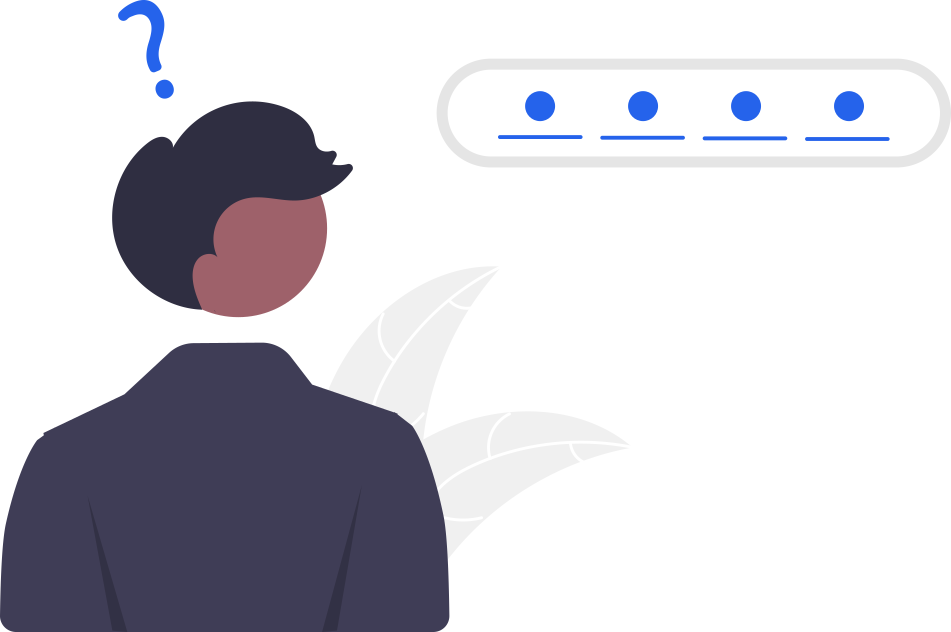
What Is a Password Manager and Why Is It Essential?
A password manager is software that helps you securely store and manage all your login credentials. Instead of remembering dozens of passwords, you only need one master password to access all the others.
Advantages of Password Managers
- Automatic Password Generation: They create strong, random passwords.
- Convenience: Passwords are securely stored and auto-filled when needed.
- Phishing Protection: Password managers identify suspicious websites and prevent passwords from being submitted to the wrong destinations.
Password managers reduce the stress of creating and remembering secure passwords, making them an indispensable tool.
Secure Passwords: Length, Complexity, and Practical Tips
The length of a password is crucial, as the number of possible combinations increases exponentially with each additional character. For example, an 8-character password has about 200 billion possible combinations, while a 12-character password has 62 trillion possibilities – a significant difference that makes brute-force attacks much harder.
Complexity is also key. Passwords that combine letters, numbers, and special characters are harder to guess. A simple comparison illustrates the difference: A password like “Summer2024” consists of real words and an easily guessed number, making it crackable within minutes using a dictionary attack. In contrast, a randomly generated password like “7xT#Pl$03qR” is nearly immune to such attacks.
To create a secure password, consider the following tips:
- Use passphrases: A combination of random, unrelated words, such as “Flower7Cup#Cloud.”
- Make individual adjustments: Memorable personal patterns with random variations.
- Avoid reusing passwords: Each account requires its own unique password.
A password manager eliminates this effort by automatically generating and securely storing strong passwords.
Security Mechanisms: Rate Limits and CAPTCHAs
Rate limits and CAPTCHA systems are technical measures that make it harder for attackers to compromise accounts, even if a user has a weak password. Rate limits restrict the number of login attempts within a certain timeframe, making it nearly impossible for hackers to perform brute-force attacks quickly. Even if an attacker uses an automated tool to guess a weak password, access is significantly slowed – often to the point where the attack becomes infeasible.
CAPTCHAs ensure that only humans, not bots, can attempt logins. A modern solution like TrustCaptcha offers not only high protection against bots but also complies with strict GDPR requirements. These measures act preventively, safeguarding accounts even when password security is less than optimal.
Password Managers and 2FA: The Perfect Combination
Secure passwords are the first step. Another layer of security is provided by two-factor authentication (2FA), which requires a second factor in addition to the password. Examples include OTP codes via apps like Google Authenticator or biometric data such as fingerprints or facial recognition. Password managers like LastPass or 1Password seamlessly integrate 2FA, eliminating the need for external tools. This significantly enhances security without compromising convenience.
Best Password Managers Overview
The choice of the right password manager depends on individual needs. Here are three of the best options:
- LastPass: Offers easy management for teams and families.
- 1Password: Intuitive to use, with excellent support.
- Bitwarden: A free yet powerful solution.
All mentioned options provide security features such as automatic password generation and 2FA integration. For additional security, businesses should consider tools like TrustCaptcha to prevent automated attacks.
Conclusion: The Foundation of Modern Security
Secure passwords are indispensable but difficult to manage without the right tools. Password managers offer the perfect solution: they create complex passwords, securely store them, and simplify management. Combined with 2FA, rate limits, and modern security solutions like TrustCaptcha, you can create a security strategy that is both effective and user-friendly.